EasyManua.ls Logo

ElectrIQ eiQ-27CVQHD165IFSGHLD - User Manual

ElectrIQ eiQ-27CVQHD165IFSGHLD
18 pages
Print Icon
To Next Page IconTo Next Page
Loading...
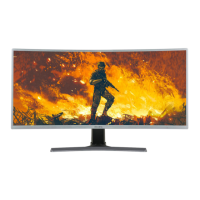
27” LED MONITOR
eiQ-27CVQHD165IFSGHLD
Thank you for choosing electriQ
Please read the user manual before using this monitor and keep it safe for future reference
Visit www.electriQ.co.uk to view our entire range of Intelligent Electricals
USER MANUAL
Question and Answer IconNeed help?

Do you have a question about the ElectrIQ eiQ-27CVQHD165IFSGHLD and is the answer not in the manual?

Summary

SAFETY INFORMATION

WHATS INCLUDED

STAND INSTALLATION

WALL MOUNT INSTALLATION

CONNECTIONS AVAILABLE ON THE MONITOR

POWER

Main power connection for the monitor.

HDMI x 3

Three HDMI input ports.

DP IN

DisplayPort input port.

Type-C

Type-C input port.

AUDIO OUT

Audio output connection.

USB

USB connectivity port.

WALL MOUNTING

GETTING STARTED

MONITOR CONTROLS

Details on monitor buttons and their functions.

SHORTCUT BUTTONS

Quick access settings via dedicated buttons.

INITIAL SET UP

MENU OPTIONS

OSD MENU

LED EFFECTS SYSTEM CONSOLE

Settings for monitor LED lighting effects.

PICTURE Mode

Options for selecting display picture modes.

COLLIMATION Mode

INPUT SOURCE

BRIGHTNESS;CONTRAST

COLOUR SETTINGS

PICTURE QUALITY SETTINGS

DISPLAY

AUDIO

MULTI-WINDOW

OSD

OTHER

SPECIFICATION

TROUBLESHOOTING

ENVIRONMENTAL PROTECTION

electriQ UK SUPPORT

ElectrIQ eiQ-27CVQHD165IFSGHLD Specifications

General IconGeneral
Screen Size27 inches
Resolution2560 x 1440 (QHD)
Refresh Rate165 Hz
Panel TypeIPS
Aspect Ratio16:9
Response Time1 ms
Brightness350 cd/m²
Contrast Ratio1000:1
Viewing Angle178°/178°
Color GamutsRGB 99%
PortsHDMI, DisplayPort, USB
VESA Mount100 x 100 mm
CurvedNo
Adaptive SyncFreeSync

Related product manuals