EasyManua.ls Logo

ElectrIQ eiQ-49SUWD144FSH - User Manual

ElectrIQ eiQ-49SUWD144FSH
18 pages
Print Icon
To Next Page IconTo Next Page
Loading...
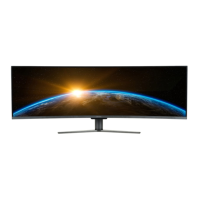
USER MANUAL
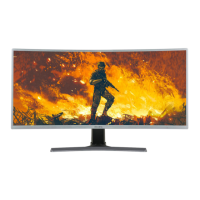
eiQ-49SUWD144FSH
49 INCH
CURVED LED MONITOR
eiQ-49SUWD144FSHQ
49 INCH
CURVED QLED MONITOR
Please read this manual thoroughly before use and keep it handy for future reference

Questions and Answers

Summary

Safety Information

Connection and Preparation of the Monitor

What Is Included

Lists all the components and accessories provided with the monitor in the package.

Attaching the Stand

Instructions on how to securely attach the monitor stand to the display unit.

Cable Management

Guidance on organizing and routing cables neatly through the monitor stand for a clean setup.

Wall Mounting

Details on how to safely mount the monitor on a wall using VESA compatible brackets.

Control Panel

Overview of the physical buttons on the monitor and their functions for menu navigation.

Input; Output Terminals

Identification and description of all available ports for connecting video and audio sources.

Initial Setup

Step-by-step guide to connect the monitor to power and a source device for the first time.

Quick Menu

Explanation of how to access and use the quick menu for immediate access to common settings.

Menu Options

Detailed description of the main menu structure and navigation within various setting categories.

Input Source

Instructions on how to select and switch between different video input signals like DP and HDMI.

Brightness;Contrast

Guidance on adjusting the display's brightness, contrast, and dynamic contrast ratio.

Colour Settings

Information on configuring colour parameters like Gamma, Picture Mode, Hue, and Saturation.

Picture Quality Setting

Details on adjusting sharpness, response time, noise reduction, and super resolution.

Display

Settings related to the visual output, including aspect ratio adjustment.

Audio

Configuration options for monitor audio, including volume, mute, and audio source selection.

Multi-Window

Instructions for enabling and configuring multi-window modes like PIP and PBP.

OSD

Customization settings for the On-Screen Display menu, including position, transparency, and language.

Other

Miscellaneous settings and information, including DP version and HDR options.

Technical Specification

Product Disposal

Simple Troubleshooting

electriQ UK Support

Contact information and support resources for the manufacturer, electriQ.

Summary

Safety Information

Connection and Preparation of the Monitor

What Is Included

Lists all the components and accessories provided with the monitor in the package.

Attaching the Stand

Instructions on how to securely attach the monitor stand to the display unit.

Cable Management

Guidance on organizing and routing cables neatly through the monitor stand for a clean setup.

Wall Mounting

Details on how to safely mount the monitor on a wall using VESA compatible brackets.

Control Panel

Overview of the physical buttons on the monitor and their functions for menu navigation.

Input; Output Terminals

Identification and description of all available ports for connecting video and audio sources.

Initial Setup

Step-by-step guide to connect the monitor to power and a source device for the first time.

Quick Menu

Explanation of how to access and use the quick menu for immediate access to common settings.

Menu Options

Detailed description of the main menu structure and navigation within various setting categories.

Input Source

Instructions on how to select and switch between different video input signals like DP and HDMI.

Brightness;Contrast

Guidance on adjusting the display's brightness, contrast, and dynamic contrast ratio.

Colour Settings

Information on configuring colour parameters like Gamma, Picture Mode, Hue, and Saturation.

Picture Quality Setting

Details on adjusting sharpness, response time, noise reduction, and super resolution.

Display

Settings related to the visual output, including aspect ratio adjustment.

Audio

Configuration options for monitor audio, including volume, mute, and audio source selection.

Multi-Window

Instructions for enabling and configuring multi-window modes like PIP and PBP.

OSD

Customization settings for the On-Screen Display menu, including position, transparency, and language.

Other

Miscellaneous settings and information, including DP version and HDR options.

Technical Specification

Product Disposal

Simple Troubleshooting

electriQ UK Support

Contact information and support resources for the manufacturer, electriQ.

ElectrIQ eiQ-49SUWD144FSH Specifications

General IconGeneral
BrandElectrIQ
ModeleiQ-49SUWD144FSH
CategoryMonitor
LanguageEnglish

Related product manuals