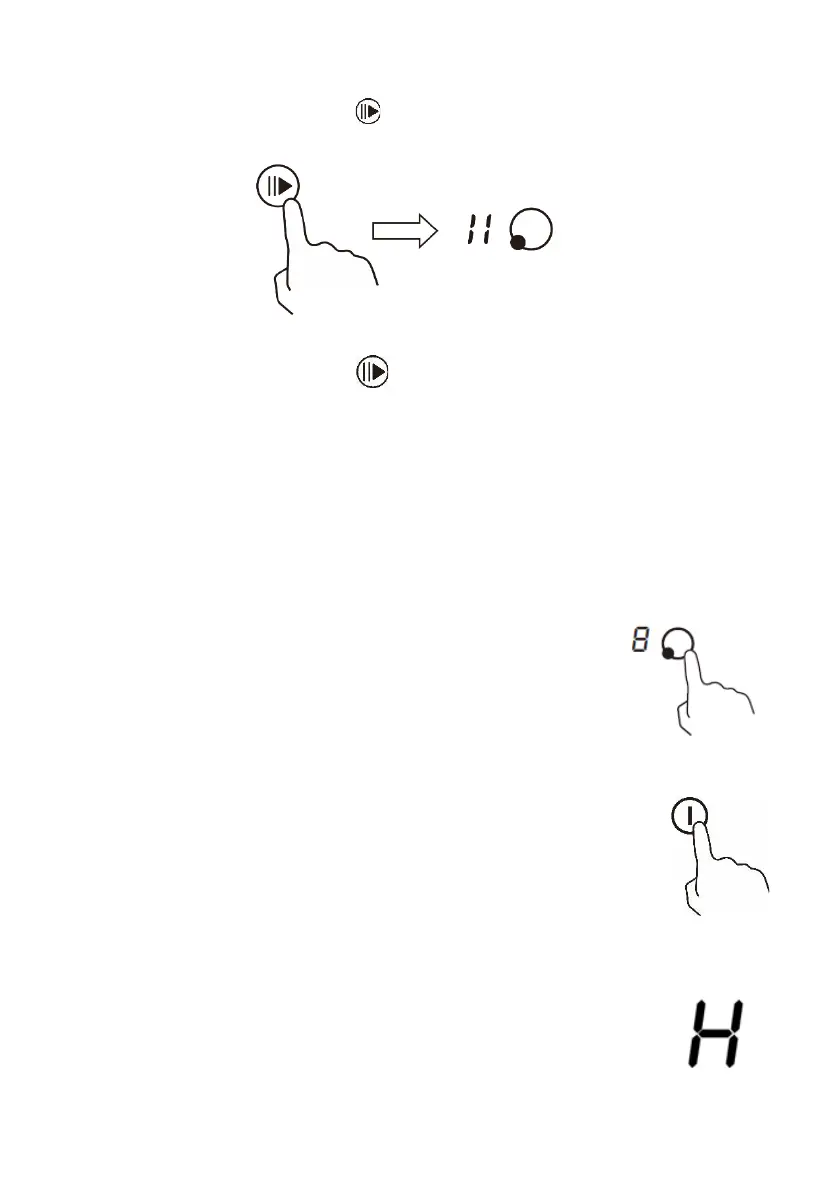
PAUSE FUNCTION
1. Select the pause control . All the heating zones stop working,
All the zone displays show “||”
2. Touch the pause control one more time, and all the heating
zones revert to their original settings.
⚫ This function is available when one or more heating zones are
working.
⚫ If you don’t cancel the pause control within 30 minutes, the
induction hob will automatically switch off.
⚫
WHEN YOU HAVE FINISHED COOKING
1. On the controls for the zone you want to turn off,
press the slider button repeatedly until the power
level shows “0”
2. Turn the whole hob off by touching the “ON/OFF”
button.
BEWARE OF HOT SURFACES
When a cooking zone is turned off “H” will be displayed
to show that the cooking zone is still hot to touch. It will
disappear when the surface has cooled down to a safe
temperature.


 To Next Page