Need help?
Do you have a question about the Electro Industries Shark 200 and is the answer not in the manual?
Explains Wye and Delta configurations for three-phase power systems.
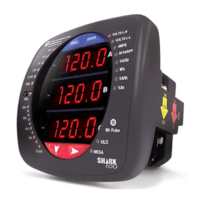
Provides a comprehensive overview of the Shark® 200 meter's features, capabilities, and applications.
Details the technical specifications of the Shark® 200 meter, including power supply, voltage, and current inputs.
Specifies the accuracy of various measurements and the corresponding input ranges for the Shark® 200 meter.
Outlines critical safety precautions and considerations for qualified personnel during meter installation.
Details the method for terminating CT leads to the meter using current gills or lugs.
Covers the meter's communication ports, including IrDA and RS485, and optional communication cards.
Provides an overview of communication and programming for the Shark® 200T transducer via RS485.
Details the process of using the configuration mode to adjust various meter settings and parameters.
Provides step-by-step instructions for safely installing I/O option cards into the meter.
Explains how to configure installed option cards using the Communicator EXT™ software.
Outlines the steps for configuring the Ethernet card through the Communicator EXTTM software.
Describes the log interface system and procedures for retrieving log records using Modbus.
Provides instructions for understanding and configuring the IEC 61850 Ethernet Network Card.
Details how to configure network parameters for the IEC 61850 card using Communicator EXT™ software.
 General
| Storage Temperature | -40°C to +85°C |
|---|---|
| Measurement Type | Power, Energy, Demand |
| Current Input | 5A |
| Frequency Range | 45 to 65 Hz |
| Display | LCD |
| Communication Protocols | Modbus RTU, DNP 3.0, Modbus TCP/IP |
| Power Supply | 85-264 VAC or 120-300 VDC |
| Mounting | DIN rail or panel mount |
| Voltage Range | Up to 600V AC |
| Current Range | 5A |
| Humidity | 0-95% non-condensing |


 To Next Page