3
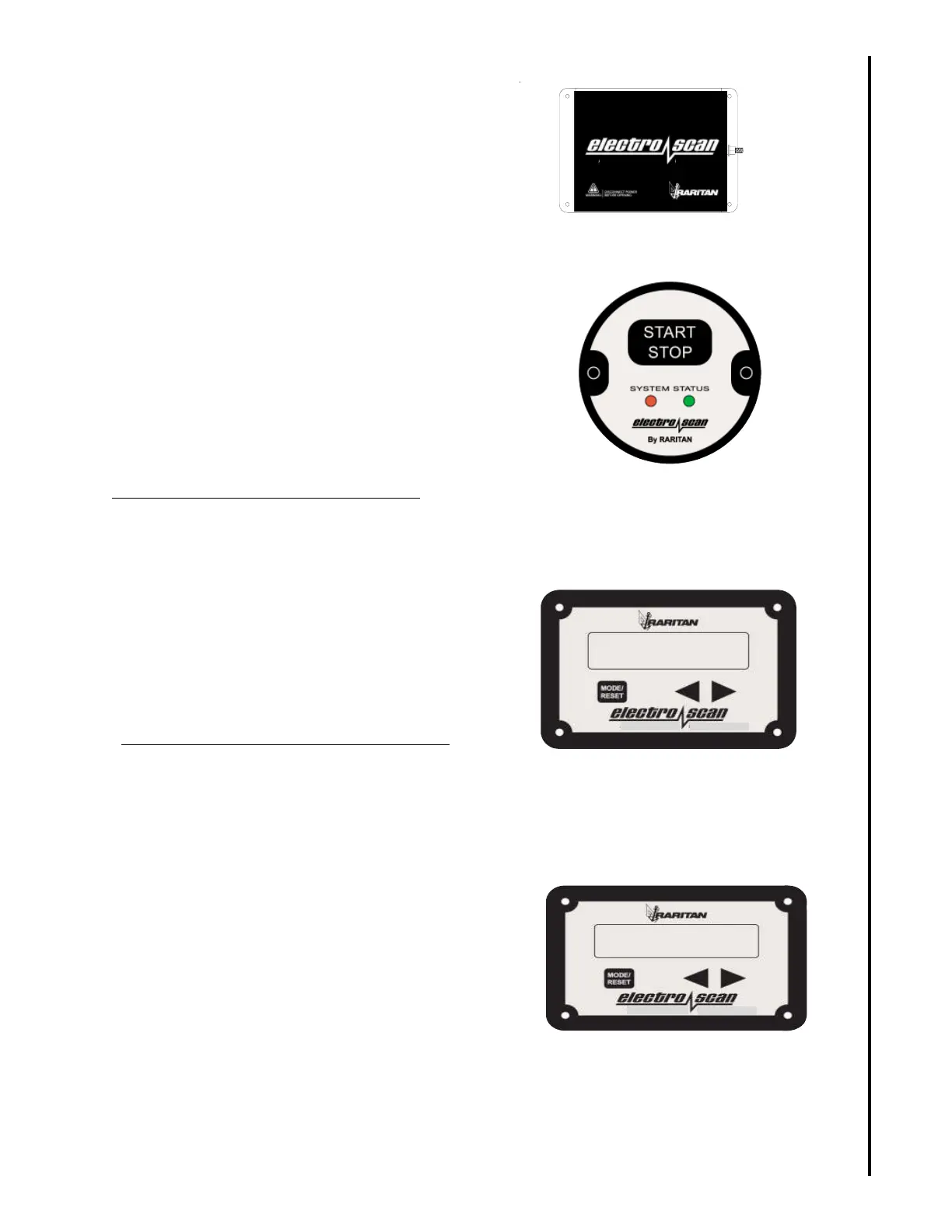
The electro scan has four basic components:
System Status Panel - Begins treatment cycle
and if wired flushes an electric toilet at the same
time.
Control Unit – Serves as the system’s central
control. The unit contains three boards: Main
(contains the power and logic components),
Microprocessor/Memory (contains system
program and stores operational data) and I/O
(where connections are made for accessories).
Treatment Tank - Consists of two chambers and
electrode pack that temporarily converts saltwater
into a powerful bactericide for the duration of the
treatment cycle.
LCD Display – Provides information during
treatment cycle and summary of historical
data. Also contains RESET button if system error
occurs.
Setting time and date on LCD Display:
Scroll to "time screen" using < and > keys when
unit is not in cycle.
Hold “mode” button until digits flash
use < and > button to set hour in military time
Push “mode" again for next digits (minutes)
Use < and > to set minutes
Repeat above until time and date are set
Use < or > to move to next screen when no
digits are flashing.
Setting toilet Flush time on LCD Display:
Scroll to "flushtime" screen using < and > keys
when unit is not in cycle.
Hold ‘mode” button until digits flash
Use <or > keys to set time in seconds for toilet 1
Repeat above for toilet 2 (flushtime 2).
Toilet only flush:
Use only for servicing, storage or recommission-
ing. It is illegal to discharge untreated sewage in
U.S. waters.
Scroll to Flushtime (1 or 2) screen using < or >
keys when unit is not in cycle.
Hold "mode" button and press < or > key.
Toilet will flush for set time.
/(&75$6$1
RARITAN
LST / MC II
CONTROL UNIT
OPERATION
Control Unit
TIME 00:00:00
DATE: 01/01/01
LCD Display
System Status Panel
LCD Display
FLUSHTIME 1
05


 To Next Page