This document is a property of ElectroFlip LLC (www.ElectroFlip.com).
No unauthorized reproduction is allowed.
9
STORAGE
When all storage space has been used, the LED light will stop blinking and the device will automatically go
into data saving mode then will automatically shut off after data has been saved.
NOTE: Do not remove Micro SD card while the device is turned on, this could lead to data corruption or
loss.
TROUBLESHOOTING
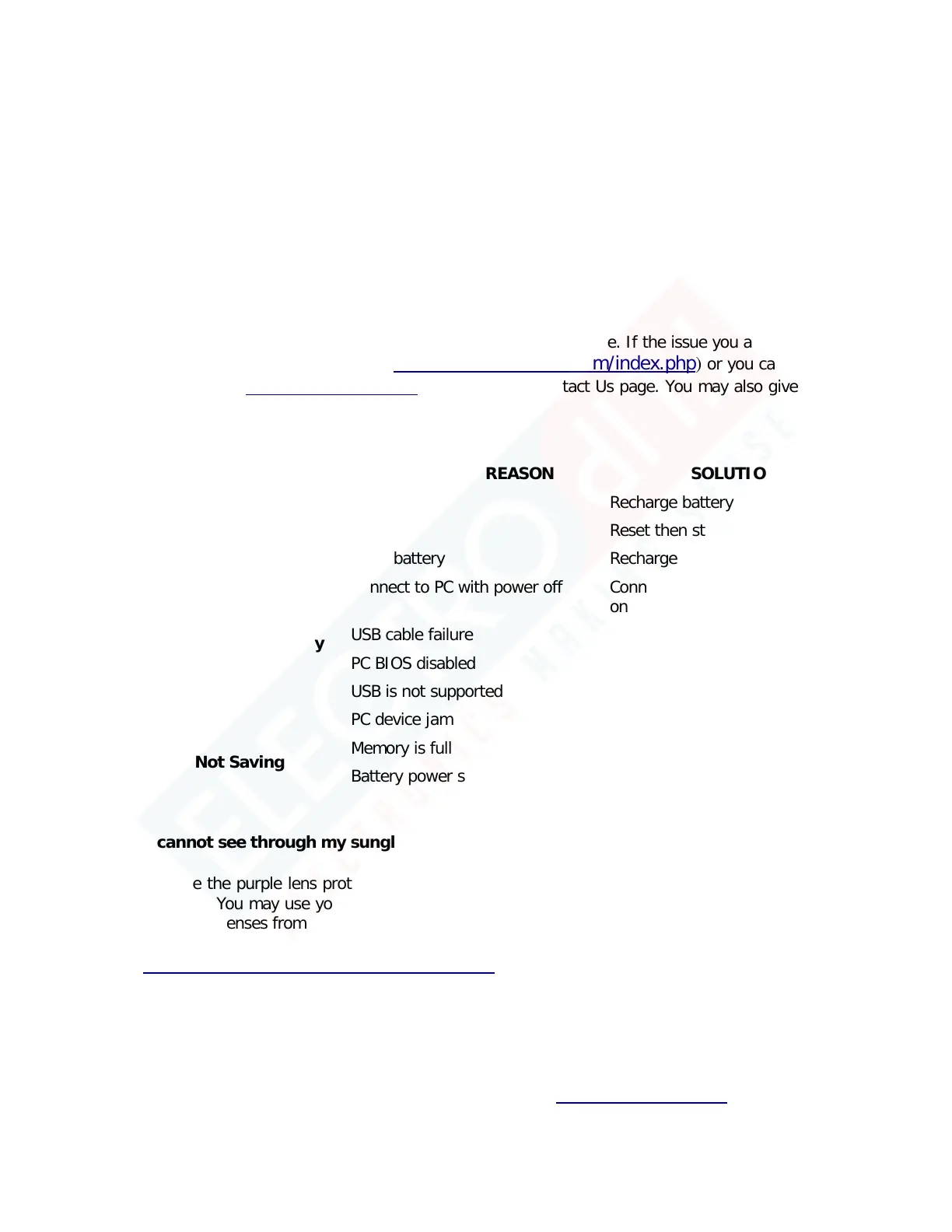
Below are possible issues that you may encounter when using the device. If the issue you are having is not
on the list you may visit our FAQ section (
http://help.electroflip.com/index.php) or you can contact us
through our website,
www.ElectroFlip.com, and go to our Contact Us page. You may also give us a call
at our Customer Support number 1-877-686-7495.
SYMPTOM POSSIBLE REASON SOLUTION
Fails to Start
Dead battery Recharge battery
Device Not Recognized by
PC/Laptop
Connect to PC with power off
Connect to PC with device power
on
USB cable failure Replace with new USB cable
PC BIOS disabled Enable USB in BIOS
USB is not supported Update motherboard driver
PC device jam Reboot/Restart PC
Data Not Saving
1. I cannot see through my sunglasses?
Remove the purple lens protection from the lenses. Both front and back for each lens needs to be
removed. You may use your fingernails to pick at the edge. This protection comes from the factory
to prevent lenses from scratching upon delivery to us then from us to our customers.
http://help.electroflip.com/article-112.html



 To Next Page