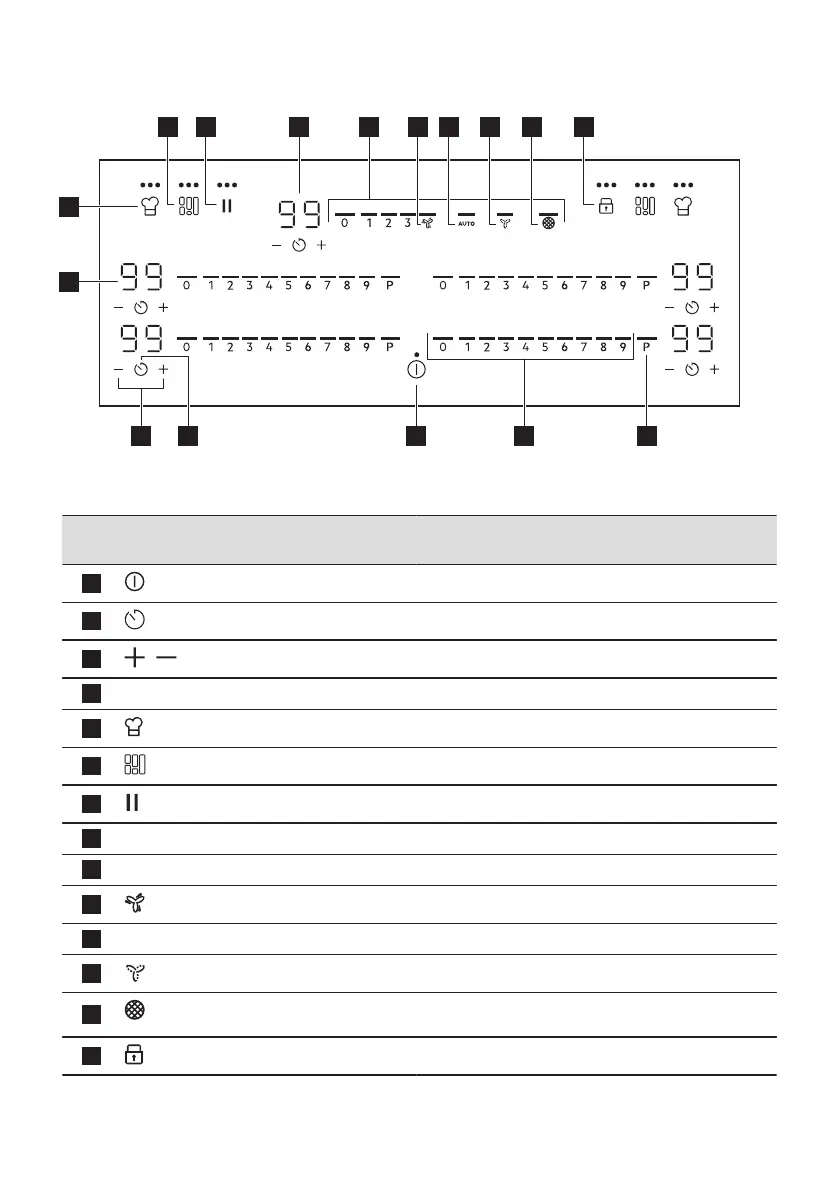
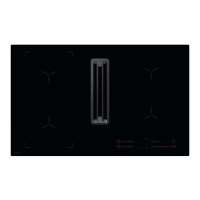
4.3 Control panel layout
1
3
4
5
1516
76 148 9 1110 12 13
2
Use the sensor fields to operate the appliance. The displays, indicators and sounds tell which
functions operate.
Sensor
field
Function Description
1
On / Off To activate and deactivate the appliance.
2
Timer To set the function.
3
/
- To increase or decrease the time.
4
- Timer display To show the time in minutes.
5
PowerSlide To activate and deactivate the function.
6
FlexiBridge (Flexible Bridge) To switch between three modes of the function.
7
Pause To activate and deactivate the function.
8
- Hood timer display To show the time in minutes.
9
- Hood control bar To set a fan speed.
10
Boost To activate and deactivate the function.
11
AUTO Automatic mode of the hood To activate and deactivate the function.
12
Breeze To activate and deactivate the function.
13
Hood filter indicator To indicate and remind that hood filter needs regenerat‐
ing.
14
Lock / Child Safety Device To lock / unlock the control panel.
12 ENGLISH




 To Next Page