ChoosingFahrenheitor Centigrade
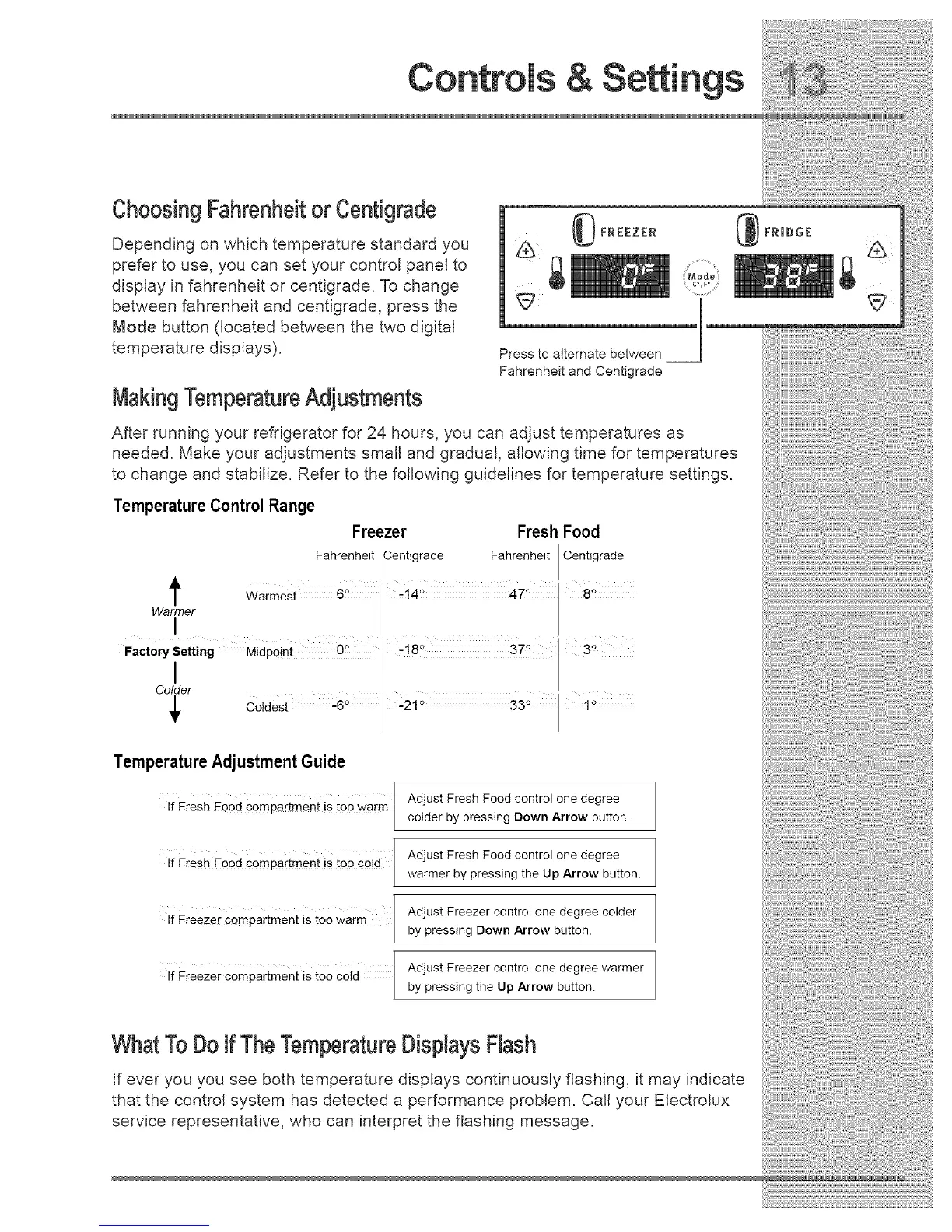
Depending on which temperature standard you
prefer to use, you can set your control panel to
display in fahrenheit or centigrade. To change
between fahrenheit and centigrade, press the
Mode button (located between the two digital
temperature displays).
MakingTemperatureAdjustments
Press to alternate between
Fahrenheit and Centigrade
After running your refrigerator for 24 hours, you can adjust temperatures as
needed. Make your adjustments small and gradual, allowing time for temperatures
to change and stabilize. Refer to the following guidelines for temperature settings.
TemperatureControl Range
Freezer Fresh Food
Fahrenheit Centigrade Fahrenheit Centigrade
t Warmest 6° 8_'
Warmer
I
Fact°ry letting_rt_ Midpoint 0° 37 °
C_T_r coldest .6 ° '-.21o 33 °
Temperature Adjustment Guide
Fresh Fo0d Compartment is toO warm /
If
L
Fresh Food Compartment is too €o!d I
If
L
If Freezer Compartment is too warm /
[
Freezer Compartment is toe Cold /
If
[
Adjust Fresh Food control one degree
colder by pressing Down Arrow button.
Adjust Fresh Food control one degree
warmer by pressing the Up Arrow button.
Adjust Freezer control one degree colder
by pressing Down Arrow button.
Adjust Freezer control one degree warmer
by pressing the Up Arrow button.
WhatTo Doif TheTemperatureDisplaysFlash
If ever you you see both temperature displays continuously flashing, it may indicate
that the control system has detected a performance problem. Call your Electrolux
service representative, who can interpret the flashing message.




 To Next Page