The
_(_ or (_ pad controls normal baking. If preheating is necessary, refer to the
Preheat Feature for instructions. The oven can be programmed to bake at any
temperature from 17(]° F to 550° F (The sample shown below is for 350°F),
To setthe BakeTemperatureto 350°F:
1. Ar_'angointerior oven racks _d place food in oven.
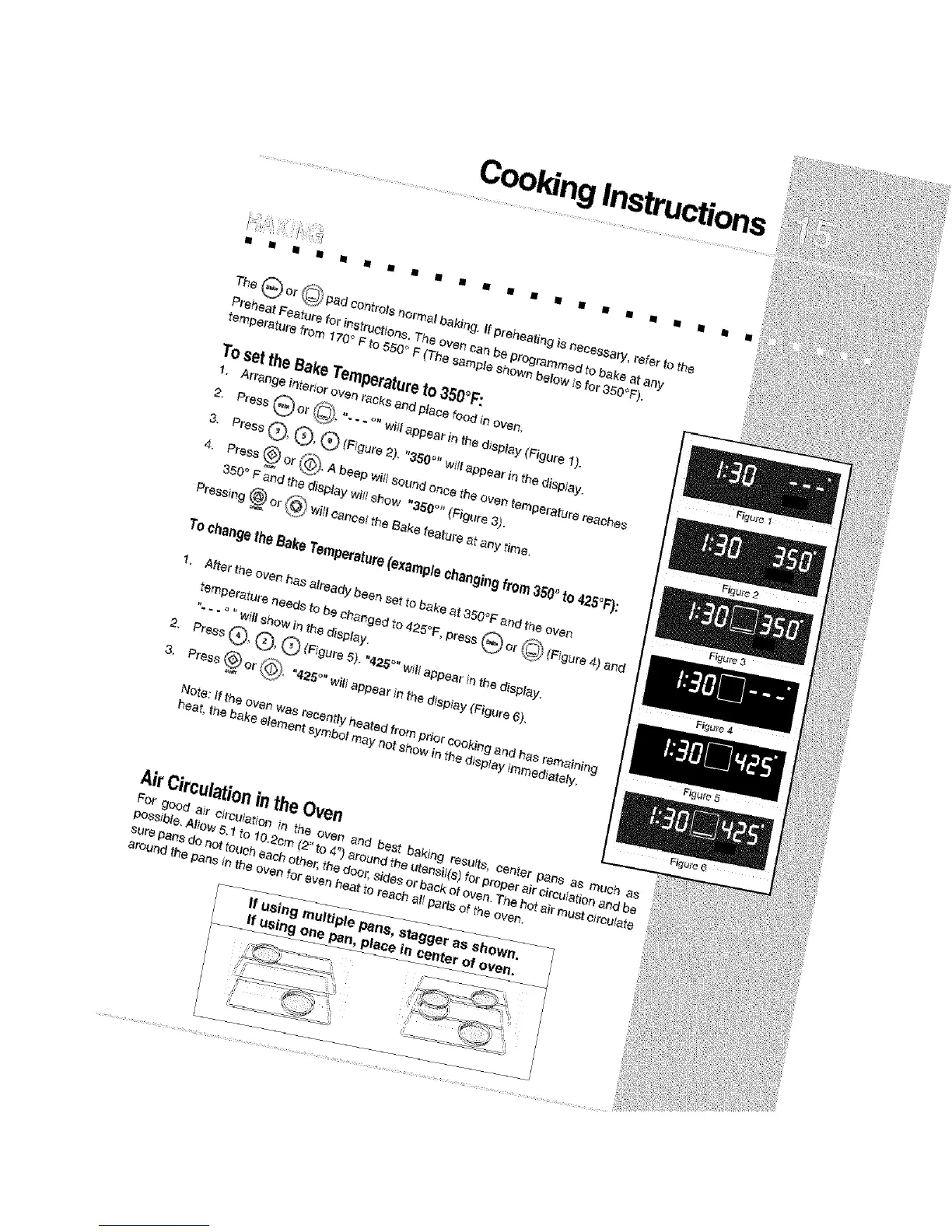
2. Press G or _'_, "- - - °" will appear in the display (Figure 1).
3. Press®, ®, ® (F g.re2>. w,Jappearint,ed sp ay.
4. Press (_ or CO_.A beep wi{_sound once the oven temperature reaches
350' F and the display witt show "350 °" (Figure 3).
Pressing _ or (_) will cancel the Bake feature at any time.
To changetheBake Temperature(examplechangingfrom 350° to 425°F):
1, After the oven has already been se?to bake at 350°F and the oven
temperature needs to be changed to 425°F, press _) or __ (Figure 4) and
"- - - _ "will show in the display.
2. Press Q, Q, Q (Figure 5), "425 °" will appear tn the display.
3. Press (_) or (_. "425_" will appear in the display (Figure 6).
Note: ff the oven was recently heated from pdor cooking and has remaining
heat, the bake elemant symbol may not show in the display Immediately,
AirCirculationintheOven
For good air ¢ircu}atfon in the oven _qd be_,_baking results, center pans as much as
possible_ Allow 5.1 to 10.2cm (2' to 4") around the uter_siI(s) for properair clrcuIationand be
sure pans do not touch each other,the door, sidesor back of oven. The ho_air must circulate
around fhe pans in the oven for even heat to reach _ll p_tts of the oven.
If using multiple pans, stagger as shown.
If using one pan, place In center of oven,







 To Next Page