13.1 What to do if...
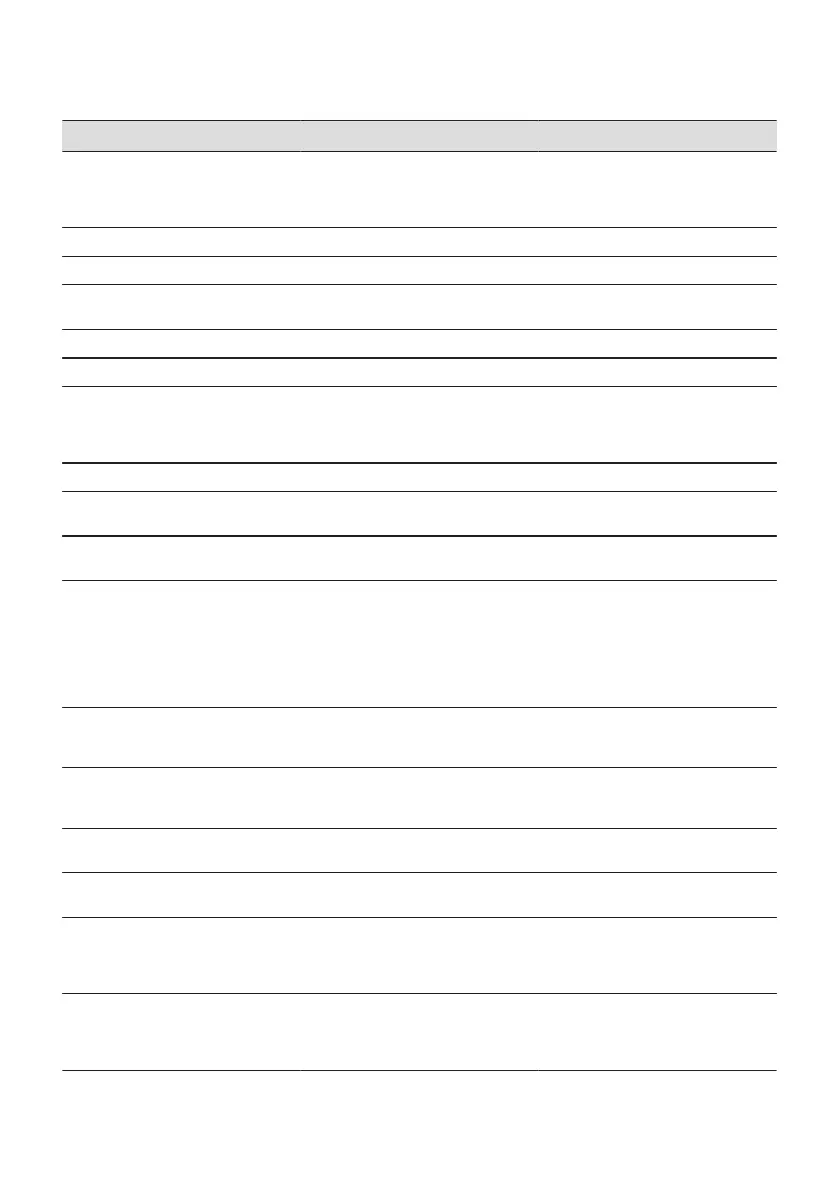
Problem Possible cause Remedy
You cannot activate or operate the
oven.
The oven is not connected to an
electrical supply or it is connected
incorrectly.
Check if the oven is correctly con‐
nected to the electrical supply (refer
to the connection diagram if availa‐
ble).
The oven does not heat up. The oven is turned off. Turn on the oven.
The oven does not heat up. The clock is not set. Set the clock.
The oven does not heat up. The necessary settings are not set. Make sure that the settings are cor‐
rect.
The oven does not heat up. The automatic switch-off is on. Refer to "Automatic switch-off".
The oven does not heat up. The Child Lock is on. Refer to "Using the Child Lock".
The oven does not heat up. The fuse is blown. Make sure that the fuse is the cause
of the malfunction. If the fuse is
blown again and again, contact a
qualified electrician.
The lamp does not operate. The lamp is defective. Replace the lamp.
The food sensor does not operate. The plug of the food sensor is not
correctly installed into the socket.
Put the plug of the food sensor as
far as possible into the socket.
The display shows F111. The plug of the food sensor is not
correctly installed into the socket.
Put the plug of the food sensor as
far as possible into the socket.
The display shows an error code
that is not in this table.
There is an electrical fault.
• Turn off the oven with the house
fuse or the safety switch in the
fuse box and turn it on again.
• If the display shows the error
code again, contact the Custom‐
er Care Department.
Steam and condensation settle on
the food and in the cavity of the
oven.
You left the dish in the oven for too
long.
Do not leave the dishes in the oven
for longer than 15 - 20 minutes after
the cooking process ends.
The appliance is activated and does
not heat up. The fan does not oper‐
ate. The display shows "Demo".
The demo mode is activated. Refer to "Daily Use chapter, Basic
Settings.
The descaling procedure is interrup‐
ted before it finishes.
There was a power cut. Repeat the procedure.
The descaling procedure is interrup‐
ted before it finishes.
The function was stopped by the
user.
Repeat the procedure.
There is no water inside the grill- /
roasting pan after the descaling pro‐
cedure.
You did not fill the water drawer to
the maximum level.
Check if the a descaling agent / wa‐
ter is present in the water drawer
body.
Repeat the procedure.
There is dirty water on the bottom of
the cavity after the descaling cycle.
The grill- / roasting pan is on a
wrong shelf position.
Remove the residual water and the
descaling agent from the bottom of
the oven. Put the grill- / roasting pan
on the first shelf position.
28 ENGLISH



 To Next Page