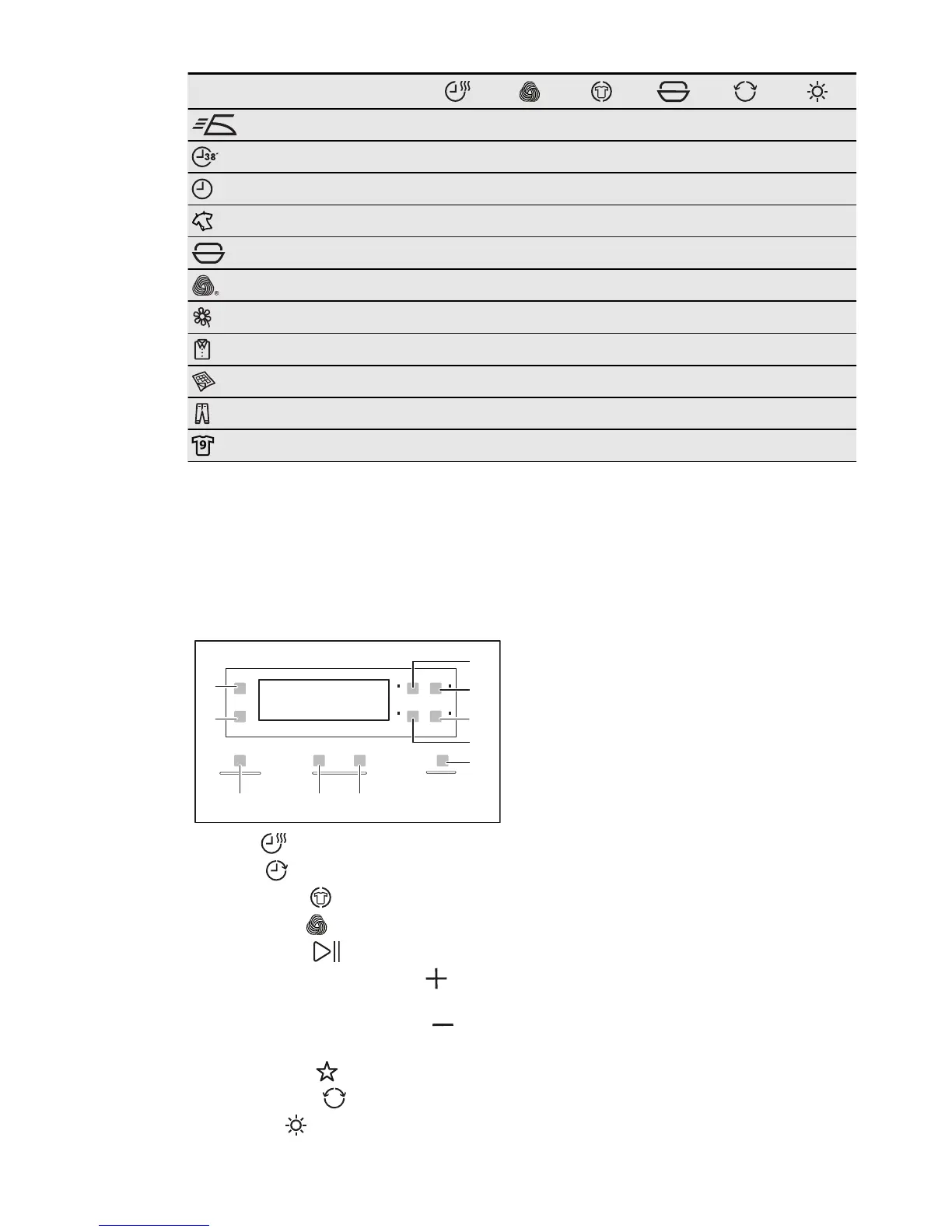
Programmes
1)
Easy Iron
■
Rapid
■
Time Drying
■ ■
Refresh
■
Drying Rack
■
Wool
■
Delicates
■
Shirts
■
Duvets
Jeans
■
Sports
■
1)
Together with the programme you can set 1 or more options. To activate or deactivate
them, press the related touchpad.
6. SETTINGS
A
D
B
C
E
I
J
FGH
A)
Time touchpad
B)
Delay touchpad
C)
Anti-crease touchpad
D)
Wool Load touchpad
E)
Start/Pause touchpad
F)
Drying Rack Time increase touch-
pad
G)
Drying Rack Time decrease
touchpad
H)
MyFavourite touchpad
I)
Reverse Plus touchpad
J)
Dryness touchpad
6.1 Child lock function
This option prevents children to play with
the appliance while a programme oper-
ates. The programme knob and the
touchpads are locked. Only the on/off
button is unlocked.
Activating the child lock option
1.
Press the on/off button to activate the
appliance.
2.
Press and hold touchpads (A) and (D)
at the same time until the child lock in-
dicator comes on.
• It is possible to deactivate the child
lock option while a programme op-
erates. Press and hold the same
touchpads until the child lock indi-
cator goes off.
6.2 Buzzer on/off
To deactivate or activate the acoustic sig-
nals, press and hold for approximately 2
seconds touchpads (B) and (C) at the
same time.
ENGLISH 9



 To Next Page