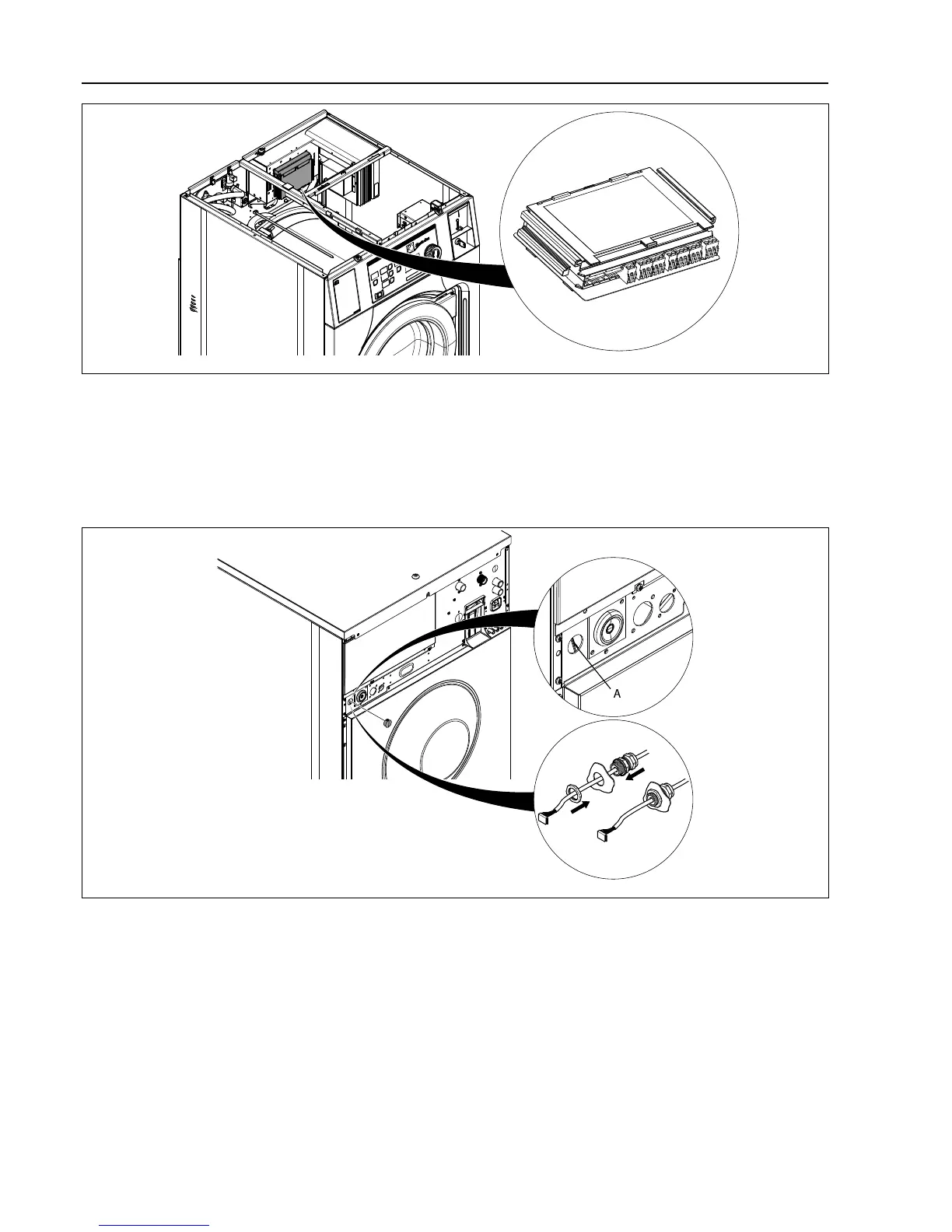
Connection to the CPU module
Disconnect the power to the machine.
Remove one of the covers to the holes on the back of the machine. The location is different on different models.
The cable from the J2 port on the EDS controller shall then be run through the hole (A) and connected to the RS232
port on the CPU module at the front of the machine.
Insert the cable and mount with the counter nut and cable gland according to the figure.


 To Next Page