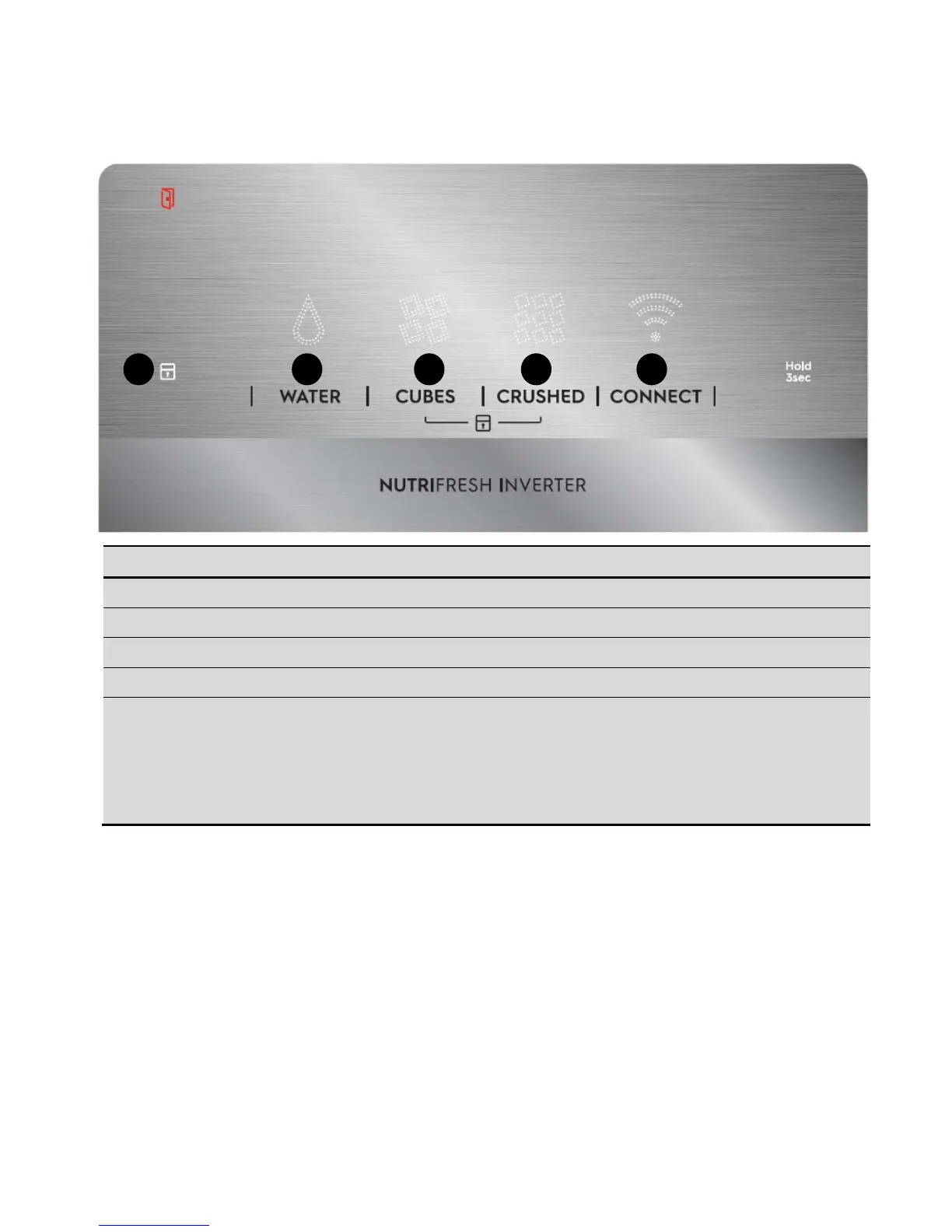
BUTTON / ICON DESCRIPTION PRIMARY FUNCTION
1. Lock Icon Indicates if the user interface is locked.
2.
WATER
Selects operation water mode of appliance.
3.
CUBES
Selects operation cubes mode of appliance.
4.
CRUSHED
Selects operation crushed mode of appliance.
5.
CONNECT
Press and hold for 3 second to enable / disable
wireless connection.
When LED is lit the product is connected.
When LED is flashing the product is connecting.
When LED is off, Wi-Fi connectivity is off.
Press and hold for 10 seconds to reset wireless
connection
1 2 3 5 5




 To Next Page