Symbol Oven function Application
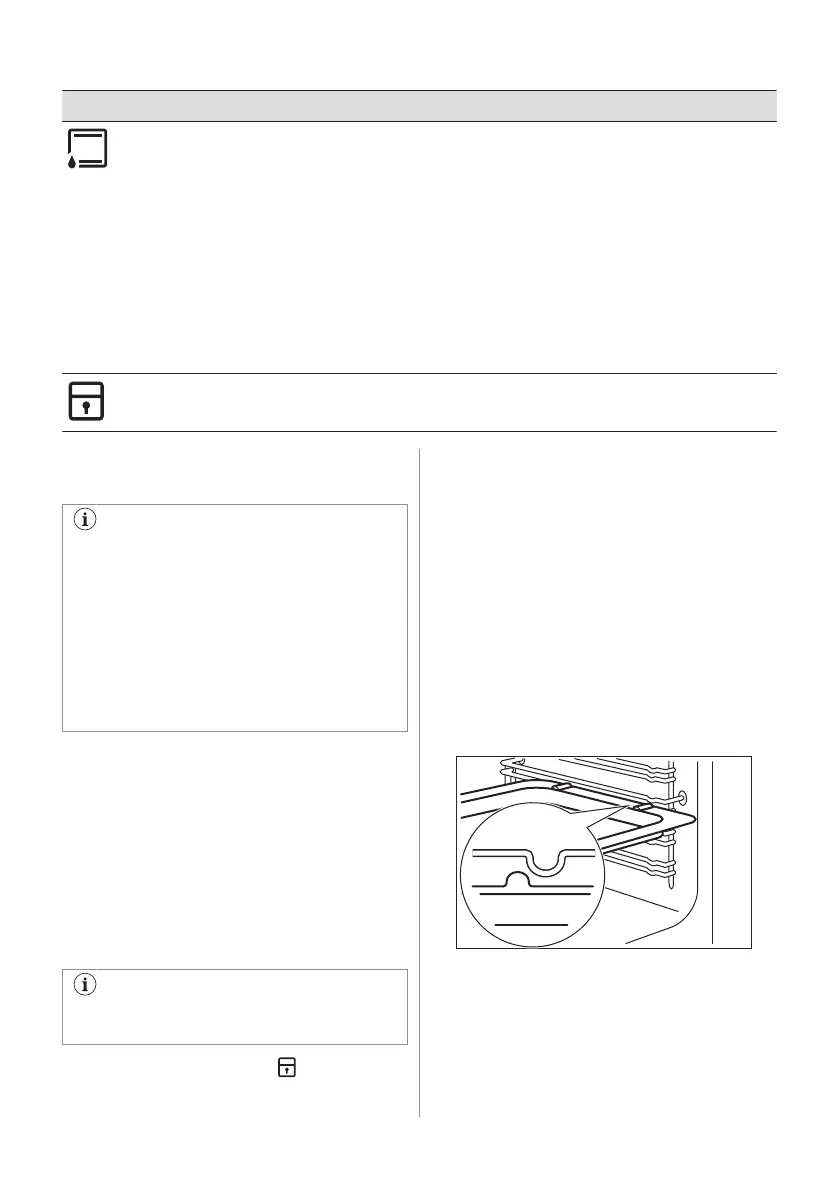
Moist Conventional Baking This function was used to comply with the Energy Efficiency Class
and Ecodesign Regulations (according to EU 65/2014 and EU
66/2014). Tests according to: IEC/EN 60350-1.
The oven door should be closed during cooking so that the func‐
tion is not interrupted and to ensure that the oven operates with
the highest energy efficiency possible.
When you use this function, the temperature in the cavity may dif‐
fer from the set temperature. The heating power may be reduced.
For general energy saving recommendations refer to "Energy Effi‐
ciency" chapter, Energy Saving.
This function is designed to save energy during cooking. For the
cooking instructions refer to "Hints and tips" chapter, Moist Con‐
ventional Baking.
When you use this function the lamp automatically turns off after
30 seconds.
Function Lock To lock the oven and hob functions.
9.2 Activating and deactivating the
oven
It depends on the model if your
appliance has knob symbols,
indicators or lamps:
• The indicator comes on when the
oven heats up.
• The lamp comes on when the oven
operates.
• The symbol shows whether the knob
controls one of the cooking zones, the
oven functions or the temperature.
1. Turn the knob for the oven functions to
select an oven function.
2. Turn the knob for the temperature to
select a temperature.
3. To deactivate the oven turn the knobs for
the oven functions and temperature to the
off position.
9.3 Locking the oven and hob
The knob for the oven functions has a built-in
Function lock.
The Function lock does not deactivate
the main power supply of the cooker.
Turn the knob to the symbol .
The knob comes out approximately 2 mm.
Unlocking the oven and hob: Press the
knob and turn it to the necessary position.
9.4 Cooling fan
When the oven operates, the cooling fan
turns on automatically to keep the surfaces of
the oven cool. If you turn off the oven, the
cooling fan stops.
9.5 Inserting the oven accessories
Deep pan:
Push the deep pan between the guide bars of
the shelf support.
Wire shelf:
Push the shelf between the guide bars of the
shelf support.
14 ENGLISH



 To Next Page