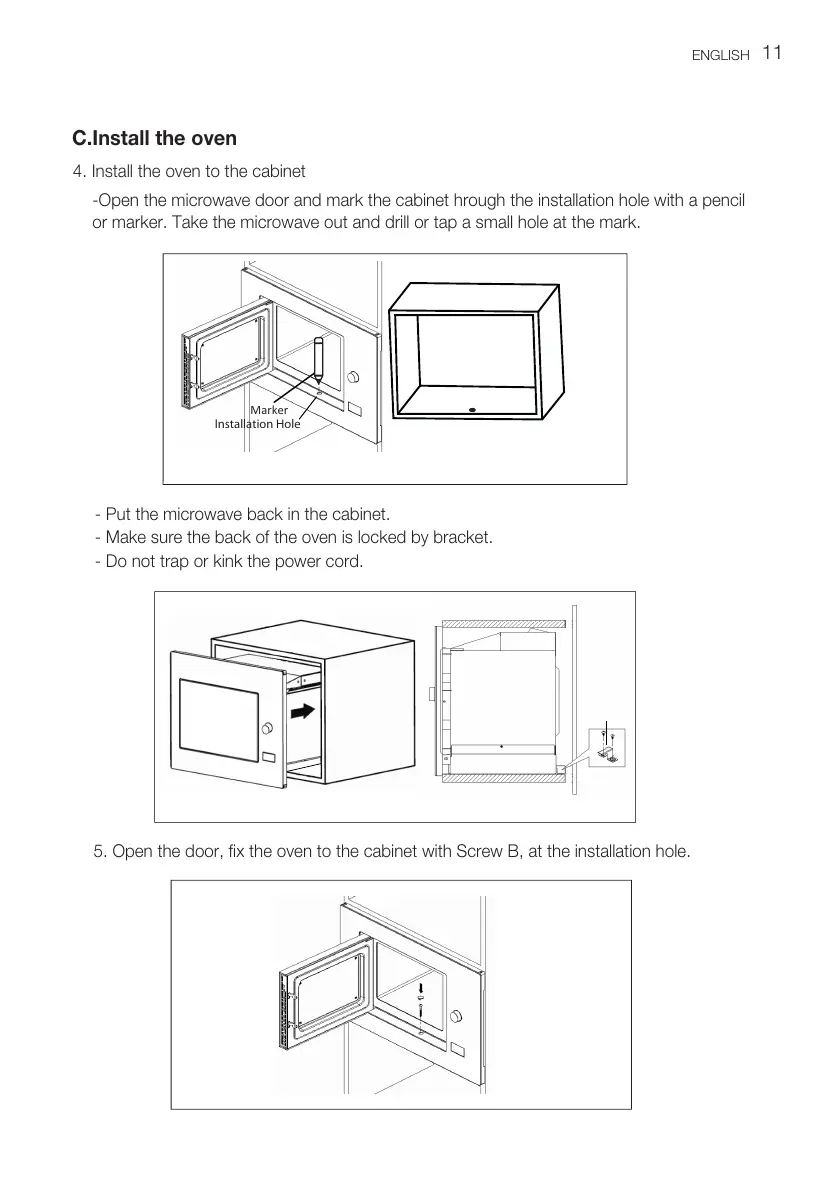
4. Install the oven to the cabinet
11
ENGLISH
C.Install the oven
Installation Hole
- Make sure the back of the oven is locked by bracket.
- Do not trap or kink the power cord.
- Put the microwave back in the cabinet.
-Open the microwave door and mark the cabinet hrough the installation hole with a pencil
or marker. Take the microwave out and drill or tap a small hole at the mark.
Marker
5. Open the door, fix the oven to the cabinet with Screw B, at the installation hole.








 To Next Page