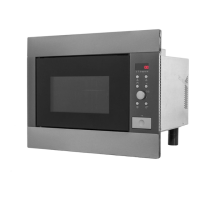
EMS2820 t English
9
1. Display Window
To view either Cook time, Power level and time
of day.
2. Clock
To set the time of day
3. Power
To set the desired Microwave power level
4. Stop/Clear
To stop or pause your Microwave
5. Setting Control Knob
Used to set desired cooking times.
6. Quick Start
To start your microwave
7. Auto Defrost
Used to set desired Defrost mode.
8. Auto Reheat
Used to set desired Reheat mode.
9. Snack Function
Used to set desired Snack mode.
Control Panel








 To Next Page