ENGLISH 9
5. CONTROL
5.1 External User interface
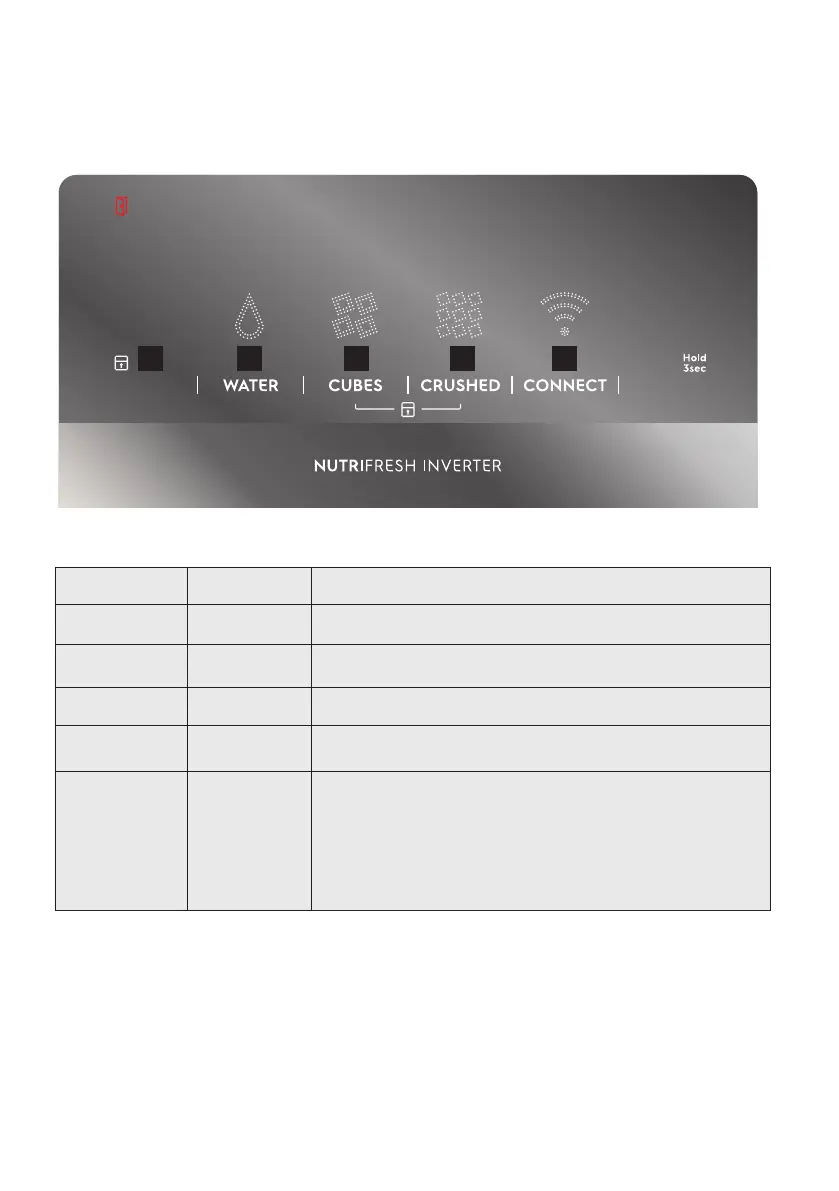
BOTTON/ICON DESCRIPTION PRIMARY FUNCTION
1 Lock Icon Indicates if the user interface is locked.
2 WATER Selects operation water mode of appliance.
3 CUBES Selects operation cubes mode of appliance.
4 CRUSHED Selects operation crushed mode of appliance.
5 CONNECT
Press and hold for 3 second to enable / disable wireless connection.
When LED is lit the product is connected.
When LED is flashing the product is connecting.
When LED is off, Wi-Fi connectivity is off.
Press and hold for 10 seconds to reset wireless connection
1
2 3 4 5




 To Next Page