This document is a user manual for the Electrolux ESA22100SW dishwasher, providing comprehensive instructions for its safe and efficient operation, maintenance, and troubleshooting.
Function Description
The Electrolux ESA22100SW is a household dishwasher designed to clean crockery, cutlery, pots, and pans. It features a water softener system that removes minerals from the water supply to improve washing results and protect the appliance. The dishwasher offers various programmes tailored to different load types and soil degrees, including an ECO programme for efficient water and energy consumption, and an AUTO programme that senses the soil level and load quantity to adjust settings automatically. It also includes a quick rinse programme for removing food remains and preventing odours.
Usage Features
The dishwasher is equipped with a control panel that includes an on/off button, programme selection buttons, option buttons, a delay start button, a display, and various indicators.
Programmes:
- ECO: Standard programme for normally soiled crockery and cutlery, offering efficient water and energy use.
- 160min: For normal to heavily soiled items.
- 90min: For normally to lightly soiled items.
- 60min: For fresh, lightly soiled crockery and cutlery.
- 30min: For fresh, lightly soiled crockery and cutlery.
- AUTO: Automatically adjusts temperature, water quantity, energy consumption, and programme duration based on soil level and load.
- Appliance Care: A programme designed to clean the inside of the appliance, removing limescale and grease buildup. It should be run without any load, using a descaler or cleaning product.
- Rinse: A quick rinse programme for food remains, without detergent.
Options:
- GlassCare: Protects delicate items, particularly glassware, by reducing the dishwashing temperature to 45°C.
- ExtraPower: Improves dishwashing results by increasing wash temperature and duration.
- ExtraHygiene: Provides better cleaning by maintaining a temperature between 65°C and 70°C for at least 10 minutes during the final rinsing phase.
- Delay Start: Allows users to set a desired delay time (from 1 to 24 hours) before a programme begins.
Settings:
The appliance offers a user mode to adjust settings such as:
- Water Softener Level: Adjustable according to local water hardness to ensure optimal washing results and prevent limescale. The manual provides a table to guide users in setting the correct level based on German, French, Clarke degrees, or mmol/l.
- Rinse Aid Level: Controls the quantity of rinse aid released during the hot rinse phase to prevent streaks and stains. The level can be set from 1 (minimum) to 8 (maximum), or to 0 to deactivate the dispenser and indicator if using multi-tablets.
- AirDry: This function automatically opens the appliance door during the drying phase to improve drying results and reduce energy consumption. It is activated by default for most programmes but can be deactivated in user mode.
Daily Use:
- Open the water tap.
- Activate the appliance by pressing the on/off button.
- Fill the salt container if the salt indicator is on.
- Fill the rinse aid dispenser if the rinse aid indicator is on.
- Load the baskets, ensuring items do not touch and spray arms can rotate freely. Hollow items should be placed face downwards.
- Add detergent (tablets, powder, or gel) to the dispenser. For programmes with a prewash phase, a small quantity of detergent can be placed on the inner part of the door.
- Select a programme and desired options.
- Start the programme.
The appliance features an "Auto Off" function that automatically deactivates the appliance when a programme is complete or after 5 minutes of inactivity if a programme was not started, to decrease energy consumption.
Maintenance Features
Regular maintenance is crucial for optimal performance and longevity of the dishwasher.
Internal Cleaning:
- Clean the appliance interior with a soft damp cloth. Avoid abrasive products, sharp tools, strong chemicals, scourers, or solvents.
- Wipe the door, including the rubber gasket, weekly.
- Use a dishwasher cleaning product at least once every two months to maintain performance. The "Appliance Care" programme can be used for this purpose.
- Run long-duration programmes at least twice a month to prevent grease and limescale buildup, especially if short-duration programmes are used regularly.
Removal of Foreign Objects:
- Check the filters and the sump after each use for foreign objects (e.g., glass, plastic, bones, toothpicks) that can impair cleaning performance or damage the drain pump.
External Cleaning:
- Clean the appliance exterior with a moist soft cloth and neutral detergents. Avoid abrasive products, pads, or solvents.
Cleaning the Filters:
The filter system consists of three parts that need regular cleaning to prevent clogging and ensure good washing results.
- Turn filter (B) counterclockwise and remove it.
- Remove filter (C) from filter (B).
- Remove the flat filter (A).
- Wash all filters under running water, ensuring no food residues remain.
- Reassemble the flat filter (A) under its guides, then reassemble filters (B) and (C), turning (B) clockwise until it locks.
Cleaning the Spray Arms:
Both the lower and upper spray arms should be cleaned regularly to prevent holes from clogging, which can lead to unsatisfactory washing results.
- Lower Spray Arm: Pull it upwards to remove. Wash under running water, using a thin pointed tool (e.g., a toothpick) to clear any clogged holes. Press it downwards to reinstall.
- Upper Spray Arms: Pull out the upper basket. Turn the mounting element clockwise to detach the spray arm. Wash under running water, using a thin pointed tool to clear holes. To reinstall, insert the mounting element into the spray arm and turn it counterclockwise until it locks into place.
Water Softener Regeneration:
The resin in the water softener device needs regular regeneration, which is an automatic part of normal dishwasher operation. This process occurs after a prescribed quantity of water has been used. Regeneration may prolong the programme duration by approximately 5 minutes and increase water and energy consumption slightly.
Troubleshooting:
The manual provides a detailed troubleshooting table with common problems, alarm codes (e.g., i10, i20, i30, i41-i44, i51-i59, i5A-i5F, i61, i69, iC0, iC3, iF1), possible causes, and solutions. It advises users to check basic issues before contacting an Authorised Service Centre.

 Need help?
 General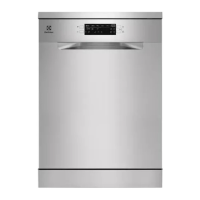


 To Next Page