8 electrolux.com.au
PROGRAMS (CONTINUED)
AdditionalOptions
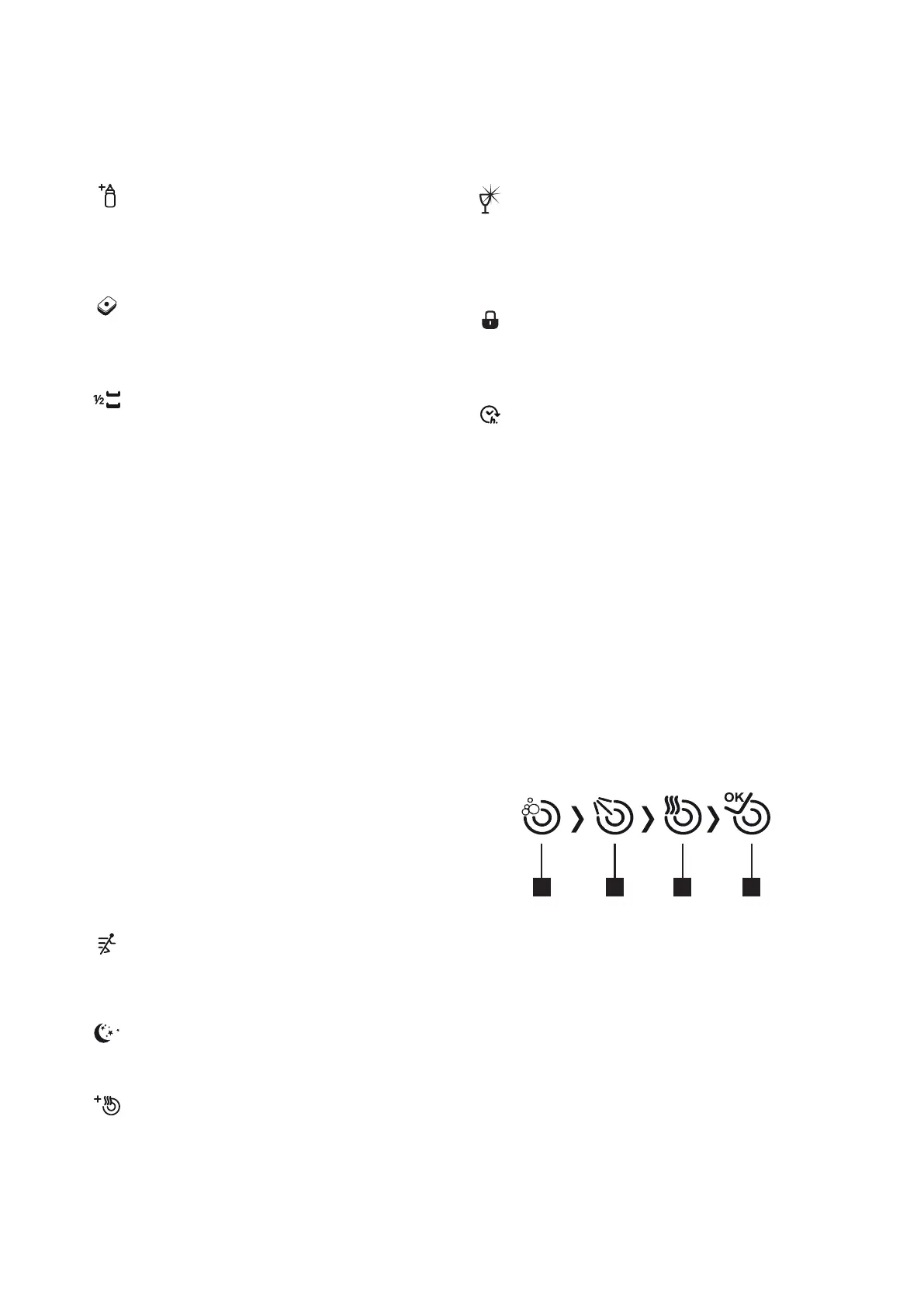
8.ExtraHygieneoption
You may select this option in order to obtain
extra hygiene and a cleaner washing process by
altering the water temperature and washing time
of the program you have selected.
9.TabletDetergentoption
Please use the Tablet Detergent option while
using salt, rinse agent and combined detergents
with extra properties.
10.PowerHalfLoadoption
Using the extra lower/upper basket function,
three sorts of washing up can be done those
being lower basket, upper basket and both
baskets.
If you have only a few dishes in your machine
and you would like to wash them, you can
also activate the semi-lling function for some
programs. If you have dishes in both baskets,
press the key and select the position in which
both lamps (10) are highlighted.
If you have dishes in the upper basket only,
press the extra lower/upper basket key and
select the icon where the gure above is lit.
Thus your machine will perform washing in the
upper basket, and a detailed washing cycle will
be carried out by the extra water jet in the upper
basket.
If you have dishes in the lower basket only, press
extra lower/upper basket key and select the icon
where the gure above is lit. Thus, your machine
will perform washing in the lower basket, and
a 360° washing cycle will be carried out by the
two extra water jets on the base. Make sure that
there are no dishes in the upper basket while
using this feature.
11.ExtraFastoption
Washes the dishes with more pressure, thus
shortens the time of the selected program and
provides economical water usage.
12.ExtraSilentoption
Washes the dishes with less pressure, thus
provides more sensitive and silent washing.
13.ExtraDryingoption
With extra drying function, you may add extra
drying steps to your program and thus obtain
drier dishes.
WarningIndicators
14.RinseAgentLevelWarningIndicator
In order to understand whether the rinse agent
in your machine is sucient or not, please
check the rinse agent level warning display.
If this display is illuminated, ll the rinse agent
compartment.
15.Childlockindicator
When this indicator is displayed the Child
lock function is on and control panel button
operations are disabled.
16.Delaystartindicator
When a delay start has been selected, this
indicator is illuminated and the selected delay
time is shown in the digital display (17).
17.Timeindicator
The digit display indicates the program time, remaining
time or the delay start time when selected.
18.Programnumberdisplay
This display indicates the program number selected.
19.Informationdisplay
Program information, function selections and warnings
are displayed in this section of the panel.
20.Washingprogressindicators
These indicators progressively illuminate to show the
program phases - Washing (a), Rinsing (b), Drying (c) and
End (d).
a
b c
d



 To Next Page