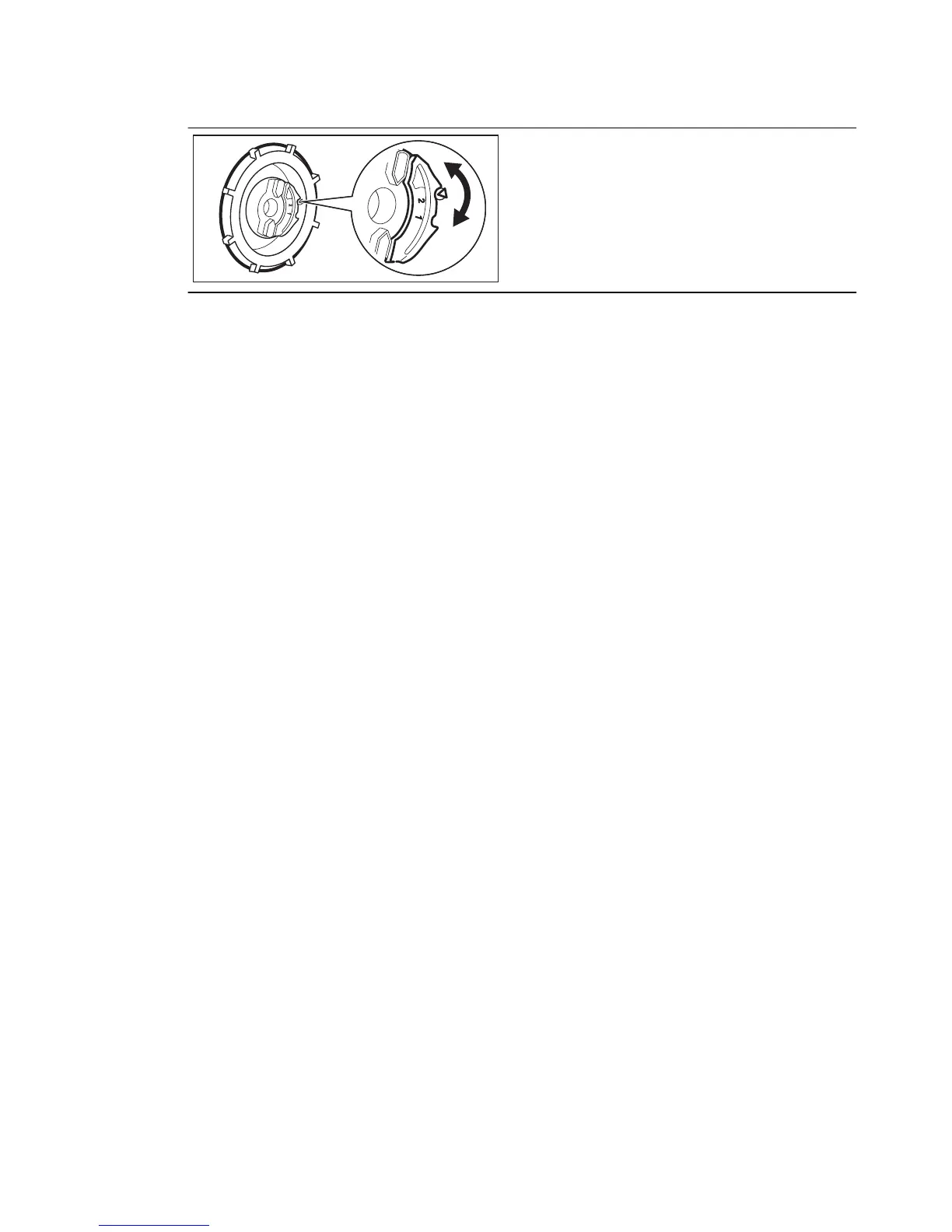
Manual adjustment
Turn the water hardness dial to the posi-
tion 1 or 2.
6.2 Acoustic signals
The acoustic signals operate when the
appliance has a malfunction or when the
adjustment of the level of the water soft-
ener occurs. It is not possible to deacti-
vate these acoustic signals.
There is also an acoustic signal that oper-
ates when the programme is completed.
By default, this acoustic signal is off but it
is possible to activate it.
How to activate the acoustic signal
for the end of programme
1.
Press the on/off button to activate the
appliance.
2.
Press and hold, at the same time, but-
tons (3) and (4) for a few seconds to
make sure that the appliance is in set-
ting mode.
• The indicator of button (2) comes
on.
3.
Press and hold buttons (3) and (4) until
the indicators of buttons (2), (3) and (4)
start to flash.
4.
Press button (4).
• The indicators of buttons (2) and (3)
go off.
• The indicator of button (4) continues
to flash.
• The end indicator is off.
5.
Press button (4), the end indicator
comes on. The acoustic signal for the
end of programme is activated.
6.
Press the on/off button to deactivate
the appliance and to confirm the set-
ting.
How to deactivate again the acoustic
signal for the end of programme
1.
Refer to “How to activate the acoustic
signal for the end of programme” and
follow the procedure from step (1) to
step (2).
2.
Press button (4).
• The indicators of buttons (2) and (3)
go off.
• The indicator of button (4) continues
to flash.
• The end indicator comes on.
3. Press button (4), the end indicator
goes off. The acoustic signal for the
end of programme is deactivated.
4.
Press the on/off button to deactivate
the appliance and to confirm the set-
ting.
ENGLISH 9



 To Next Page