9
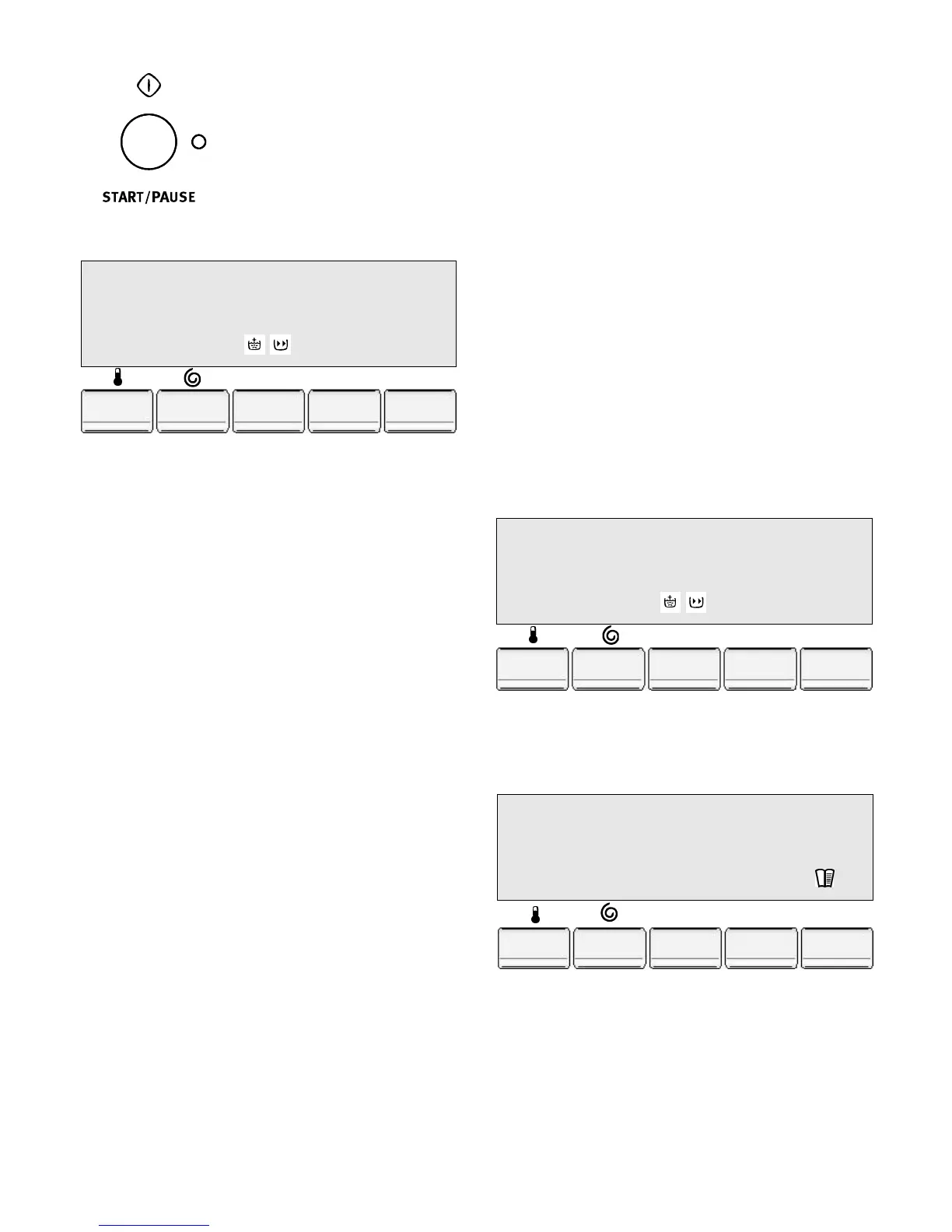
4.7. Start the programme
Press the Start/Pause button. The
relevant light will stop flashing.
The message corresponding to
the phase that is running will ap-
pear in the display window. If you
have selected a delayed start the
washing machine will start its
countdown.
4.8. How to change a programme
during its cycle ?
Before making any changes you must pause the washing
machine by pressing the Start/Pause button. Any phase
can be changed before the programme starts.
When the programme has started you can only reset the
washing machine by turning the programme selector to
Stop position "O" and then selecting a new programme.
The washing water remains in the drum. To empty the wa-
ter before starting a new washing cycle, you must cancel
the programme and select the "Drain" cycle. Start the new
programme by pressing the Start/Pause button.
4.9. Cancelling a programme
Turn the programme selector to the Stop position "O" to
cancel the programme that is running. Now you can select
a new programme.
4.10. How to open the lid during a
washing cycle ?
During the first 10 minutes of a cycle you can open the lid
(the messages "Immediate Opening" / "cycle phase" ap-
pear in the display window). You can pause the machine :
the messages "Pause" / "Drum positioning" will appear in
the display window.
If the following safety conditions have been observed:
• the washing machine is not in a heating phase greater
than 55°C,
• the drum is not revolving.
It is possible to open the lid. After hearing the double click,
the messages "Pause" / "Door openable" will appear in the
display window. You can now open the lid.
If the safety conditions are not met, it is impossible to open
the lid; the messages "Pause" / "Door locked" will appear
in the display window. Press the Start/Pause button to start
the current cycle again.
4.11. End of programme
At the end of the programme the washing machine will
stop automatically, an audible signal will sound (if you
have not selected the "No sound" option) and the messa-
ges "cycle ended" / "Door openable" will appear alterna-
tely.
If you have selected the "rinse hold" or "Silence cycle" op-
tions the Start/Pause button light is off. To drain or spin,
turn the programme selector to the Drain, Spin or Delicate
Spin programme. The "Door locked" message will appear
in the display window.
An electronic system moves the drum to the high position
when the cycle has finished. This system enables you to
load and unload the washing more easily. The lid can be
opened when the locking device sounds a double click (if
the machine is unbalanced which alters the operation, turn
the drum by hand).
Turn the programme selector to the "Stop" position to turn
the washing machine off. Take the washing out. Remove
the plug and turn off the water supply.
We recommend that you leave the lid and the drum open
after use to air the interior.
Note: after a long period the time on your washing machine
will have to be reset.
4.12. Memories
Frequently used programme settings can be saved. There
are 3 memories available for this. The saved programme
may be selected in the same way as any other washing
programme by using the programme selector.
• Select the programme and washing cycle settings,
• Press the "Options" button until the "Setup" option
appears.
• Press the "Change" button once to go into the "Setup"
option.
COTTON 13.45
Washing 16.07
60°C 1000
Options
Change
Exit
COTTON 16.07
Door openable 16.07
60°C 1000
Options
Change
Exit
MEMORY 1
Store program ?
Options
Change
Exit



 To Next Page