5. OPERATION
WARNING!
Do not spill any liquids on
the control panel. This may
damage the equipment and
increase the risk of electric
shock.
5.1 Control panel
1
Cellar Mode key
2
Display
3
Temperature decrease key
4
Temperature increase key
5
Light key
5.2 Display
A. Alarm indicator
B. Filter reset indicator
C. Temperature indicator
D. Child lock indicator
5.3 Switching on and off
To switch on the appliance:
1. Insert the plug into the wall socket.
2. If the display is off, tap and hold the
Temperature decrease key and
Light key for 3 seconds.
The display shows the default set
temperature 12°C.
To switch off the appliance, repeat step 2
and pull out the plug from the wall
socket.
To select a different temperature, refer to
the "Temperature regulation" section.
5.4 Temperature regulation
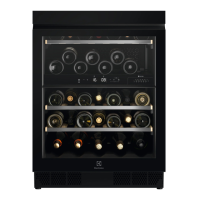
The default set temperature
for the wine cabinet is 12°C.
The temperature can be
adjusted between +5 and
+20°C.
To set the temperature, tap the
Temperature increase or decrease key
for the compartment:
• Single tap shows the current set
temperature.
• Second tap increases or decreases
the temperature by one degree.
www.electrolux.com26




 To Next Page