Care & Cleaning
33
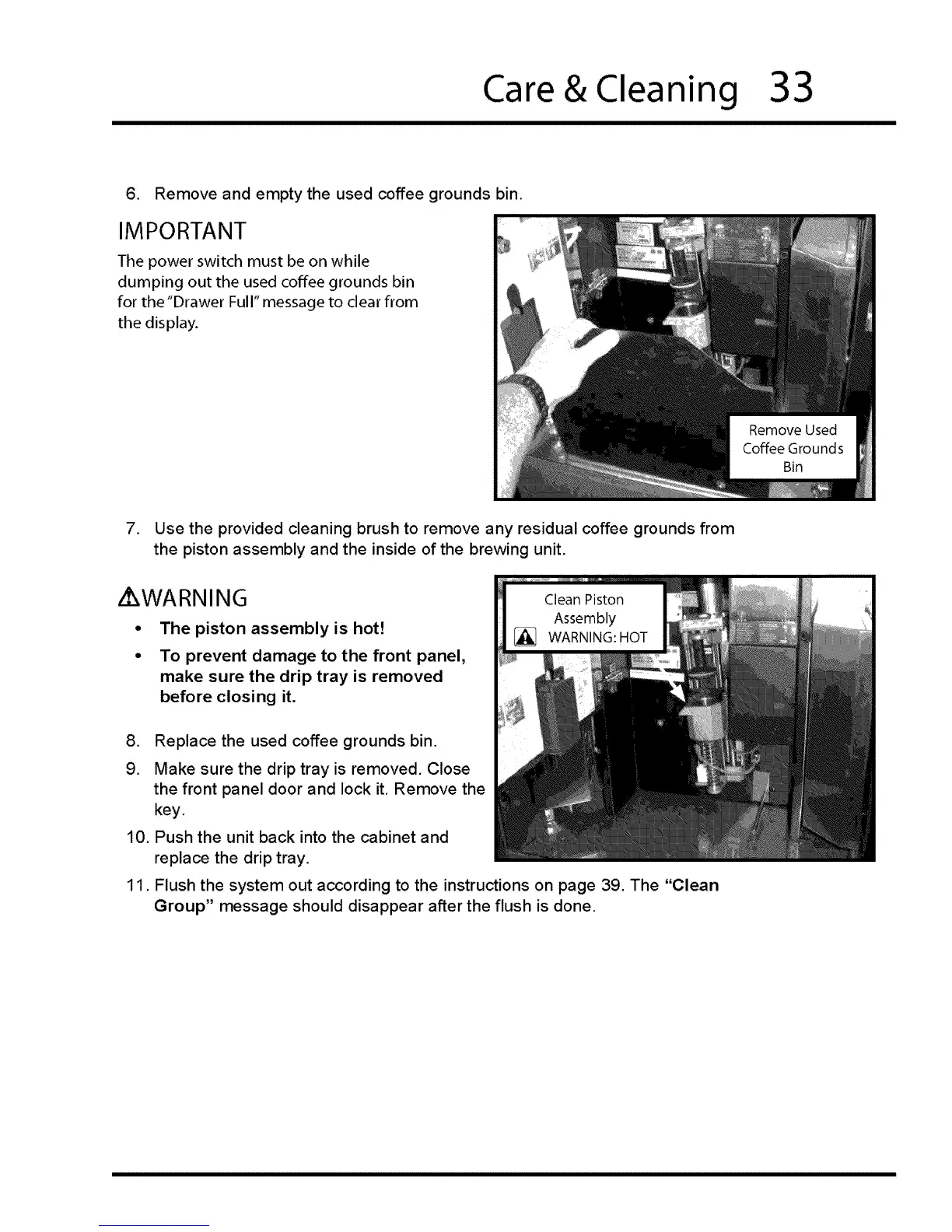
6. Remove and empty the used coffee grounds bin.
IMPORTANT
The power switch must be on while
dumping out the used coffee grounds bin
for the "Drawer Full" message to clear from
the display.
7. Use the provided cleaning brush to remove any residual coffee grounds from
the piston assembly and the inside of the brewing unit.
Z WARNING
The piston assembly is hot!
To prevent damage to the front panel,
make sure the drip tray is removed
before closing it.
,
9.
10.
11.
Replace the used coffee grounds bin.
Make sure the drip tray is removed. Close
the front panel door and lock it. Remove the
key,
Push the unit back into the cabinet and
replace the drip tray.
Flush the system out according to the instructions on page 39. The "Clean
Group" message should disappear after the flush is done.








 To Next Page