BBaassiicc IInnffoorrmmaattiioonn
1-4
FFeeaattuurree OOvveerrvviieeww
The following is an overview of the operation of the Electrolux 24” Built-In Coffee Maker. The purpose of this sec-
tion is to familiarize the service technician with the basic operation and features of the 24” Built-In Coffee Maker, so
the technician can return the appliance to its proper working condition. For further explanation and details of the
functionality of the unit refer to the Use and Care Guide and the Programming Guide for the unit.
EExxtteerriioorr FFeeaattuurreess
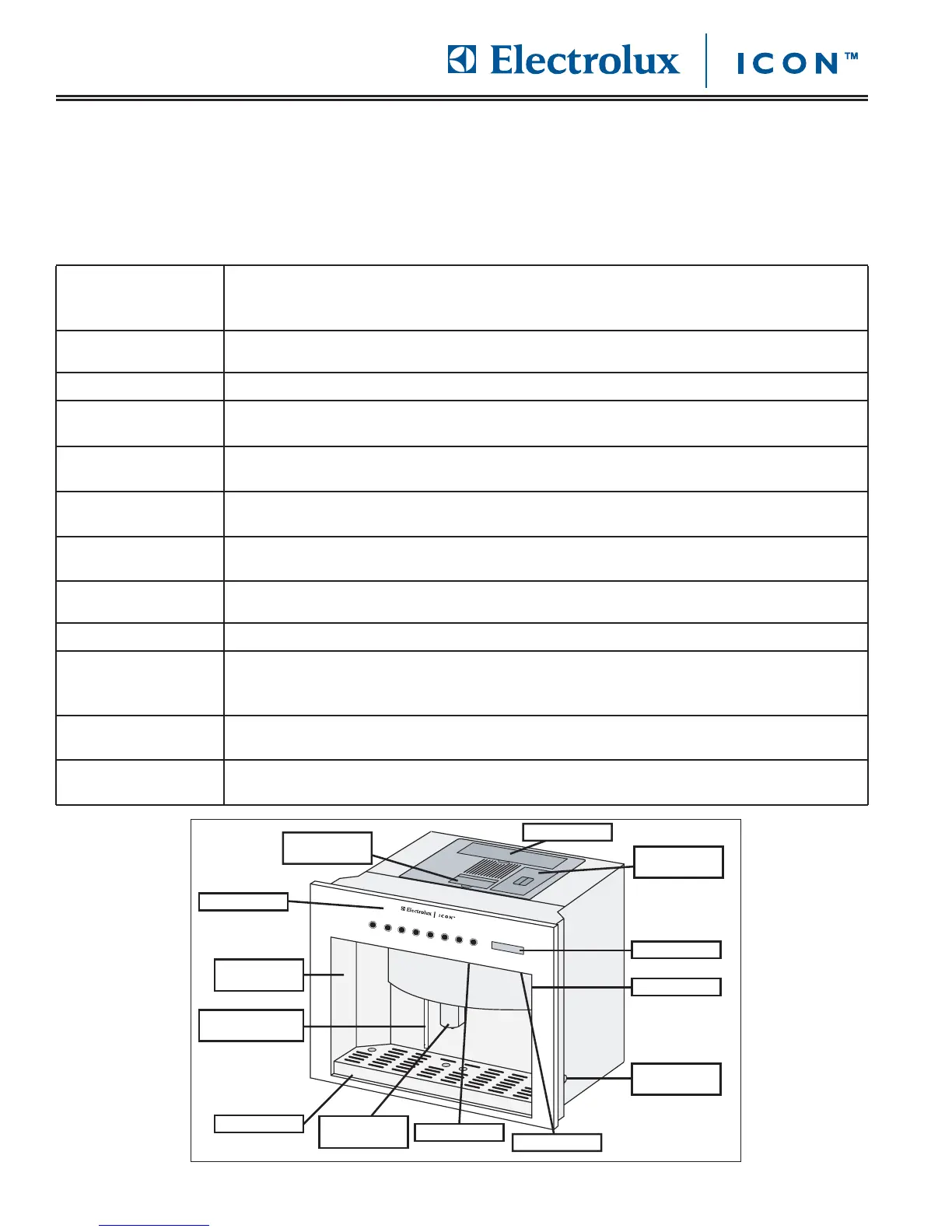
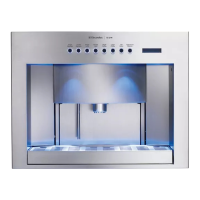
Front Panel The front panel has buttons across it that are used to operate your coffee maker. It also
has a display which provides useful information. The front panel opens up to allow
cleaning, maintenance and programming.
Display The display tells you valuable information about your coffee maker when the power switch
is turned on.
Brewing Compartment The brewing compartment is the area where drinks and water are dispensed.
Coffee Dispenser Coffee drinks are dispensed from the coffee dispenser. You can adjust the nozzle on the
dispenser up or down.
Power Switch Use the power switch to turn your coffee system on or off. It is located on the ceiling of
the brewing compartment, below the buttons.
Light Switch Use the light switch to turn the lights in the brewing compartment on or off. It is located
on the ceiling of the brewing compartment, below the display.
Drip Tray The drip tray catches spills and water that the coffee system purges during the process of
making coffee.
Front Panel Lock The front panel of the coffee system is equipped with a lock to keep it from being easily
opened. Remove the drip tray before opening the front panel.
Coffee Bean Container The coffee system grinds the roasted coffee beans you put in the coffee bean container.
Ground Coffee Chute When making a cup of coffee using pre-ground coffee, put the coffee grounds in the
ground coffee chute. The ground coffee feature is good for making decaffeinated coffee or
ground flavored coffee.
Water Tank Model E24CM75GUS only. The water tank holds the filtered water used to make coffee.
Use only water with a hardness of four grains per gallon (gps) or less.
Door Release Button The door release button is used to open the front panel for cleaning, maintenance, and
programming.








 To Next Page