3.2 Switching on
1. Insert the plug into the wall socket.
2. Touch the temperature regulator
button if all LED are off.
3.3 Switching off
Keep touching the temperature regulator
button for 3 seconds.
All indicators light off.
3.4 Temperature regulation
To operate the appliance, touch the
temperature regulator button until the LED
corresponding to the required temperature
lights up. Selection is progressive, varying
from 2 to 8°C.
At first button touch actual setting LED
keeps blinking.
Any time the button is touch the set
temperature is moved to 1 position .
Corresponding LED will blink for a while.
Touch the setting button until the required
temperature is selected. The set will be
fixed
Coldest setting: +2°C.
Warmest setting: +8°C.
A medium setting is generally
the most suitable.
However, the exact setting should be
chosen keeping in mind that the
temperature inside the appliance depends
on:
• room temperature
• how often the door is opened
• quantity of food stored
• appliance location.
3.5 FastFreeze function
You can activate FastFreeze function by
pressing the FastFreeze button.
The LED corresponding to the symbol
FastFreeze indicator lights up.
You can deactivate FastFreeze function by
pressing the FastFreeze button again.
The FastFreeze indicator will light off.
This function stops
automatically after 52 hours.
4. DAILY USE
WARNING!
Refer to Safety chapters.
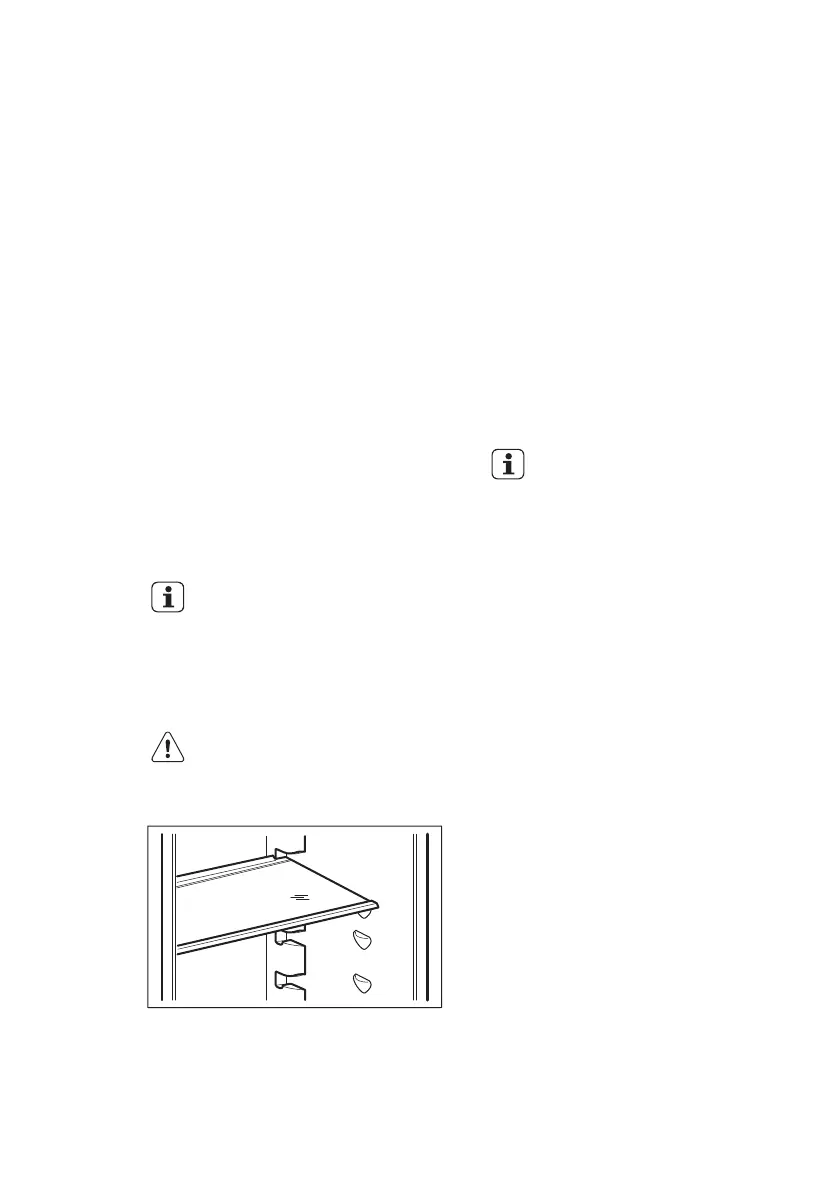
4.1 Movable shelves
The walls of the refrigerator are equipped
with a series of supports so that the
shelves can be positioned as desired.
4.2 Positioning the door shelves
To permit storage of food packages of
various sizes, the door shelves can be
placed at different heights.
To make these adjustments proceed as
follows:
1. Gradually pull the shelf in the direction
of the arrows until it comes free.
www.electrolux.com6



 To Next Page