To deactivate the rinse aid dispenser and
the notification, set the rinse aid level to
0.
6.4 End sound
You can activate an acoustic signal that
sounds when the programme is
completed.
Acoustic signals sound also
when a malfunction of the
appliance occurs. It is not
possible to deactivate these
signals.
6.5 AirDry (空气对流干燥)
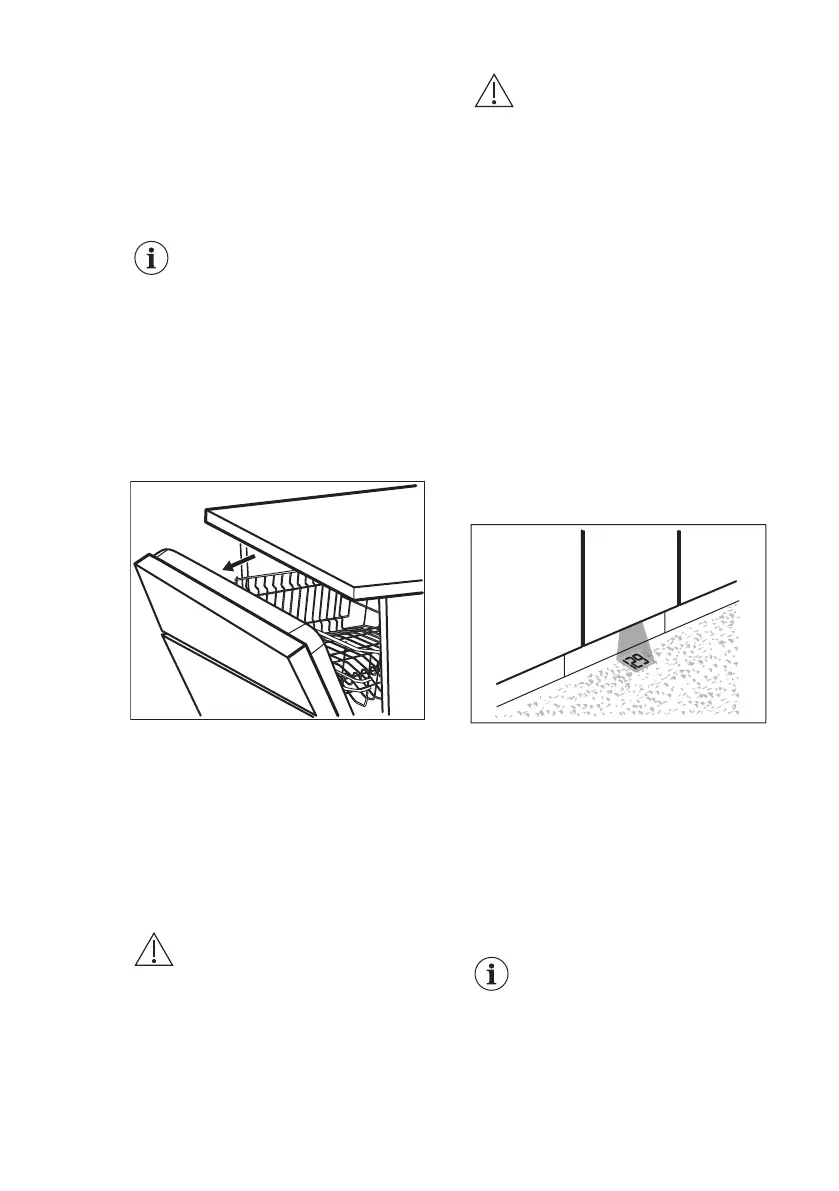
AirDry (空气对流干燥) improves the
drying results. The appliance door opens
automatically during the drying phase
and remains ajar.
AirDry (空气对流干燥) is automatically
activated with all programmes other than
预冲洗.
The duration of the drying phase and the
door opening time vary depending on the
selected programme and options.
When AirDry (空气对流干燥) opens the
door, the display shows the remaining
time of the running programme.
CAUTION!
Do not try to close the
appliance door within 2
minutes after automatic
opening. This can cause
damage to the appliance.
CAUTION!
If children have access to
the appliance, we advise to
deactivate AirDry (空气对流
干燥) . The automatic
opening of the door may
pose a danger.
6.6 Latest programme selection
You can set the automatic selection of
the most recently used programme and
options.
The latest programme that was
completed before the appliance
deactivation is saved. It is then selected
automatically after you activate the
appliance.
When the latest programme selection is
disabled, the default programme is 节能.
6.7 TimeBeam (时间投影)
TimeBeam (时间投影) displays the
following information on the floor below
the appliance door:
• The programme duration when the
programme begins.
• 0:00 and CLEAN when the
programme is completed.
• DELAY and the countdown duration
when the delay start begins.
• An alarm code when the appliance
has a malfunction.
When AirDry (空气对流干
燥) opens the door,
TimeBeam (时间投影) is
off. To check the remaining
time of the running
programme, look at the
control panel display.
ENGLISH 13



 To Next Page