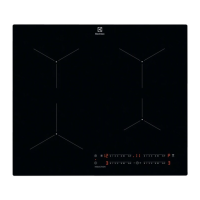
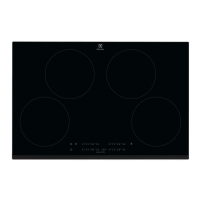
This document is a user manual for an Electrolux induction hob, model LIT81443. It provides comprehensive instructions for installation, safe operation, maintenance, and troubleshooting.
Function Description
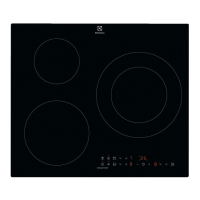
The Electrolux induction hob is designed for cooking purposes in a domestic indoor environment. It features multiple induction cooking zones that generate heat directly in the cookware through an electro-magnetic field, allowing for fast and efficient cooking. The hob is equipped with a control panel that uses sensor fields for operation, displaying heat settings, timer information, and various function indicators.
Key functions include:
- Heat Setting Control: Users can set or change the heat setting for each cooking zone by touching or sliding a finger along the control bar.
- Automatic Heat Up: This function allows the cooking zone to reach a desired heat setting in a shorter time by operating at the highest setting initially before adjusting to the selected level. It can only be activated when the cooking zone is cold.
- PowerBoost: This feature provides additional power to induction cooking zones for a limited period, enabling faster heating, such as boiling large quantities of water. After the limited time, the zone automatically reverts to its highest heat setting.
- Timer Functions: The hob offers two main timer functions:
- Count Down Timer: Allows users to set a specific cooking duration (00-99 minutes) for a single cooking session. An acoustic signal sounds and "00" flashes when the countdown ends, and the cooking zone deactivates.
- CountUp Timer: Monitors how long a cooking zone has been operating.
- Minute Minder: A separate timer function that can be used when the hob is active but cooking zones are not operating. It provides an acoustic signal and "00" flashes when the set time finishes, without affecting cooking zone operation.
- Pause Function: This function sets all active cooking zones to the lowest heat setting (level 1) and locks other control panel symbols, allowing for temporary interruption of cooking without losing settings.
- Lock Function: Designed to prevent accidental changes to the heat settings while cooking zones are in operation.
- Child Safety Device: This feature prevents accidental operation of the hob, enhancing safety, especially in households with children. It can be activated and deactivated, and also temporarily overridden for a single cooking session.
- OffSound Control: Allows users to deactivate or activate the acoustic sounds of the hob, providing flexibility for user preference.
- Power Management: When multiple zones are active and the power consumption exceeds the supply limit, this function automatically divides available power among cooking zones, prioritizing the last selected zone, to protect the house installation's fuses.
- Hob²Hood Function: An advanced automatic function that connects the hob to a special cooker hood via an infrared signal. The hob automatically defines the fan speed based on the mode setting and the temperature of the hottest cookware. Users can also operate the fan speed manually from the hob. This function can be set to various automatic modes (H1-H6), some of which activate the fan and light based on boiling or frying processes, or independently of temperature.
Usage Features
- Cookware Compatibility: The hob requires suitable cookware for induction cooking, typically made of cast iron, steel, enamelled steel, stainless steel, or multi-layer bottom materials. Cookware dimensions should be appropriate for the cooking zones to ensure optimal heat transfer and efficiency. The induction cooking zones automatically adapt to the dimension of the cookware bottom.
- Residual Heat Indicator (OptiHeat Control): A 3-step indicator that shows the level of residual heat on hot cooking zones, indicating whether it's suitable for continued cooking, keeping food warm, or if there's only residual heat. This helps in energy saving and safety.
- Automatic Switch Off: The hob automatically deactivates if all cooking zones are turned off, no heat setting is selected after activation, or if objects are placed on the control panel for more than 10 seconds.
- Noise During Operation: The manual explains that various noises (crack, whistle, humming, clicking, hissing, buzzing) are normal during induction hob operation and do not indicate a malfunction.
- Öko Timer (Eco Timer): A feature that saves energy by deactivating the cooking zone heater before the countdown timer finishes, with the time difference depending on the heat setting and cooking duration.
- Simplified Cooking Guide: Provides general guidance on heat settings and cooking times for various dishes, emphasizing that the correlation between heat setting and power consumption is not linear.
Maintenance Features
- Regular Cleaning: The hob should be cleaned after each use to prevent deterioration of the surface material.
- Cleaning Agents: Use a special cleaning agent suitable for hob surfaces and a moist soft cloth. Neutral detergents are recommended.
- Scraper Use: A scraper, specifically recommended for glass surfaces, can be used as an additional tool for cleaning after the standard cleaning procedure. Sharp metal tools or knives should not be used.
- Immediate Stain Removal: Melted plastic, plastic foil, salt, sugar, and sugary foods should be removed immediately with a special hob scraper to prevent damage.
- Cool-Down Cleaning: Limescale rings, water rings, fat stains, and shiny metallic discoloration should be removed once the hob has sufficiently cooled, using a moist cloth and a non-abrasive detergent. A solution of water with vinegar can be used for shiny metallic discoloration.
- Cookware Care: Ensure cookware bases are clean and dry before placing them on the hob. Avoid sliding or rubbing cookware on the glass surface to prevent chipping or damage.
- No Steam Cleaners: Steam cleaners should not be used to clean the appliance.
- Service and Repair: In case of damage or malfunction, users should contact an Authorized Service Centre and use original spare parts only. If the glass ceramic surface is cracked, the appliance must be immediately switched off and disconnected from the power supply.

 Need help?
 General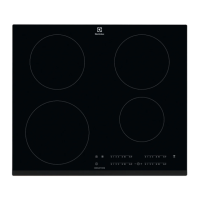



 To Next Page