EasyManua.ls Logo

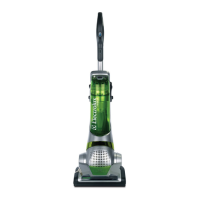
Electrolux Nimble - User Manual

Electrolux Nimble
16 pages
Print Icon
To Next Page IconTo Next Page
Loading...
OWNERS GUIDE
Selected Model Only
Modelo seleccionado únicamente
Certains modèles seulement
*
CONTENTS
CONTENIDO
CONTENU
www.sylvane.com 1-800-934-9194

Questions and Answers

  • B
    brownbenjaminJul 31, 2025
    What to do if my Electrolux Vacuum Cleaner motor will not start?
    • C
      connerjohnJul 31, 2025
      If your Electrolux Vacuum Cleaner motor won't start or suddenly stops, consider these potential causes: * The unit might not be properly connected to a power source. Push the plug securely into the outlet, try another outlet, or check the circuit breaker. Also, inspect the plug and cord for any damage. * The switch might not be turned on. Press the power switch to the ‘carpet’ or ‘hard-floor’ setting. * The thermal cut-off may have activated. Correct the cause of motor overheating. See thermal cut-off information.
  • Z
    Zachary SmithAug 5, 2025
    Why is the red light on my Electrolux Nimble?
    • J
      Joshua MannAug 6, 2025
      The red “check brush roll” or “check filter” indicator light on your Electrolux vacuum cleaner indicates that the brush roll is not operating properly or the filter is clogged. To resolve this, turn the unit off and unplug it, clear the stall condition, then plug it back in and turn it on. Also, remove and clean the filters.
  • C
    Courtney AndersonAug 10, 2025
    How to fix Electrolux Vacuum Cleaner brush roll that will not turn?
    • E
      Edward ButlerAug 10, 2025
      If the brush roll on your Electrolux Vacuum Cleaner won't turn: * Check if there's an object caught in the brush roll. Remove any obstructions such as carpet fringe, string, or socks. Note that the brush roll overload protector will reset when the vacuum is turned off or unplugged. Use the ‘hard floor’ setting when vacuuming the fringe of rugs. Also, check the brush roll for threads and debris, and clean if needed. * Ensure the brush roll is positioned properly. Make sure both ends of the brush roll are free of debris and secured properly so the roll can rotate freely.
  • K
    Katherine RodriguezAug 15, 2025
    What to do if dust cup will not lock into Electrolux Nimble Vacuum Cleaner?
    • C
      Crystal FosterAug 15, 2025
      If the dust cup will not lock into your Electrolux Vacuum Cleaner, the dust cup filter might not be in place. Locate the dust cup filter and insert it into the dust cup.
  • C
    Christopher BartlettAug 20, 2025
    How to fix quick release handle that will not lock into Electrolux Nimble Vacuum Cleaner?
    • S
      Sophia MullinsAug 20, 2025
      If the quick release handle will not lock into your Electrolux Vacuum Cleaner, it might be because the telescopic wand is extended. Place the end of the wand into the opening at the back of the vacuum and align the ribs into the grooves.
  • M
    Michael SullivanOct 25, 2025
    Why does my Electrolux Nimble Vacuum Cleaner have no suction?
    • B
      Brittany JohnsonOct 25, 2025
      There are several reasons why your Electrolux Vacuum Cleaner might have no suction: * There could be a blockage in the air path. Remove any obstructions that restrict airflow through the hose and/or valve, and clean out the area. * The dust cup might be full. Empty the dust cup. * The dust cup filter could be clogged. Remove and clean the filter, as fine dust can block airflow even if the cup doesn't look full. * The HEPA filter might be clogged. Remove and clean the filter. * The dust cup filter might not be in place. Ensure the filter is in the filter frame for correct performance and that the filter frame is installed properly in the filter cover for the dust cup assembly to fit back into place. * The switch might not be on the proper setting. Use the ‘carpet’ setting for c...

Summary

Important Safeguards

General Safety Warnings

Essential precautions for safe operation, covering electrical hazards, child safety, and proper usage.

Thermal Cut Off Feature

Explanation of the automatic shut-off mechanism for motor overheating protection.

Package Contents and Information

Package Contents Overview

Visual guide to the components included in the vacuum cleaner package.

Model and Serial Number Recording

Space to record essential identification numbers for the vacuum cleaner.

How to Use

Operating Controls

Explanation of power, suction control, and mode selection.

Handle and Wand Operations

Instructions for using the handle release and wand quick release.

Assembly and Operations

Assembly Steps

Visual guide for assembling the vacuum cleaner components.

Cord Management

Instructions for winding and unwinding the power cord.

Component Release Mechanisms

How to use the wand quick release and dust cup release buttons.

Accessories

Included Accessories

Visual representation of included vacuum cleaner accessories.

Maintenance and Cleaning

Dust Cup and Filter Cleaning

Instructions for emptying and cleaning the dust cup and washable filter.

HEPA Filter Maintenance

Procedure for cleaning or replacing the washable HEPA filter.

Brush Roll Maintenance

Guidance on cleaning and servicing the brush roll.

Troubleshooting

Motor and Suction Issues

Solutions for problems like motor not starting or no suction.

Component Locking Problems

Troubleshooting for dust cup or handle release not locking.

Brush Roll and Indicator Lights

Resolving issues with the brush roll not turning or indicator lights.

Warranty Information

Limited Warranty Terms

Details of the Electrolux limited warranty, coverage, and exclusions.

Obtaining Warranty Service

Instructions on how to register and get service for the vacuum cleaner.

Electrolux Nimble Specifications

General IconGeneral
BrandElectrolux
ModelNimble
CategoryVacuum Cleaner
LanguageEnglish

Related product manuals