8
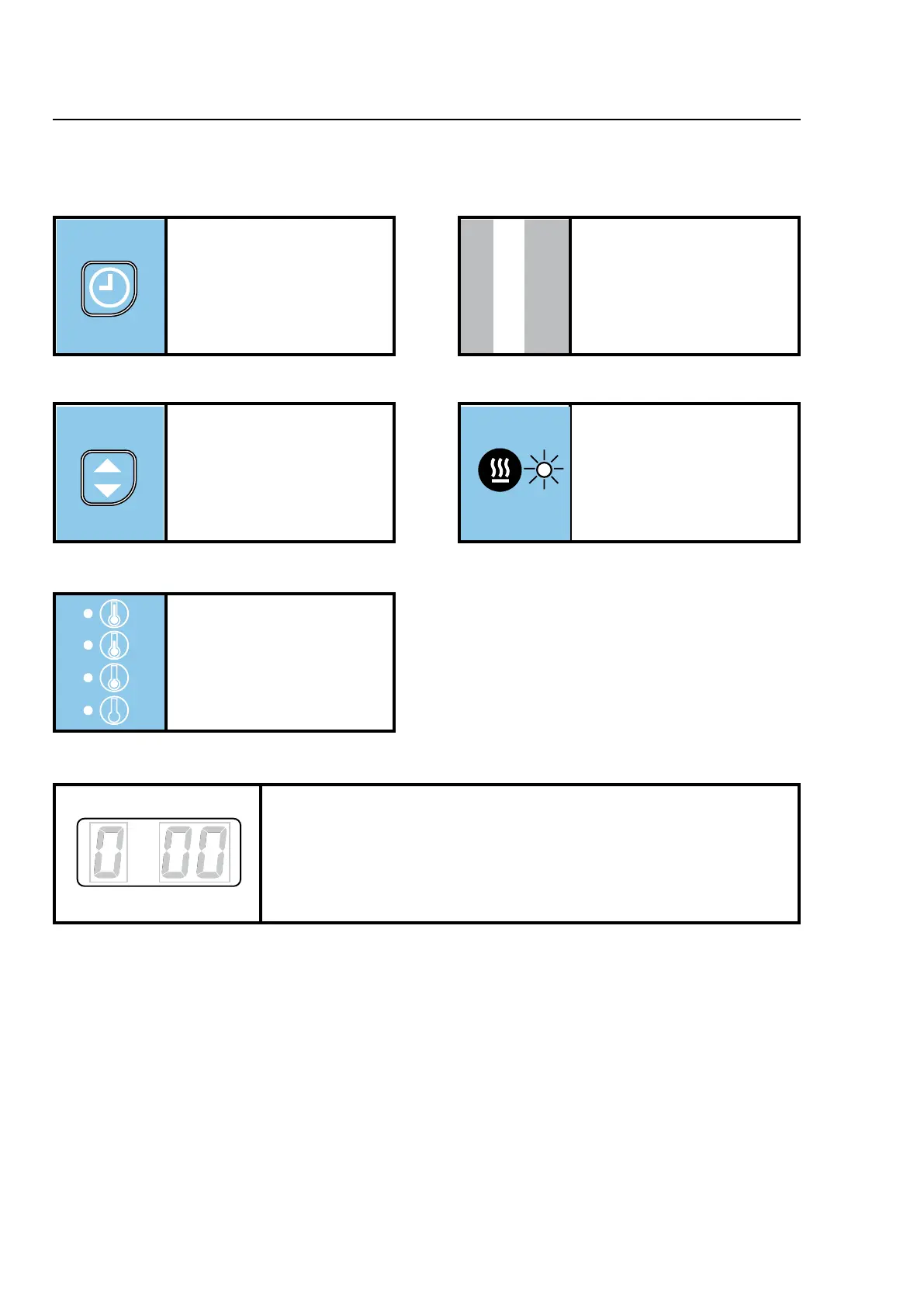
Operating panel
Buttons and symbols
Heat
When lamp is lit the heat is on.
Time button
Setting of drying time. Not active
on pay machines.
Program status
“d xx” = Time controlled drying - xx indicates the time.
“c xx” = Time controlled cool-down - xx indicates the time.
“c - -” = Temperature controlled cool-down.
“ 00” = Standby. The dryer runs an anti-crease program for 120 minutes or
until the door is opened.
Start/stop button
Start: Push button.
Stop: Push button or open door.
Temperature button
Temperature selection button.
Push button during operation,
display shows: the outlet tempe-
rature.
Selected temperature
Lamp is lit at selected
temperature.








 To Next Page