It is available from your authorized vendor
(can be attached to some types of the
tumble dryers). Do the check with the
vendor or on the web site if the accessory
is compatible with your appliance.
Drying rack accessory let to dry safely in
the tumble dryer:
• sport shoes
• wool
• soft toys
• lingerie
Read carefully the instructions supplied
with the accessory.
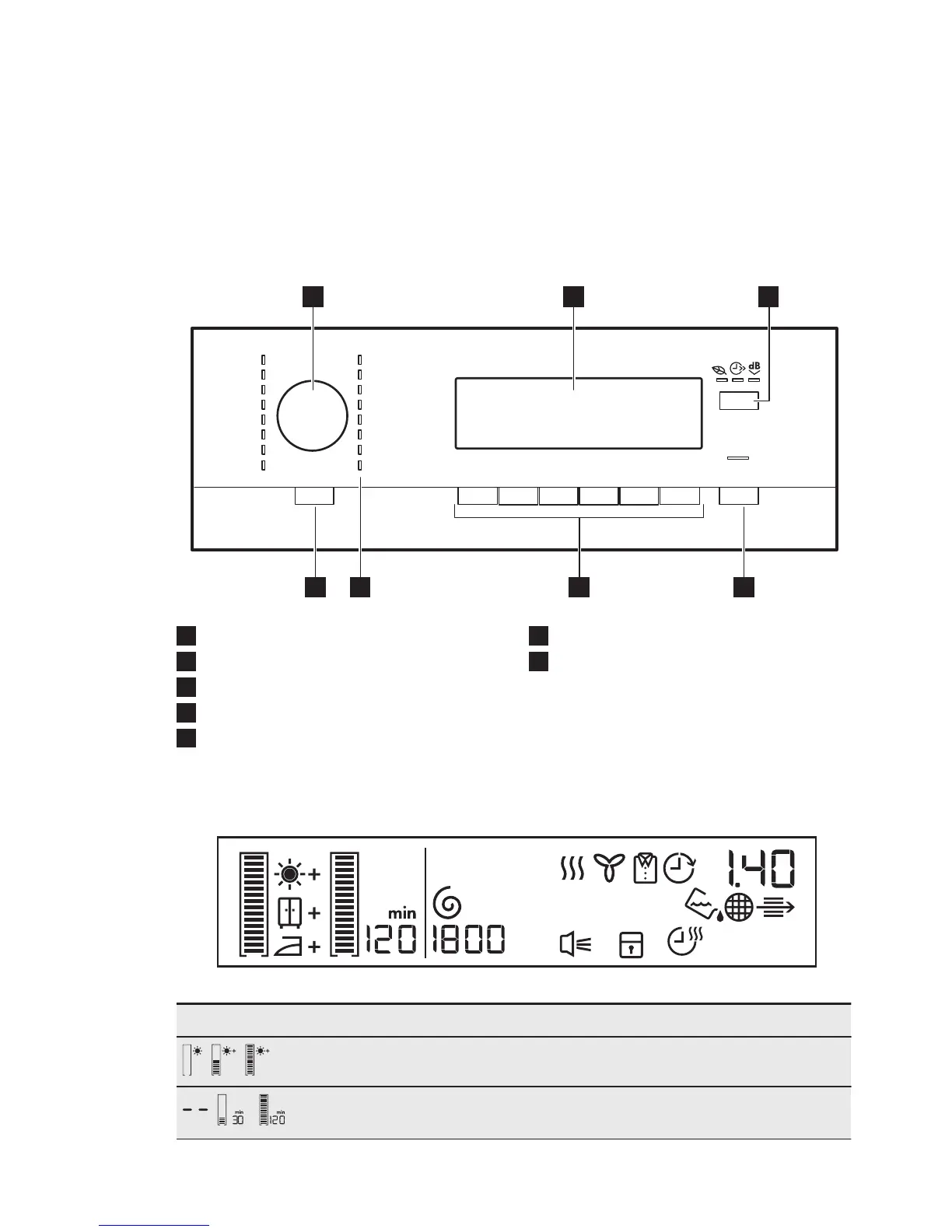
5. CONTROL PANEL
1
Programme dial
2
Display
3
Extra options button
4
Start/Pause button
5
Options buttons
6
Programme indicators
7
On/Off (Ein/Aus) button with the Auto
Off function
5.1 Display
Symbol on the display Symbol description
, ,
extra laundry dryness: default, moderate, maximum
, -
anti-crease phase duration: default, interval (30min.
- 120min.)
ENGLISH
9



 To Next Page