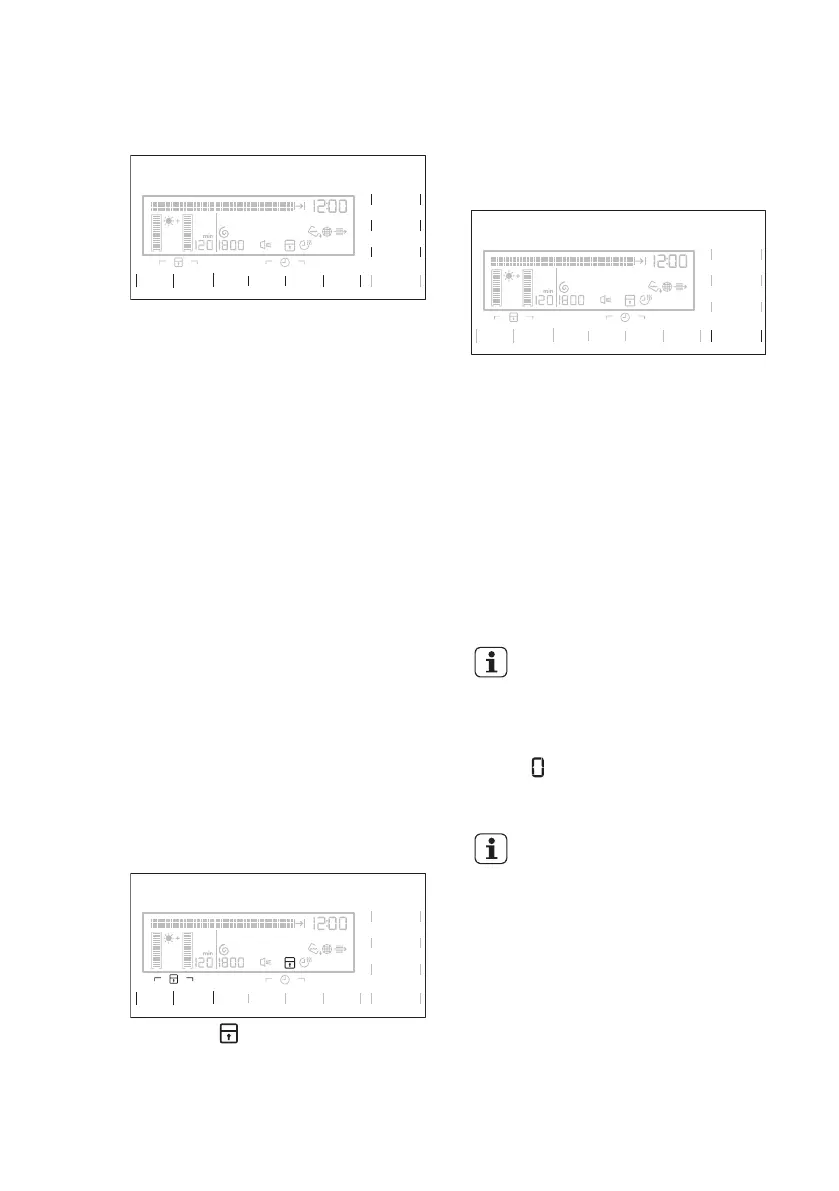
9.6 Options
Together with the programme you can set
1 or more special options.
Zeitvorwahl
Départ Différé
Zeitwahl
Minuterie
Signal
Alarme
Trocken+
Séchage+
U/Min.
Essorage
Knitterschutz
Anti-froissage
Start/Pause
Départ/Pause
Extra Leise
Extra Silence
8 kg
Zeit Sparen
Gain de Temps
Eco
To activate or deactivate the option touch
the applicable option field.
When the option is activated the LED
above the option field or symbol on the
display comes into the view.
9.7 Child lock option
The child lock can be set to prevent the
children to play with the appliance. The
child lock option locks all push buttons
and the programme dial (this option does
not lock On/Off (Ein/Aus) button).
You can activate the child lock option:
• before you push the Start/Pause
button - the appliance cannot start
• after you push the Start/Pause button
- programmes and option selection is
off.
Child lock option activation:
1. Turn on the dryer.
2. Wait approximately 8 seconds.
3. Select 1 of the available programmes.
4. Touch at the same time and hold
down the Dry Plus (Trocken+) and
Anti-crease (Knitterschutz) option
fields.
Zeitvorwahl
Départ Différé
Zeitwahl
Minuterie
Signal
Alarme
Trocken+
Séchage+
U/Min.
Essorage
Knitterschutz
Anti-froissage
Start/Pause
Départ/Pause
Extra Leise
Extra Silence
8 kg
Zeit Sparen
Gain de Temps
Eco
The symbol comes into the view on the
display.
5. To deactivate the child lock, touch
again the above option fields until the
symbol goes out of the view.
9.8 Starting a programme
To start the programme:
Zeitvorwahl
Départ Différé
Zeitwahl
Minuterie
Signal
Alarme
Trocken+
Séchage+
U/Min.
Essorage
Knitterschutz
Anti-froissage
Start/Pause
Départ/Pause
Extra Leise
Extra Silence
8 kg
Zeit Sparen
Gain de Temps
Eco
Touch the Start/Pause field.
The appliance starts and the LED above
the touch field does not flash but is stable.
9.9 Programme change
To change a programme:
1. Push the On/Off (Ein/Aus) button to
turn off the appliance.
2. Push again the On/Off (Ein/Aus)
button to turn on the appliance.
3.
Set a new programme.
9.10 Programme end
Clean the filter and drain the
water container after each
drying cycle. (See chapter
CARE AND CLEANING.)
If the drying cycle is completed, the
symbol flashes on the display. If the
Buzzer (Signal) option is on, the acoustic
signal sounds intermittently for 1 minute.
If you do not turn off the
appliance, the crease guard
phase starts. Laundry can be
removed during this phase.
To remove the laundry:
1. Push the On/Off (Ein/Aus) button for 2
seconds to turn off the appliance.
2. Open the appliance door.
3. Remove the laundry.
4. Close the appliance door.
ENGLISH
19








 To Next Page