EasyManua.ls Logo

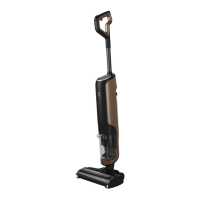
Electrolux ULTIMATEHOME 700 - User Manual

Electrolux ULTIMATEHOME 700
12 pages
Print Icon
To Next Page IconTo Next Page
Loading...
User Manual
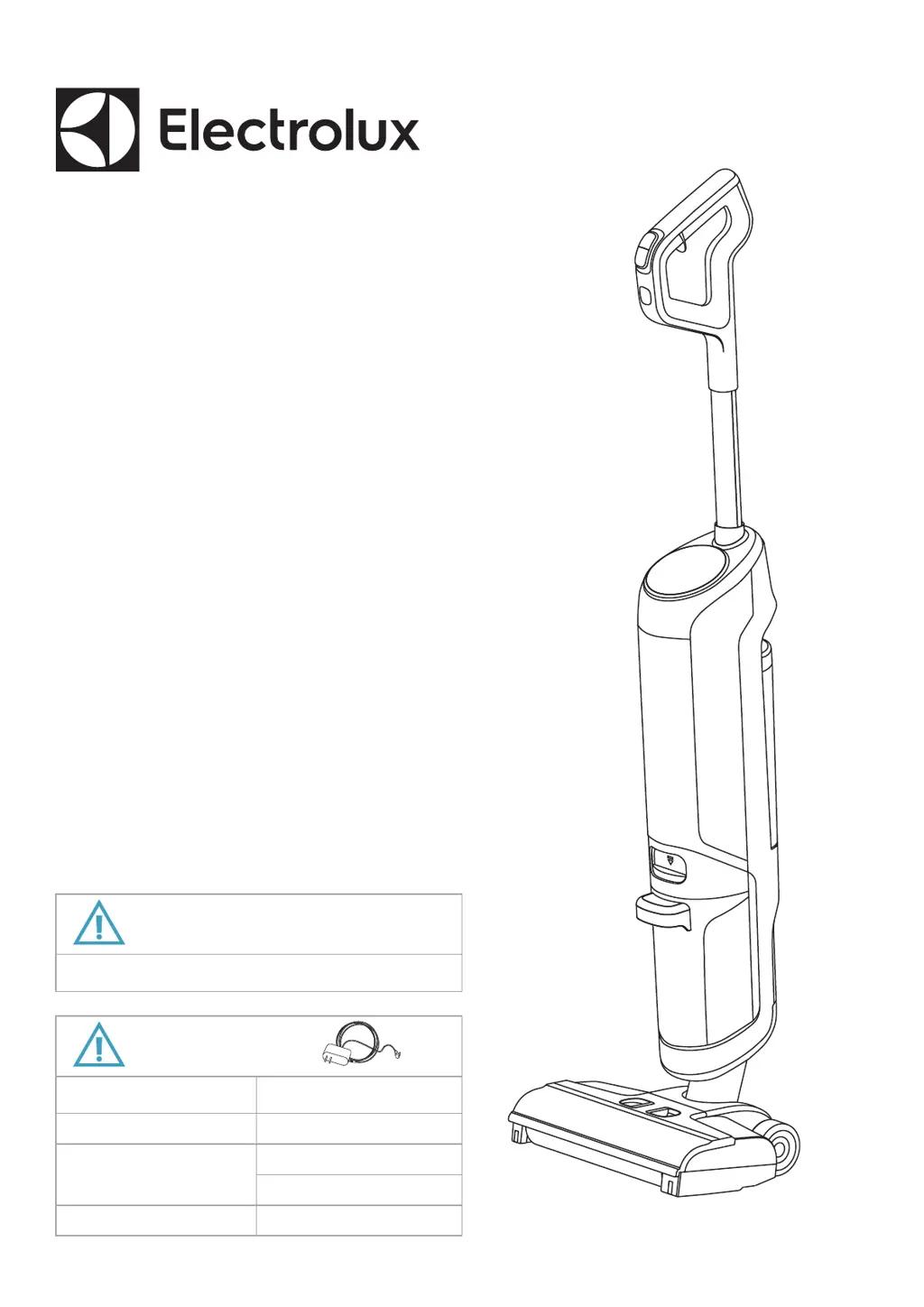
ULTIMATEHOME 700
EFW71711 / EFW71311
*Actual product may differ from illustration.
USE ONLY:
SINGAPORE / MALAYSIA/
MENCA
THAILAND/ INDONESIA
Only for hard floor such as vinyl, tile, sealed wood, etc. NOT FOR CARPET/RUG USE.
AUSTRALIA & NEW ZEALAND
KOREA KSA-30C-260110HO
KSA-30C-260110HK
KSA-30C-260110HT
KSA-30C-260110HA (EFW71711)
KSA-30C-260085HA (EFW71311)
USE ONLY:

Other manuals for Electrolux ULTIMATEHOME 700

Questions and Answers

  • J
    James FrenchAug 19, 2025
    What to do if my Electrolux ULTIMATEHOME 700 cannot be charged?
    • B
      berryjoshuaAug 19, 2025
      If your Electrolux Vacuum Cleaner isn't charging, make sure the charging stand is properly plugged in. Also, ensure the machine is fully and correctly positioned on the charging stand. Check that the adapter is properly connected to the charging stand as well.
  • J
    Jessica GomezAug 21, 2025
    How to fix Electrolux ULTIMATEHOME 700 Vacuum Cleaner when no water comes out from the nozzle?
    • R
      Robert Mcguire MDAug 21, 2025
      If no water is coming out of the nozzle of your Electrolux Vacuum Cleaner, first check if there is water in the clean tank and add water if needed. Ensure the clean tank is installed correctly; reinstall it if necessary. If the clean tank check valve is blocked, replace the clean tank. For pump or waterway blockages, return the product to the service network for repair.
  • C
    Courtney TorresAug 23, 2025
    Why does my Electrolux Air Cleaner produce a strange smell?
    • J
      Jennifer GambleAug 25, 2025
      If your Electrolux Air Cleaner emits a strange smell, especially a burning smell, disconnect the unit and contact an Electrolux authorized service center. Otherwise, the VOC filter might be at the end of its life and needs replacement.
  • S
    Sarah DillonAug 26, 2025
    What to do if the filter icon is lit on Electrolux Air Cleaner after changing filters?
    • K
      Karen CarpenterAug 26, 2025
      If the filter icon is lit on your Electrolux Air Cleaner, even after you've changed the filters, try turning the unit OFF and then ON using the ON/OFF button. Alternatively, unplug the unit, wait a few seconds, and then plug it back in to see if the icon disappears.
  • B
    Brenda ShieldsAug 27, 2025
    Why is my Electrolux Vacuum Cleaner floor washer not working?
    • K
      Kimberly MyersAug 28, 2025
      Your Electrolux Vacuum Cleaner floor washer might not be working due to several reasons: a water shortage in the clean tank (add clean water), a full dirty tank (empty it), the brush roll not being installed properly (install or replace it), low battery power (fully charge it), the brush roll being entangled (clean it). If none of these solutions work, the issue might be an abnormal connection of electronic parts inside the handlebar, requiring you to return the product for repair.
  • T
    Theresa AndersonAug 30, 2025
    Why is the suction weakened on my Electrolux Vacuum Cleaner?
    • J
      jennifermartinAug 30, 2025
      Weakened suction on your Electrolux Vacuum Cleaner could be due to a few reasons. The dirty tank may be full, requiring you to empty it. Also, the brush roll, brush roll cover, or dirty tank might not be installed correctly; detach and reinstall them properly. A blocked nozzle or nozzle air tube can also cause this issue; clean these parts. Lastly, a dirty or blocked filter could be the culprit; clean or install the filter before using.
  • E
    etaylorSep 1, 2025
    What does it mean when the 'Dirty Water Tank Full' icon blinks on my Electrolux Vacuum Cleaner?
    • R
      Ronald Barber VSep 1, 2025
      If the 'Dirty Water Tank Full' icon is blinking on your Electrolux Vacuum Cleaner, it could indicate that the dirty water tank is full; you should empty it before using. It could also mean that the dirty water tank is not installed properly; reinstall it. If self-cleaning is suspended or completed, the icon may keep flashing for 1 minute; press the on/off button to stop the blinking and enter charging mode.
  • P
    Paul ThomasSep 3, 2025
    What causes a dirty water tank false alarm on Electrolux Vacuum Cleaner?
    • D
      Destiny LongSep 3, 2025
      A dirty water tank false alarm on your Electrolux Vacuum Cleaner, even when the water level is low, can be caused by excessive cleaning solution, leading to a large amount of foam. Make sure to follow the instructions for the correct amount of cleaning solution. Also, the top cover of the dirty water tank and solid-liquid separation holder might be dirty. Clean these parts with water, dry them, and let them air dry for 24 hours before using.
  • A
    Alvin MaddoxSep 5, 2025
    Why power level could not be automatically adjusted in AUTO mode on Electrolux ULTIMATEHOME 700 Vacuum Cleaner?
    • Y
      Yesenia EvansSep 5, 2025
      If the power level cannot be automatically adjusted in AUTO mode on your Electrolux Vacuum Cleaner, the bottom tube may be dirty or blocked. Use the cleaning brush to clean the bottom tube.
  • K
    Karina MilesSep 7, 2025
    What to do if Electrolux Air Cleaner is running at max fan speed all the time?
    • S
      Stephen OrozcoSep 8, 2025
      If your Electrolux Air Cleaner is constantly running at maximum fan speed and the PM values are stuck at 999-1000, the sensor is likely clogged. Use a vacuum cleaner to clean the sensor via the sensor window, following the instructions in the CLEANING, CARING & STORAGE section.

Summary

Electrolux ULTIMATEHOME 700 User Manual

Product Identification and Usage Guidelines

Identifies the ULTIMATEHOME 700 and notes it's for hard floors only, not carpets.

Regional Model Number Cross-Reference

Lists specific model numbers for Singapore, Malaysia, Thailand, Indonesia, Australia, New Zealand, and Korea.

Product Components and Initial Setup

Included Accessories and Additional Parts

Details the accessories and additional parts provided with the floor washer.

Assembly and Battery Charging Guide

Illustrates the steps for assembling the unit and charging its battery.

Floor Washer Operation: Controls and Water

Water Tank Filling, Cleaning, and Safety Limits

Instructions for filling and cleaning water tanks, including temperature limits (< 60°C).

Power On;Off, Mode Selection, and Delay Stop

Explains how to operate the power button, delay stop, and mode selection buttons.

Advanced Operation and Self-Cleaning

Battery Status Indicators and Operating Modes

Details battery charge levels and different operating modes like TURBO and AUTO.

Activating Self-Cleaning and Dirty Water Disposal

Guides on activating the self-cleaning mode and emptying the dirty water tank.

Maintenance and Component Care

Cleaning Brush Roll, Filters, and Tanks

Instructions for cleaning the brush roll, filter, and other components, with temperature warnings.

Storage Recommendations and Part Care

Covers cleaning for storage and potential replacement parts like the brush roll.

Safety Precautions and Product Information

Usage Prohibitions and General Safety Icons

Lists actions to avoid, such as using on carpets or with incorrect solutions, and general safety icons.

Official Website and Replacement Parts Listing

Provides the official Electrolux website URL and lists available replacement parts like filters and brush rolls.

Troubleshooting: Power, Suction, and Water Issues

Floor Washer Not Working or Weak Suction Solutions

Solutions for the floor washer not working, weak suction, or no water output.

Resolving Charging, Power, and Battery Indicator Problems

Guides for product charging problems and incorrect AUTO mode power adjustments.

Interpreting Clean and Dirty Water Tank Indicators

Explains blinking icons for dirty water tank full and clean water tank shortage.

Troubleshooting: Specific Alerts and Mode Issues

Nozzle Alerts and Multi-Flash Power Indicator Problems

Addresses nozzle icon blinks and power display alerts (3, 4, or 5 flashes).

Self-Cleaning and TURBO Mode Troubleshooting

Troubleshoots issues with self-cleaning initiation and TURBO mode activation.

Troubleshooting Guide in Korean and Indonesian

Provides troubleshooting steps and solutions in Korean and Indonesian languages.

Troubleshooting: Common Issues Across Languages

Device Operation and Suction Troubleshooting (Malay;Indonesian)

Solutions for the floor cleaner not working or having reduced suction power.

Water Flow, Charging, and Auto Mode Issues (Malay;Indonesian)

Guides for no water from the nozzle, charging errors, and auto mode problems.

Tank Icons, Nozzle, and Battery Alerts (Malay;Indonesian)

Explains blinking dirty water tank icons and nozzle icon alerts.

Self-Cleaning and TURBO Mode (Malay;Indonesian)

Addresses self-cleaning failures and TURBO mode indicators.

Troubleshooting: Arabic Language Solutions (Part 1)

Arabic: Unit Failure and Suction Power Solutions

Arabic solutions for floor cleaner malfunctions and weak suction issues.

Arabic: Water Flow, Charging, and Auto Mode Issues

Arabic guidance for no water from nozzle, charging errors, and auto mode problems.

Arabic: Tank Icons, Nozzle, and Battery Indicators

Arabic explanations for dirty water tank icons and nozzle icon alerts.

Troubleshooting: Arabic Language Solutions (Part 2)

Arabic: Water Levels, Suction, and Brush Roll Problems

Arabic solutions for water shortage, weak suction, and brush roll entanglement.

Arabic: Nozzle, Charging, and Indicator Alerts

Arabic guidance for nozzle issues, charging problems, and various indicator light alerts.

Arabic: Battery Protection and Mode Activation Issues

Arabic solutions for battery protection, self-cleaning activation, and TURBO mode usage.

Electrolux ULTIMATEHOME 700 Specifications

General IconGeneral
BrandElectrolux
ModelULTIMATEHOME 700
CategoryVacuum Cleaner
LanguageEnglish

Related product manuals