DGS-TDS-N 05.2006 © Electrolux 4 168 650
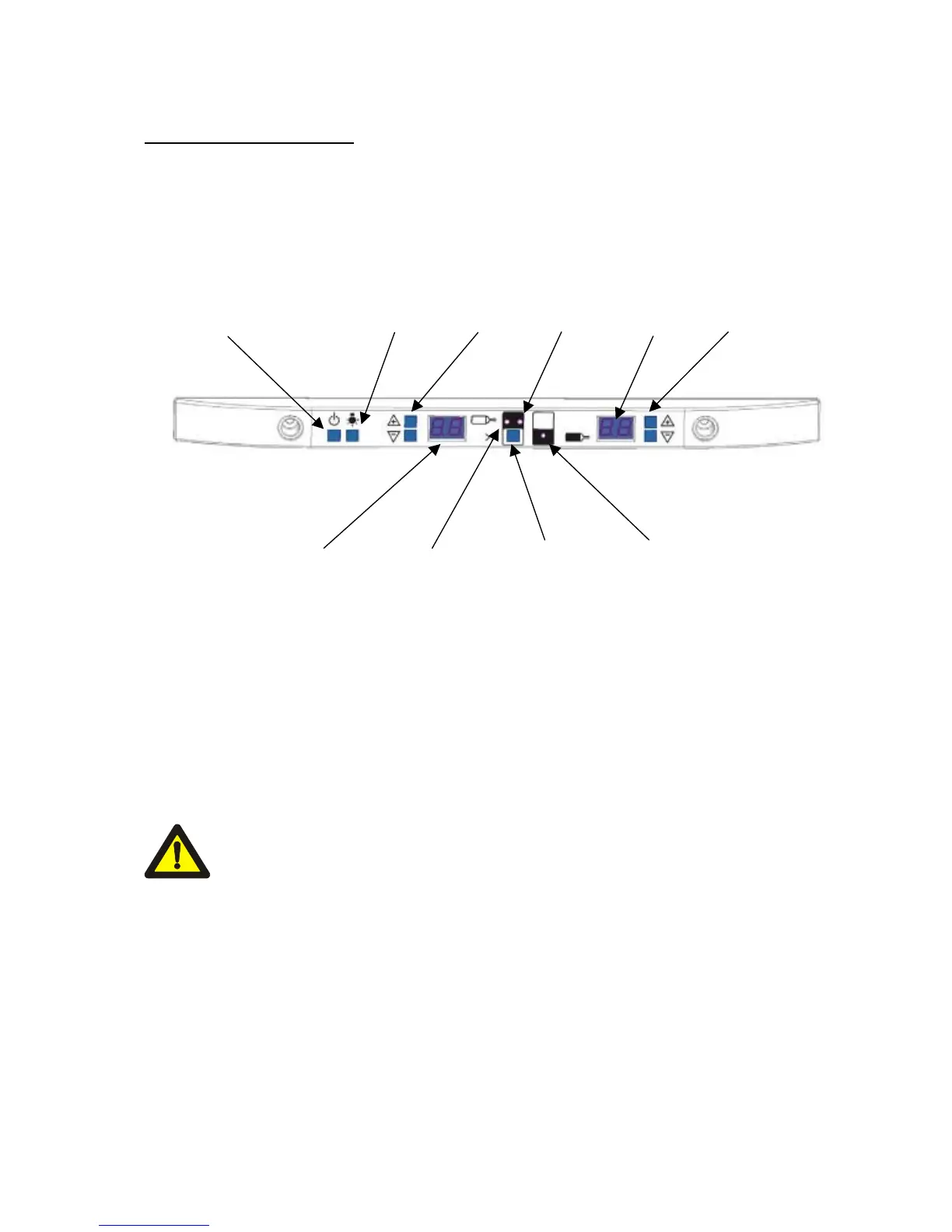
2. Operating Functions
1. Switch appliance on/off
2. Temperature selection, top area -> (Can only be set if the
3. Temperature selection, bottom area -> display flashes).
4. Supercool mode
5. Interior lighting on permanently or only when the door is open.
1 5 2 9 7 3
6 8 4 8
6. Temperature display for the top compartment
7. Temperature display for the bottom compartment
8. Mode display
9. Supercool on (flashes when the presentation activation)
10. Presentation mode
(pressing buttons 2 , 4 and 3 simultaneously activates and deactivates the presentation
mode).
11. Diagnosis
(pressing of all 4 temperature selection buttons activates the diagnosis mode).
Child-proof lock: the buttons are only active after they have been pressed
for 3 sec.




 To Next Page