5
Describing Control Panel Keypad & System LEDs
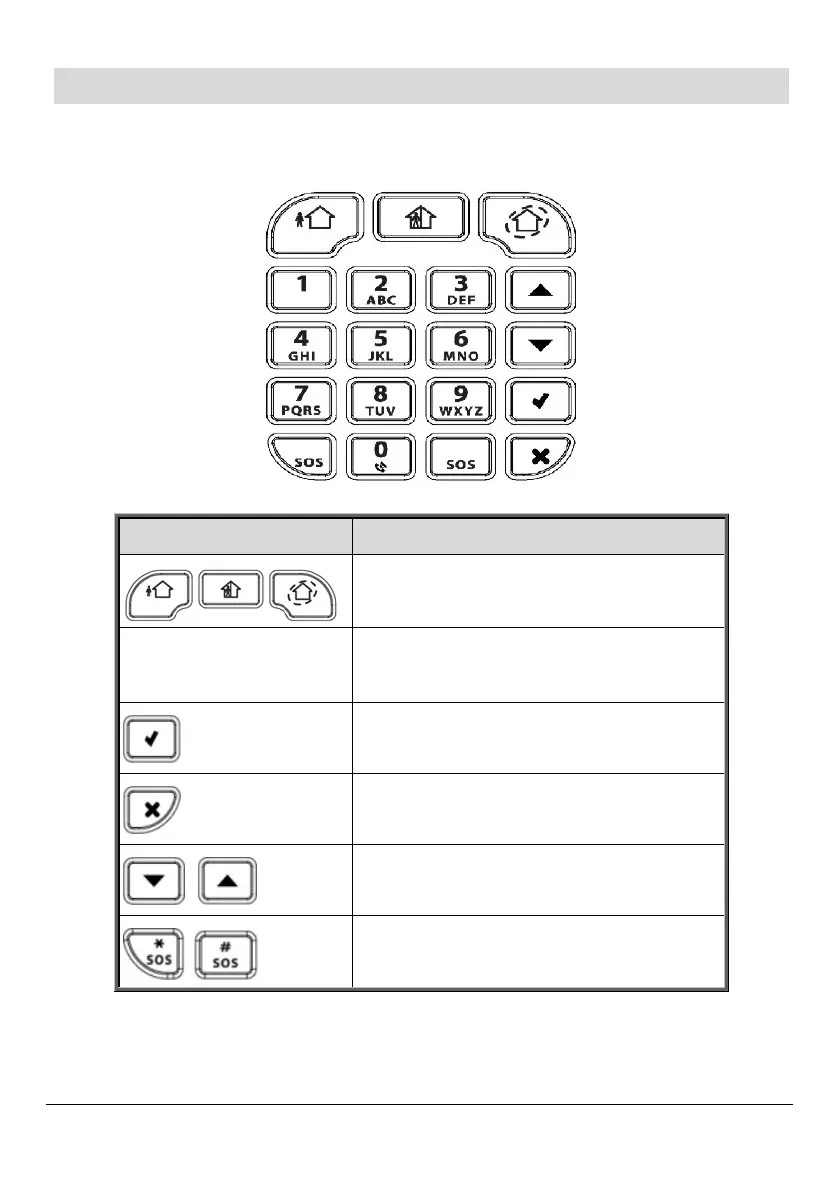
Control Panel Keypad
Keypad buttons Description
Arming – from left to right: full
arm, partial arm, perimeter arm
Alphanumeric
buttons for user code
Disarming – for disarming the
system. Also silences the sounder.
Accept / OK –for confirming
selection and for saving.
Reject / cancel – for cancelling, or
returning to prior menu item.
Menu navigation – for scrolling
up / down through menu options.
Panic alarm – sends notification
(control panel is silent).



 To Next Page