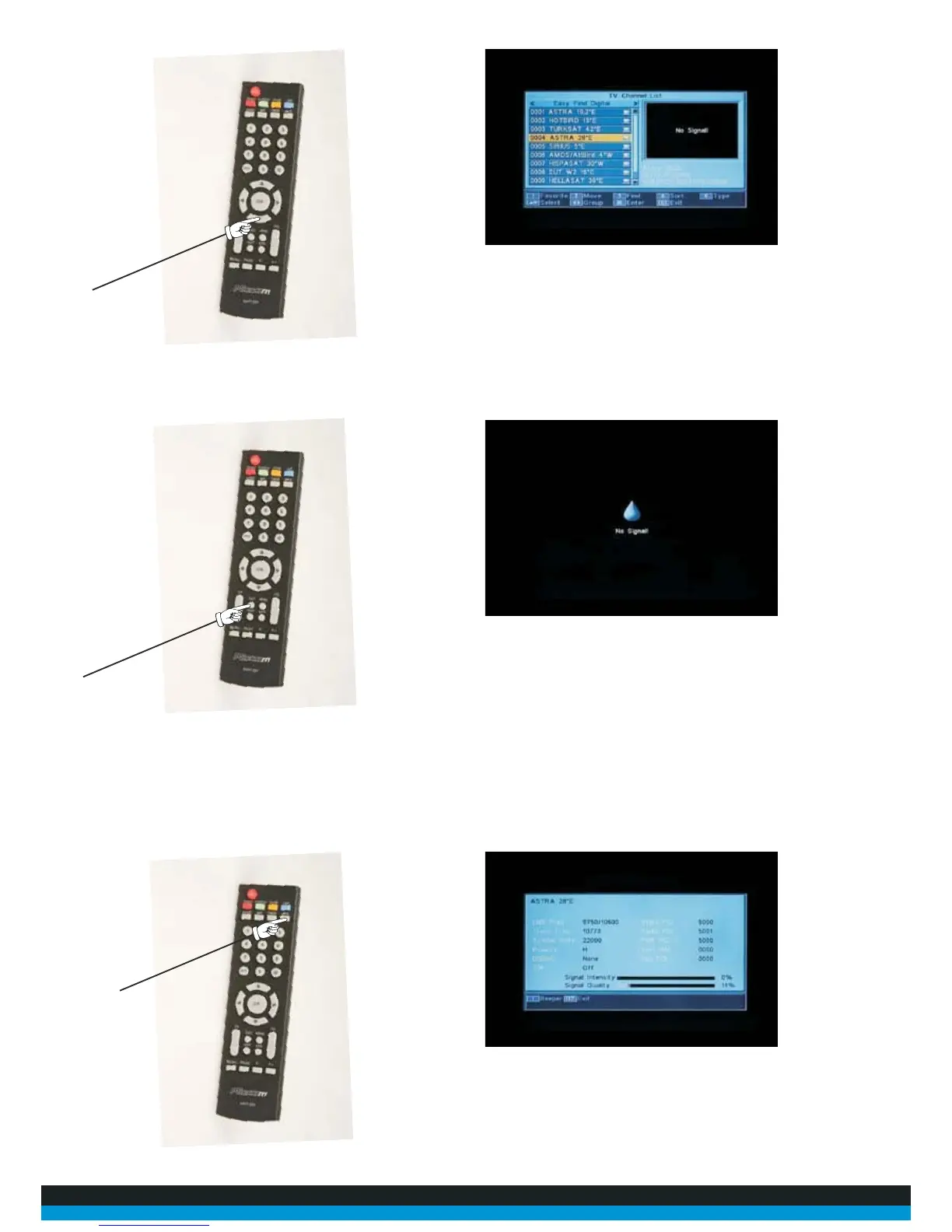
17. On the remote control, press the “INFO” button. The screenwill now display various
data fields, including two strength barswhich show readings for Signal Intensity and Signal Quality.
Ideally, for good quality reception, the signal intensity should bearound 80%+ plus and the signal
quality 65%+.
15. Now using your up and down buttons select “Astra 28*E” then “OK”
16. Now push “Exit” until you see the “no signal “screen



 To Next Page