Page 15 of 24 MEL-TEMP M8160 Issue 1.5
7.3.10. Reading the recorded melt data. From the home screen press the ‘Fn’ key to enter
F2 Melt recall screen. Press the return key to display the melt point temperature. Press
the return key to display the temperature the second melt recorded and so on for the
third and fourth melts. To exit the screen press ‘Fn’ to return to the (F1) Home screen.
Note: Only the last recorded batch may be viewed. Previous melt data will be over
written.
Note: data will be lost if the MEL-TEMP is turned off or disconnected from the electrical
supply.
7.3.11. To help cool down a hot oven remove the capillary tube guide and insert a cold finger.
(See Spares and Accessories section 11).
7.4. Caliabration Procedure.
For equipment calibration purposes and to minimize variation between repeat
measurements all calibrations should be taken using 2mm diameter capillary tubes.
Calibration should be carried out annually, or whenever the performance of the
apparatus is suspected e.g. a shift is expected results is observed. The apparatus
must either be returned to the dealer/manufacturer for calibration, or calibration must be
carried out in the following manner, using Calibration key AZ9253 and calibration
chemicals P-nitro toluene and Carbazole. (See Spares and Accessories section 11).
7.4.1. Switch the unit on and ensure the MEL-TEMP has settled into a constant state
7.4.2. Perform a melt with each of the standard chemicals and note the readings.
7.4.3. Compare the results obtained with the melting points shown on the certificates supplied
with each chemical and ascertain whether the unit performs within acceptable limits.
If it is decided that re-calibration is required proceed as follows:-
7.4.4. Switch off the unit and allow it to cool sufficient for the oven temperature to be below
that of the first melt chemical set point.
7.4.5. When the unit is cool switch it back on and allow it to perform the start up routine.
Observe the ambiant temperature for the oven is less than 50°C.
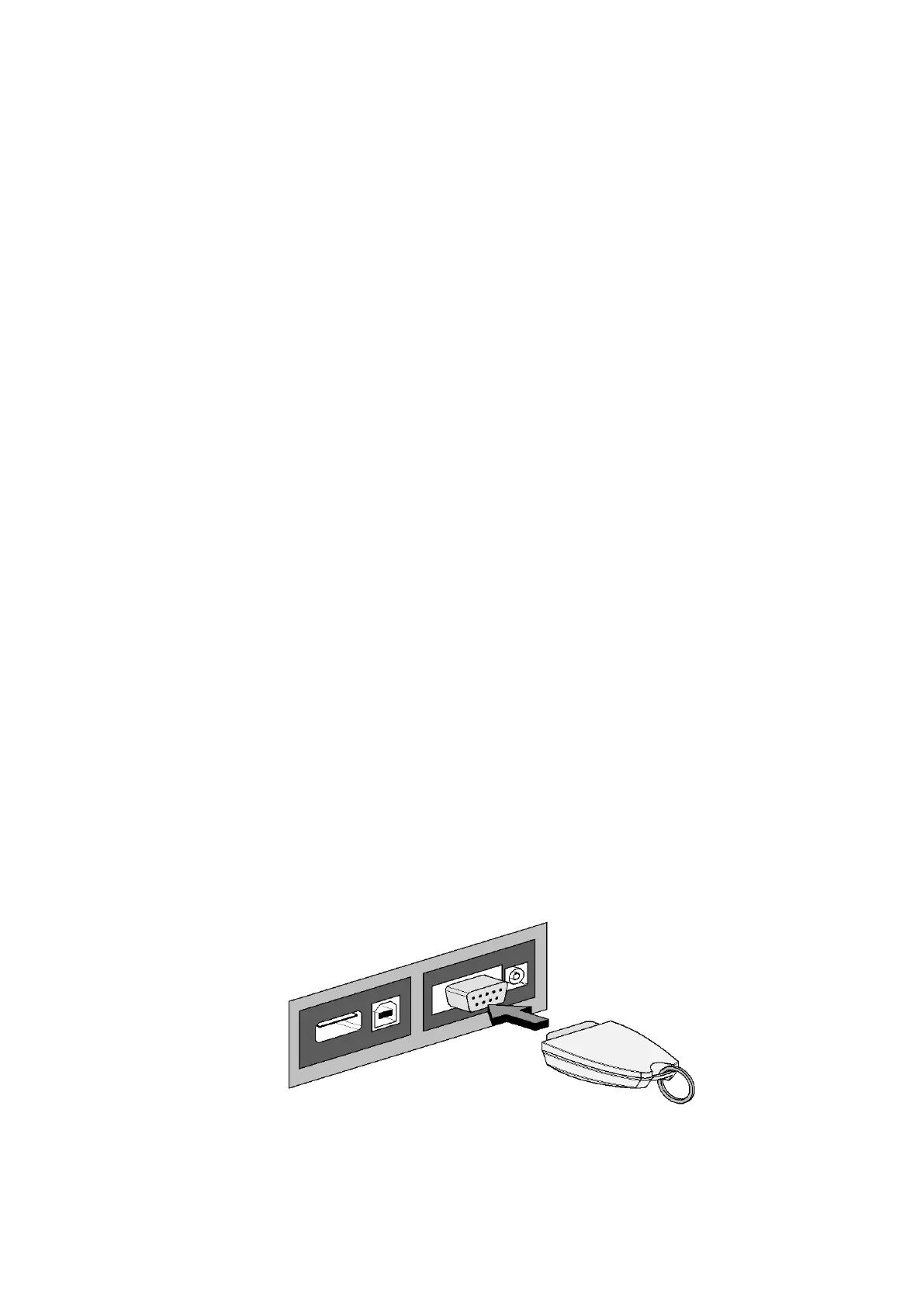
7.4.6. Insert calibration key into the RS232 socket located on the rear of the MEL-TEMP .


 To Next Page