
 Need help?
Do you have a question about the Elegoo MARS MATE and is the answer not in the manual?
Essential guidelines for safe operation and handling of the air purifier.
Instructions for turning the unit on/off and adjusting fan speed settings.
Step-by-step guide for connecting the air purifier to a device and powering it on.
Visual instructions for safely removing and installing the air purifier's filter.
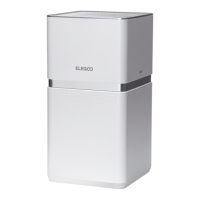
The ELEGOO MARS MATE Air Purifier is designed to enhance air quality, particularly in environments where 3D printing may generate fumes or particles. This user manual provides comprehensive instructions for its operation, maintenance, and troubleshooting, ensuring optimal performance and longevity of the device.
The primary function of the MARS MATE Air Purifier is to filter and purify the air. It utilizes a composite filter to capture various airborne contaminants, including VOCs (Volatile Organic Compounds), dust, and other particles. The device is equipped with a sensor that monitors VOC concentration, allowing it to adjust its operation based on air quality. It features multiple operating modes, including manual fan speed control (low and high) and an automatic mode that intelligently switches between fan speeds based on detected air quality. The air purifier is designed to be integrated with a 3D printer via a connector hose, directing the purification efforts to the source of potential emissions.
The MARS MATE Air Purifier offers intuitive controls for ease of use. The device is turned on or off by short-pressing or long-pressing the "on/off button" respectively, with indicator lights (white for on, red for off) providing clear status feedback.
For fan speed control, a dedicated "fan speed button" allows users to cycle between low and high fan speeds. In low speed, the fan speed icon becomes semi-bright, and the first indicator light illuminates with a transparent white light. Pressing the button again switches to high speed, where both indicator lights illuminate. This manual control provides flexibility for users to adjust purification intensity as needed.
The "auto button" enables an automatic mode, where the air purifier intelligently manages fan speeds based on detected air quality. In this mode, the auto icon transitions from semi-bright to full bright. The device operates in cycles, running at high speed for 10 minutes and low speed for 50 minutes within each hour, adapting to the environment's needs.
A crucial feature is the "filter reset button," which is integral to maintaining the purifier's efficiency. When the VOC concentration reaches or exceeds 1.4PPM, the air quality light turns red, and the filter icon flashes red, signaling that the filter element needs replacement. Users can reset the filter life by long-pressing this button for 3 seconds, which stops the flashing red light. The filter replacement alarm is triggered either when the filter's life exceeds 1440 hours or when the VOC concentration consistently remains above 1.4PPM, prioritizing whichever condition is met first.
Additionally, there's a forced filter life reset function for specific scenarios. Within 30 seconds of power-on in standby mode, a long touch of the "auto button" for 3 seconds followed by three short touches of the "filter reset button" initiates this reset. A "ding" sound confirms entry into the filter life reset, and the red indicator light of the filter flashes approximately 5 times (at 0.5-second intervals), indicating successful completion. After this forced reset and subsequent power-off and power-on, the filter indicator light will be half-lit in white.
The device also provides clear visual feedback on air quality through its AQI (Air Quality Indicator) light. A green light signifies "excellent" air quality (VOC concentration <0.7PPM), yellow indicates "moderate" air quality (0.7PPM-1.4PPM), and red denotes "poor" air quality (≥1.4PPM). This allows users to quickly assess the current air quality at a glance.
Connecting the air purifier to a 3D printer is straightforward. The connector hose is first attached to the extension port of the 3D printer using the provided screws and wrenches. Then, the other end of the connector hose is connected to the air purifier. Once the adapter is plugged in, a "ding" sound confirms power-on, and the device can be activated by touching the power switch button.
Proper maintenance is essential for the MARS MATE Air Purifier's performance and longevity. Before any maintenance, it is crucial to unplug the power cord from the electrical socket to prevent electric shock or fire.
Cleaning the machine body involves using a soft rag to wipe off stains. For more stubborn stains, a soft cloth dipped in a neutral detergent can be used. Users are advised to avoid using hard objects that could scratch the machine shell. When disassembling the machine for cleaning or other purposes, it is important to follow the user instructions carefully to prevent damage to internal components.
Filter replacement is a key maintenance task. The device's built-in program provides reminders for filter replacement based on filter element life. Alternatively, users can utilize the forced filter life reset function to replace the filter in real-time. The composite filter element's surface can accumulate dust, which can be cleaned with a vacuum cleaner to extend its service life. It is recommended to clean the filter surface once a month, but it should never be washed with water.
It is important to note that the filter's lifespan can vary significantly depending on the operating environment. For instance, in environments with smoking or pets, the filter life will be shortened. Users should replace the filter promptly when they notice a decrease in purification effectiveness. Used waste filters must be disposed of according to local regulations for solid waste.
The manual also outlines important safety notices to ensure safe operation. Users are cautioned not to block the air inlet/outlet, rinse the composite filter with water, or handle the power plug with wet hands. Regular removal of dust from the air purifier and power plug is recommended. Only the supplied power adapter and matched special filter element should be used. The air purifier should not be used in areas with high humidity or oily fumes, such as bathrooms. Care must be taken when cleaning the air purifier, avoiding strong corrosive cleaning agents that could damage its surface. The device should not be placed near heat sources or in areas exposed to flammable gases. Finally, the air purifier is not suitable for operation by individuals with disabilities, sensory impairments, mental impairments, or children, unless supervised and guided by a person responsible for safety.
 General
| Category | Air Cleaner |
|---|---|
| Product Name | MARS MATE Air Purifier |
| Type | Desktop Air Purifier |
| Filter Type | Activated Carbon Filter |
| Dimensions | 150mm x 150mm x 150mm |

 To Next Page