
 Need help?
Do you have a question about the Elektron Cycles and is the answer not in the manual?
Details FCC compliance rules and potential interference with operation.
General safety and maintenance guidelines for operating the unit.
Specific warnings to reduce risks like fire, electrical shock, or product damage.
Safety instructions specific to the Elektron PSU-4 power adapter.
Introduces Model:Cycles as an FM-based groovebox with a unique sound engine.
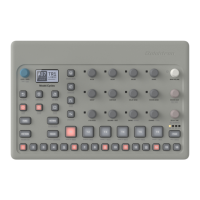
Details the functions of controls and connectors on the front panel.
Explains the numbered controls on the Model:Cycles front panel.
Explains the numbered key functions on the Model:Cycles front panel.
Identifies and describes the function of rear panel connections.
Guides on physically connecting and powering on the Model:Cycles.
Steps to load presets from the +Drive to a track.
Explains the information shown on the main screen.
How to navigate menus, folders, and select items.
Explains the various functions and indicators of the trig keys.
Details the pads for triggering presets and pad menu settings.
How to use external MIDI devices to control the Model:Cycles.
How to play presets chromatically using trig keys or external MIDI.
How to save presets and kits, and create folders.
Steps to load presets from the +Drive to a track.
Detailed steps for saving an edited preset to the +Drive.
How to input trigs and locks using the grid.
How to input trigs and locks in real-time.
Settings for individual tracks like transpose and MIDI out.
Adjusting pitch, velocity, and length for trigs.
Settings for quantizing recorded trigs.
How to lock parameter values to specific trigs.
How to assign specific presets to sequencer steps.
How to change machines on specific sequencer steps.
How to set up logical rules for trig activation.
Details various conditional lock types like FILL, NEI, 1ST, X%.
How to activate temporary pattern variations for fills.
How to copy, paste, and clear patterns, tracks, and trigs.
How to temporarily save and reload patterns for live tweaking.
How to adjust track parameters using the knobs.
Applying parameter changes to all tracks simultaneously.
Introduces the six FM-based machines and their parameters.
Introduces the LFO menu for modulating parameters.
Choosing which parameter the LFO modulates.
Sets the depth and direction of LFO modulation.
Customizes LFO behavior and orientation.
Controls decay time and tone of the reverb.
Procedure for upgrading the OS using the Transfer application.
Procedure for upgrading the OS using legacy mode.
Re-initializes RAM and +Drive to factory defaults.
Initiates OS upgrade from the startup menu.
 General
| Effects | Reverb, Delay |
|---|---|
| Connectivity | MIDI In/Out, USB |
| Power | 12V DC |
| Audio Outputs | 2 x 1/4" stereo |
| Storage | Internal memory, USB |

 To Next Page