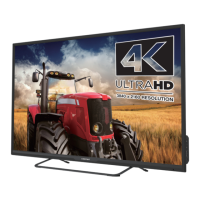
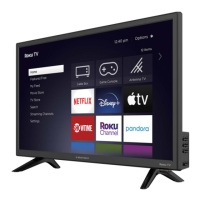
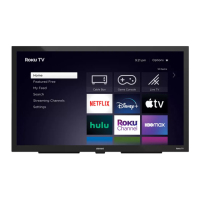
This document is a Quick Start Guide for an Element Roku TV, model E4AA43R, which is a 4K Ultra HD television. The guide provides essential information for setting up and using the TV, including safety instructions, what's included in the box, how to connect external devices, and how to set up the Roku TV features.
Function Description
The Element Roku TV is a smart television designed to provide a comprehensive entertainment experience. It integrates the Roku TV platform, allowing users to access a wide array of streaming channels, movies, and TV shows directly from the device. The TV also includes a built-in tuner for receiving over-the-air broadcast television when connected to an antenna. Its 4K Ultra HD resolution ensures a high-quality visual experience with sharp images and vibrant colors.
Usage Features
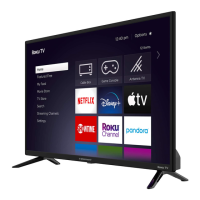
The TV offers a user-friendly interface powered by Roku TV, making navigation and content discovery straightforward.
- Streaming Capabilities: Users can stream content from popular services like Netflix, Disney+, Hulu, Showtime, and Pandora, among others, directly through the Roku TV platform. Access to these services may require paid subscriptions.
- Antenna TV: The TV has a built-in tuner for connecting an outdoor or indoor antenna, enabling reception of free over-the-air television broadcasts.
- Live TV Pause: A notable feature for antenna TV is the ability to pause live broadcasts for up to 90 minutes. This requires connecting a 16GB or larger USB drive to the TV and having a valid Roku account.
- Connectivity: The TV supports various input options for connecting external devices:
- RF (75Ω): For connecting an antenna.
- HDMI: Multiple HDMI ports allow connection of high-definition multimedia devices like Blu-ray players, gaming consoles, or set-top boxes.
- AV In (CVBS, Audio-L, Audio-R): Composite video and stereo audio inputs for connecting older devices such as VCRs, DVD players, or video cameras.
- Optical: For connecting to an external digital audio system, providing high-quality sound output.
- LAN: An Ethernet port for wired internet connection, though the TV also supports wireless connectivity.
- USB: A USB port for browsing photos, music, and movies from a USB memory stick. It's also used for the Live TV Pause feature. The unit only recognizes USB Memory Sticks.
- Headphone Jack: For private listening using headphones.
- Remote Control: The included Roku TV remote control is designed for intuitive navigation. It features dedicated buttons for power, back, home, volume control, mute, sleep timer, instant replay, options, and playback controls (rewind, fast forward, play/pause). The D-Pad allows for easy menu navigation and also brings up the Smart Guide (EPG) when watching Antenna TV.
- Universal Remote Compatibility: For convenience, users can program their cable set-top box or satellite receiver remote to act as a universal remote for the Element Roku TV. Instructions and codes for common providers are available online.
- Setup Wizard: The initial setup process is guided by on-screen instructions, which include connecting to wireless networks and activating the Roku TV.
- Roku Account Integration: Activating the Roku TV requires linking it to a Roku account. This account provides access to thousands of streaming channels and enables software updates. While a credit card is not strictly necessary to create an account, it simplifies renting and purchasing content from the Roku Channel Store.
Maintenance Features
The guide emphasizes several aspects related to the care and maintenance of the Element Roku TV to ensure its longevity and safe operation.
- Cleaning: The TV should be cleaned only with a dry cloth.
- Ventilation: It's crucial not to block any ventilation openings to prevent overheating. The TV should be installed according to the manufacturer's instructions in a well-ventilated environment.
- Power Cord Protection: The power cord should be protected from being walked on or pinched, especially at plugs, convenience receptacles, and where it exits the apparatus.
- Accessory Use: Only attachments and accessories specified by the manufacturer should be used. When using a cart, stand, tripod, bracket, or table, caution should be exercised to avoid injury from tip-over.
- Power Disconnection: The TV should be unplugged during lightning storms or when it will be unused for extended periods.
- Servicing: All servicing should be referred to qualified service personnel. This is required if the apparatus has been damaged (e.g., damaged power cord, spilled liquids, fallen objects, exposure to rain or moisture, abnormal operation, or if it has been dropped).
- Battery Care: When replacing batteries in the remote, always use two brand-new AAA batteries from the same manufacturer. Damaged batteries should not be used. If the remote becomes warm or hot during use, discontinue use and contact customer support immediately.
- Product Registration: Users are encouraged to register their product online. This provides customized support, news and offers, and important product updates and notifications, which can aid in maintenance and troubleshooting.
- Warranty Information: The product comes with a one-year warranty covering manufacturing defects. This warranty outlines procedures for in-home service (where available), parts replacement, repairs, or product replacement/refund. It also details exclusions, such as damage from abuse, misuse, improper installation, accidents, or acts of nature.
- Disposal: The product contains electrical and electronic materials. It should not be disposed of as unsorted waste but collected separately to prevent adverse effects on the environment and human health.

 Need help?
 General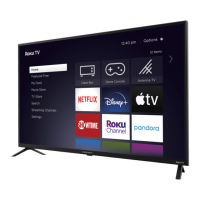

 To Next Page