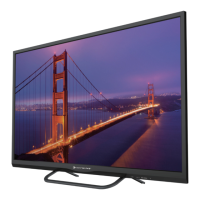
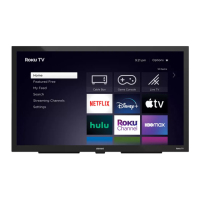
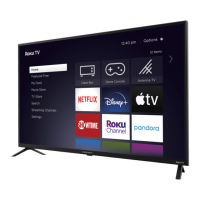
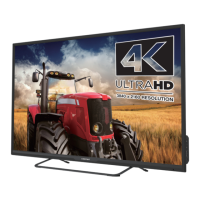
This document is a Quick Start Guide for an Element 4K Google TV. It provides instructions for setting up the TV, connecting devices, using the remote, and registering the product.
Function Description:
The Element 4K Google TV is a smart television designed to provide high-resolution entertainment with integrated Google TV features. It allows users to stream content, access apps, use Google Assistant for voice control, and connect various external devices. The TV can be used as a basic television with an antenna or as a full-featured smart TV with an internet connection and a Google Account.
Important Technical Specifications:
- Resolution: 4K (implied by the "4K" logo on the cover).
- Operating System: Google TV.
- Voice Control: Integrated Google Assistant via the voice remote.
- Connectivity:
- Wireless: Built-in wireless connectivity for internet access.
- Wired:
- ANT/CABLE port for connecting an outdoor or indoor antenna.
- HDMI ports for Blu-ray players, DVD players, gaming consoles, and other external devices (highest quality audio/visual connection).
- OPTICAL port for connecting an external digital audio system.
- HEADPHONE jack for connecting headphones or external speakers.
- LAN (Ethernet) port for wired network/internet connection.
- USB port for browsing photos, music, or videos from a USB device.
- MINI AV IN for composite video and left-right audio cables from external AV devices.
- Power: Requires 2 AAA batteries for the voice remote.
Usage Features:
- Easy Setup: The guide emphasizes a quick and easy setup process, including stand installation, remote pairing, and on-screen instructions for initial configuration.
- Voice Remote: The included voice remote allows for intuitive control using voice commands through Google Assistant. Key remote functions include:
- Power on/off.
- Microphone for Google Assistant.
- Mute.
- Profile selection for Google profiles.
- Google Assistant button for voice commands (finding movies, streaming apps, playing music, controlling the TV).
- Dashboard menu for quick TV settings, inputs.
- Navigation pad (up, down, left, right) and Select button for menu navigation.
- Back button.
- Home button.
- Guide for live TV channels (antenna) or electronic program guide (EPG) in DTV mode.
- Volume control.
- Channel selection.
- Virtual Keyboard for on-screen text input.
- Menu settings display.
- App shortcuts for launching labeled apps (when connected to the internet).
- Google TV Experience: Full access to Google TV features requires an internet connection and a Google Account, enabling app installation, personalized entertainment, and Google Assistant.
- Basic TV Mode: The TV can be used as a basic television without an internet connection or Google Account, though some smart features will be unavailable.
- Antenna Connectivity: Built-in tuner allows for connecting an antenna to enjoy over-the-air entertainment.
- Universal Remote Setup: Instructions are provided for users who prefer to use their cable set-top box or satellite receiver remote as a universal remote.
- Media Playback: USB port supports browsing photos, music, or videos.
Maintenance Features:
- Battery Replacement: The guide advises replacing dead remote batteries with two new batteries from the same manufacturer and warns against using damaged batteries. It also cautions against continued use if the remote gets warm/hot, recommending contacting customer support.
- Product Registration: Users are encouraged to register their product online at elementelectronics.com/register to receive:
- Quick support assistance.
- News and special offers from Element.
- Updates on product information and notifications.
- Warranty benefits: a 1-year manufacturer's limited warranty with purchase, or a 2-year limited warranty with product registration within 90 days of purchase.
- Support Resources:
- Online support: elementelectronics.com/support
- Phone support: 1.888.842.3577 (available 24 hours a day, 7 days a week).
- Email support: customerservice@elementelectronics.com
- Google TV specific support: support.google.com/googletv
- Packaging Retention: Users are advised to keep the TV box for the duration of the warranty.
- Physical Care: When installing the stands, place the TV screen-down on a clean, flat, soft surface (e.g., a blanket) to prevent scratches or damage. Avoid carrying the TV by holding or putting pressure on the glass to prevent damage. Ensure cables are securely connected to prevent picture and audio quality issues.

 Need help?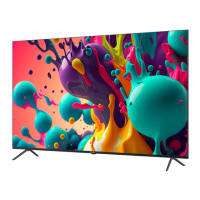

 To Next Page
 General