QUICK START GUIDE6
1
SETTING UP
YOUR TV
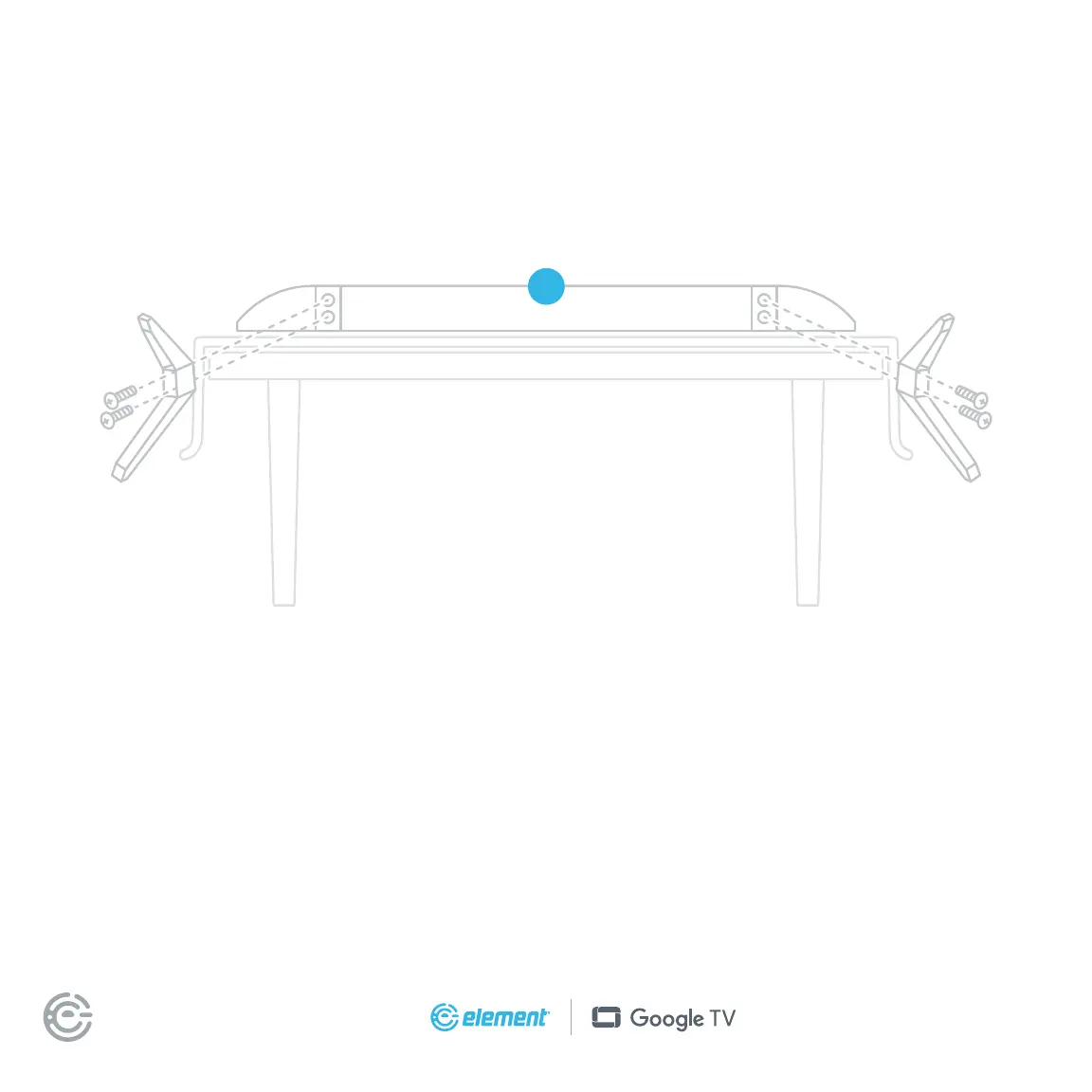
Installing the stands
Do not install the stands if you want to wall mount your TV. See your wall mount instructions for mount
installation details.
You will need: Phillips screwdriver (not included)
1. Place the TV screen-down on a clean, at, so surface (e.g.: blanket) to prevent scratches
or damage to the screen.
2. Use a Phillips screwdriver to attach each stand with the provided screws.
3. Place the TV upright on a stable, level surface.
For illustration purposes only. Actual product and number
of screws may vary. Please refer to the actual product.
To avoid damages, never carry your TV by holding or putting pressure onto the glass.


 To Next Page