MENU
:Skip
ENTER
:Stop Auto Channel Search
24
Press ▼/▲ button to select Signal Type, then press ◄/► button to select the type you want to set.
There are two selections: Air and Cable.
Signal Type
MENU OPERATION
AUTO CHANNEL SEARCH-Air
Now Searching...Please Wait...
Return
Analog Channels Found: 0
Digital Channels Found: 0
92%
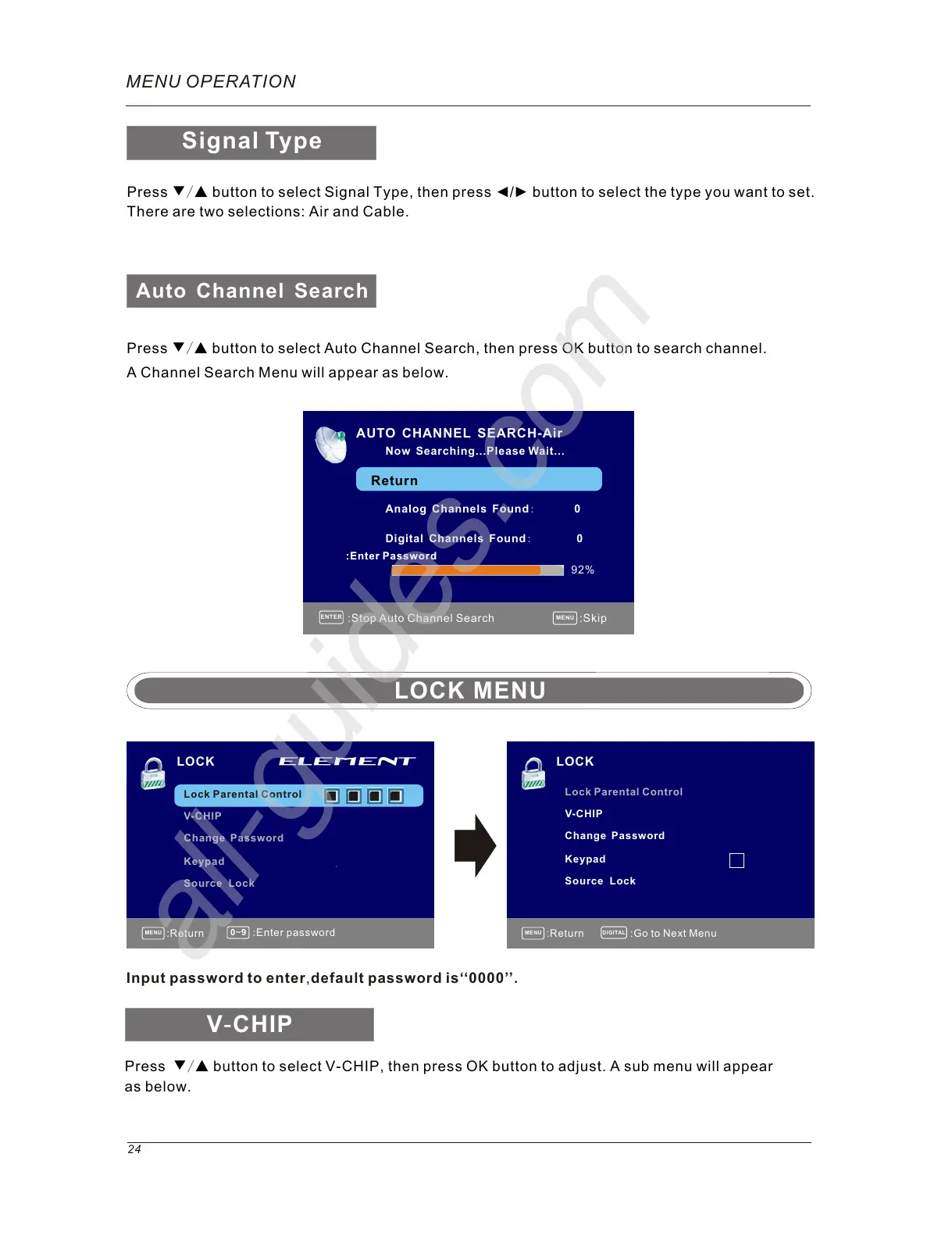
Press ▼/▲ button to select Auto Channel Search, then press OK button to search channel.
A Channel Search Menu will appear as below.
Auto Channel Search
MENU
DIGITAL
:Return
:Go to Next Menu
MENU
0~9
:Return
LOCK
Lock Parental Control
V-CHIP
Change Password
Keypad
:Enter password
Input password to enter,default password is‘‘0000’’.
Source Lock
LOCK MENU
Lock Parental Control
V-CHIP
Change Password
Keypad
Source Lock
Press ▼/▲ button to select V-CHIP, then press OK button to adjust. A sub menu will appear
as below.
V-CHIP
LOCK



 To Next Page