9
●WiFi Connection
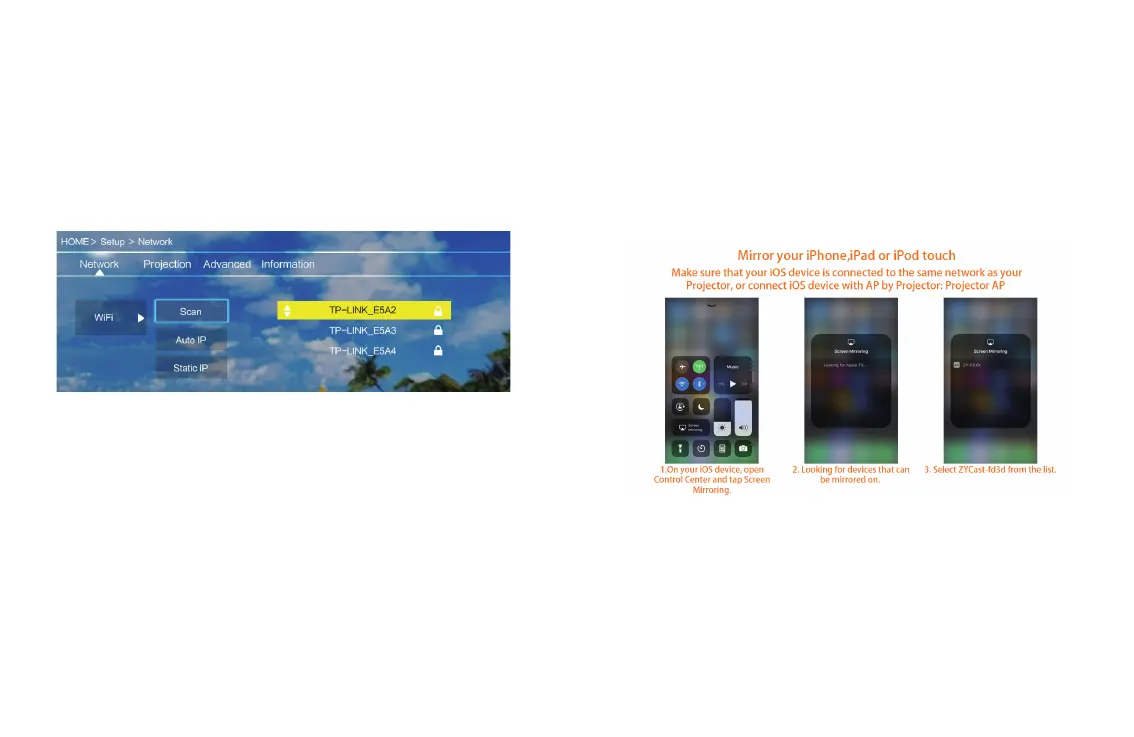
Step1: Choose “Setup” on the right of the interface, then nd “Network”.
Step2: Find “WiFi”.
Step3: Choose “Scan”. Select your wireless network from list and type in the
password.
Step4: Press the “Exit” key on the remote control and then conrm the
connection.
10
●iOS Cast
Step1: Select “iOS Cast” of the home page.
Step2: iOS devices and projectors must be connected to the same network, or
connect the iOS device to the wireless network issued by the projector.
Step3: Select the name of the projector device “ZYCAST-****’
Attention: After the rst use or upgrade of the software, the projector needs
to be connected rst.


 To Next Page