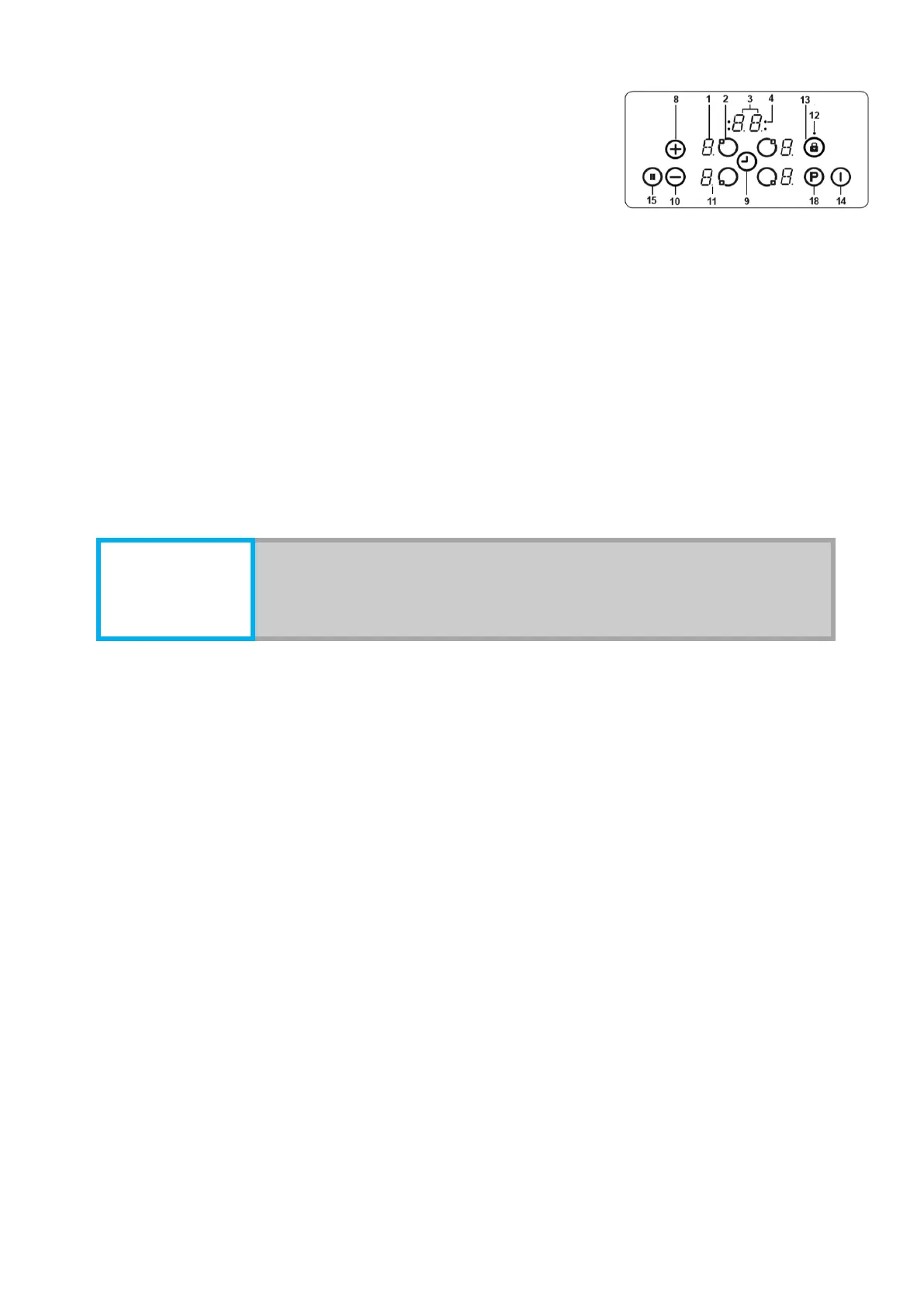
38
2 - Heating element switched on/off
3 - Timer display
4 - Timer function indicators on the cooking surface
5 - Triple zone indicator
6 - Double zone indicator
7 - Double/triple zone selection
8 - Increase of heating capacity
9 - Timer on/off
10- Reduction of heating capacity
11- Decimal point
12- Button lock indicator
13- Locking buttons
14- On/Off button
15- Stop/Start
16- Timer heating/adjustment button
17- Timer heating/adjustment indicator
18- Boost
8.2.3 The hob is controlled by means of the corresponding electronic button. Each
button is accompanied by a buzzer sound.
8.2.4 To turn the appliance on, hold down the 14 button for about 1 second until
the key is confirmed by the buzzer. "0" will appear on all heating elements and all
decimal points of the heaters will flash (1 sec. On, 1 sec. Off). If no operating function
is applied within 10 seconds, the display of the heating elements will disappear.
8.2.5 To turn off the hob, press button 14 for more than 2 seconds.
8.2.6 The "H" indicator will illuminate when the hob is switched off on those
hotplates which have residual heat after switching off (surface heating zone
temperature is more than 60 degrees).
8.2.7 Selecting of heating element:
- To select a heating element, hold the activate / deactivate button of the appropriate
heating element for more than 3 seconds, the decimal points of the heating element
flash.
- The heating element can be adjusted from 1 to 9 by means of buttons 8 and 10,
or by slider 16 on the appropriate hobs.
- If no function is selected within 10 seconds, the heating element will switch off.
- If the hotplate is used for the hotplate, then after setting the heating level 9, the
display will show "A", alternately with the digit 9. This means that the heat gain is now
on. When the maximum temperature is reached, the symbol "A" will stop appearing.
8.2.8 Activate dual or triple heating zone (not present in all devices).



 To Next Page