Quick Start Guide
Federal Communication Commission Interference Statement
This device complies with Part 15 of the FCC Rules. Operation is subject to the following two conditions: (1) This device may not cause harmful interference, and (2) this device
must accept any interference received, including interference that may cause undesired operation.
This equipment has been tested and found to comply with the limits for a Class B digital device, pursuant to Part 15 of the FCC Rules. These limits are designed to provide
reasonable protection against harmful interference in a residential installation. This equipment generates, uses and can radiate radio frequency energy and, if not installed
and used in accordance with the instructions, may cause harmful interference to radio communications. However, there is no guarantee that interference will not occur in a
particular installation. If this equipment does cause harmful interference to radio or television reception, which can be determined by turning the equipment off and on, the
user is encouraged to try to correct the interference by one of the following measures:
- Reorient or relocate the receiving antenna.
- Increase the separation between the equipment and receiver.
- Connect the equipment into an outlet on a circuit different from that to which the receiver is connected.
- Consult the dealer or an experienced radio/TV technician for help.
FCC Caution: Any changes or modifications not expressly approved by the party responsible for compliance could void the user‘s authority to operate this equipment
For questions about Elgato product compliance with FCC regulations, please contact: Compliance Officer, Corsair Memory Inc., 47100 Bayside Pkwy, Fremont, CA 94538, USA
Applicant Name (
상호명): Corsair Memory, Inc.
Product Name (
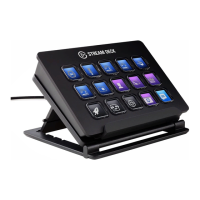
제품명칭): Stream Deck XL
Model No.(
모델명): 20GAT9901
Manufactured Year & Month (
제조연월): Please refer to gift box sticker
Manufacturer & Country of Origin
(제조자 및 제조국가): Corsair Memory, Inc./ Made in Taiwan
Part: 51GAT9904
+ R-R-CSI-20GAT9901

 Need help?

 To Next Page
 General