8
MAINTENANCE GUIDELINES
DISCONNECT POWER BEFORE PERFORMING ANY CLEANING OR
MAINTENANCE!
CLEANING
Frequent cleaning is recommended to ensure proper function, optimized light output, and an extend-
ed life. The frequency of cleaning depends on the environment in which the device operates: damp,
smoky, or particularly dirty environments can cause greater accumulation of dirt on the xture hous-
ing and/or light xture optics. Clean the external surface and the front lens of the device periodically
with a soft cloth to avoid dirt/debris accumulation
NEVER use alcohol, solvents, or ammonia-based cleaners.
MAINTENANCE
Regular inspections are recommended to ensure proper function and extended life. There are no
user serviceable parts inside these devices; please refer all other service issues to Eliminator Light-
ing. Should you need any spare parts, please order genuine parts from Eliminator Lighting.
Please refer to the following points during routine inspections:
• A detailed review should be performed by an approved electrical engineer every three months, to
make sure the circuit contacts are in good condition in order to prevent overheating.
• Be sure all screws and fasteners are securely tightened at all times. Loose screws may fall out
during normal operation, resulting in damage or injury as larger parts could fall.
• Check for any deformations on the unit. Deformations could allow for dust to enter into the
device, or cause the device to fall and seriously injure a person(s).
• Electric power supply cables must not show any damage, material fatigue, or sediments.
FUSE REPLACEMENT
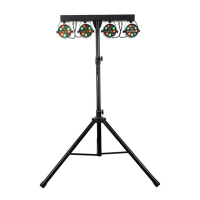
The mounting bar features a replaceable fuse housed in a fuse clip below the Power Input on the
back side of the device. To access the fuse, slide the fuse clip out of the device, then remove the
fuse. BE CAREFUL NOT TO DAMAGE THE FUSE CLIP, THE POWER INPUT, OR THE PRONGS.
Replace only with a fuse of the same rating.


 To Next Page