________________________________________________________________________
P a g e | 11
PAS Display Function Control
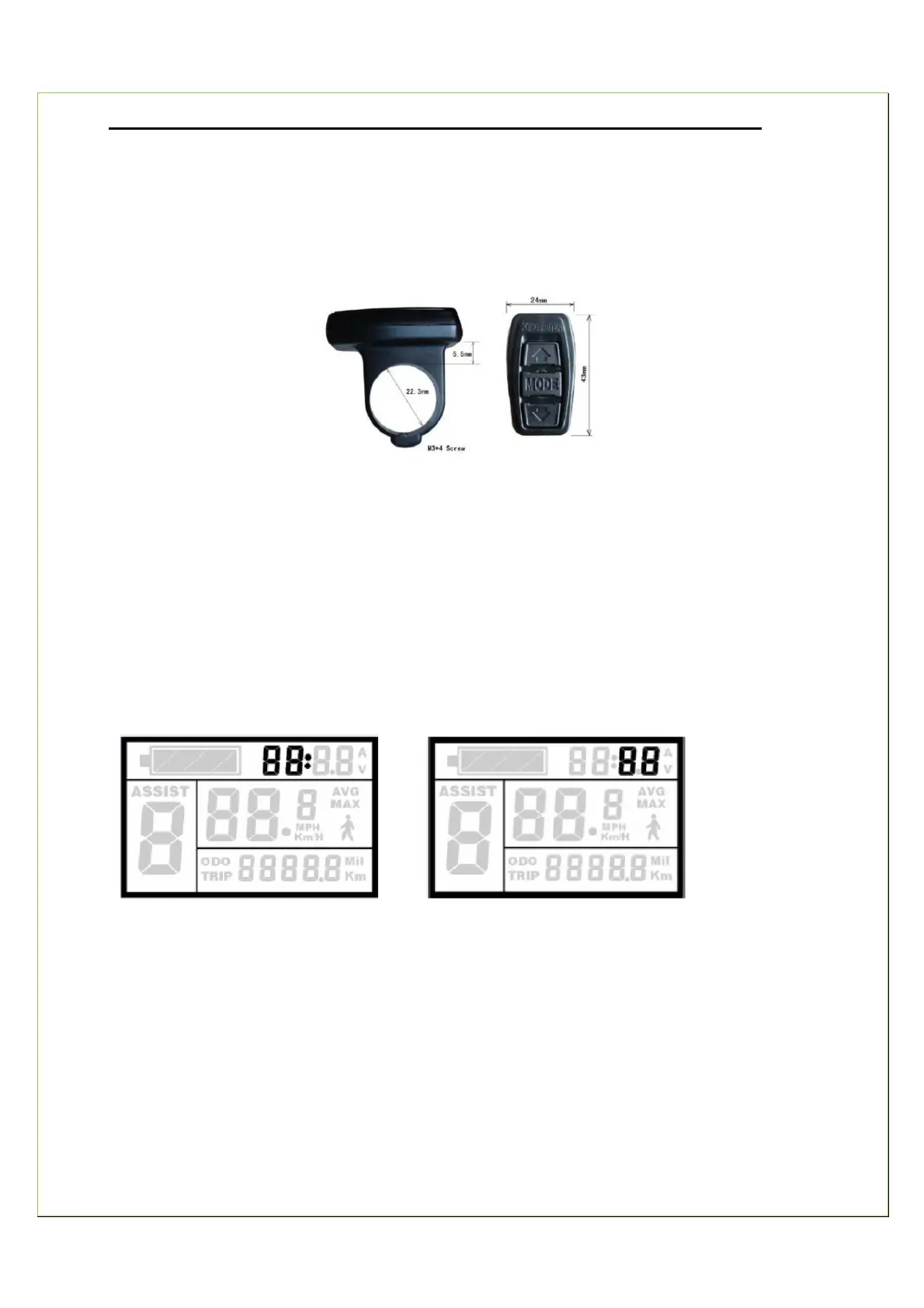
The PAS monitor is easily managed through your handlebar mounted thumb control which can
be installed either on the left side or on the right side of the handlebar.
Display Settings
1. Turn on your power supply.
2. Press the MODE button and start the display.
3. After start-up, hold both UP and DOWN at the same time for3 seconds to initiate settings.
Setting the Time
Set the HOUR by using UP and DOWN. Press MODE for confirmation and then set the MINUTE
by using UP and DOWN. Press MODE for confirmation.
Setting HOUR Setting MINUTE
Top-speed Setting
The default setting of the top riding speed is 32 Km/h (20 mph). You can change this and re-set
a new top riding speed. If the EAB speed exceeds the new setting, the controller will cut off the
power supply to the motor to ensure the rider’s safety.
The range of the top riding speed is from 7Km/h (4 mph) to 32Km/h (20 mph).


 To Next Page