________________________________________________________________________
P a g e | 13
Backlight Brightness Setting
Press UP or DOWN to modify the backlight brightness. You can choose from level 1 to level 3.
Level 1 is the minimum brightness. Level 3 is the maximum brightness. The default value of the
backlight brightness is level 1.
Exit Settings
Press MODE for 2 seconds to save the current settings and exit the setting interface.
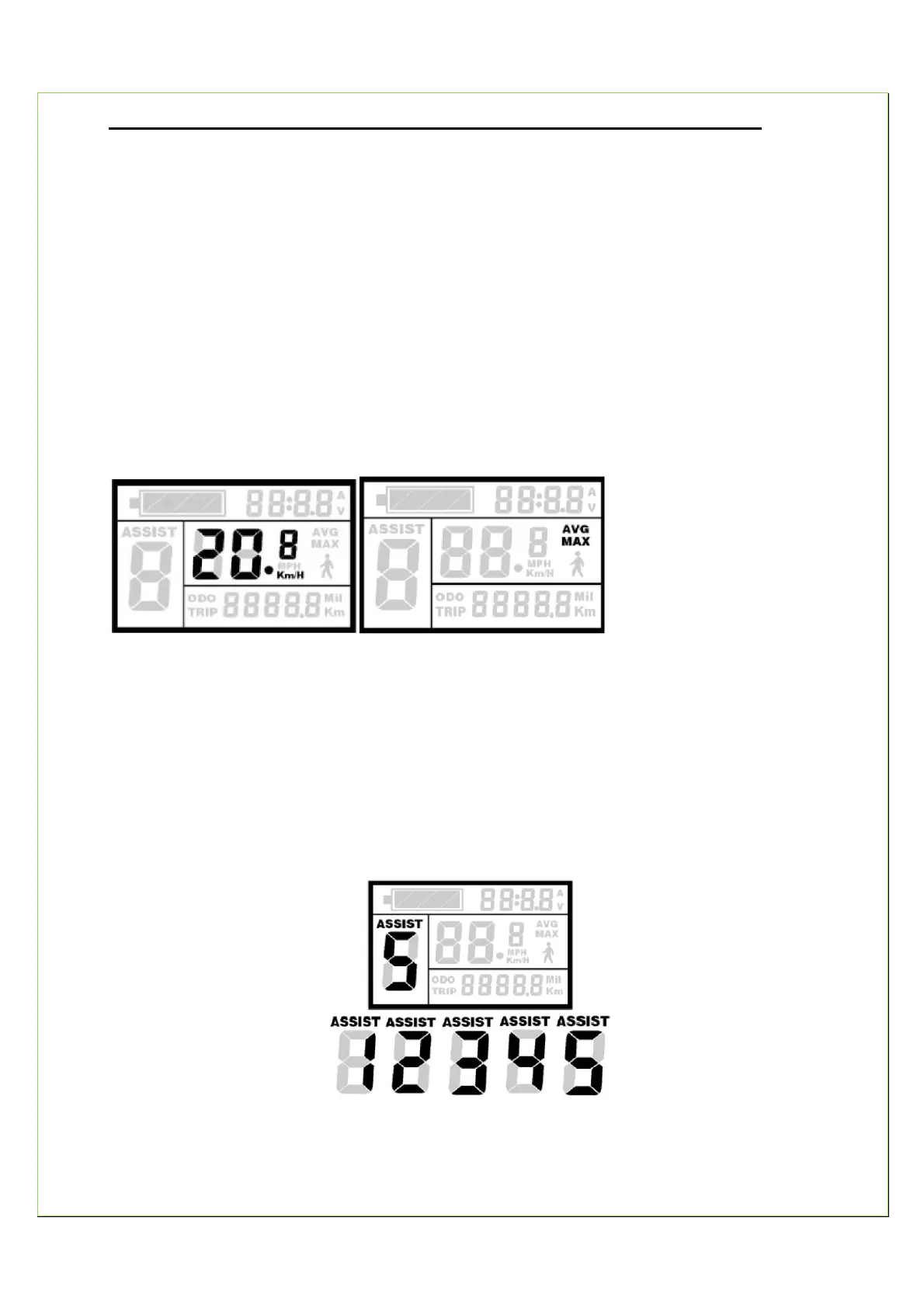
Speed Display (Current Speed/Average Speed/Max Speed)
When the EAB starts, the display will automatically show the current speed.
Hold UP and the display will show the MAX speed during this ride. Hold UP again and the
display will show the AVG speed during this ride. Hold UP again and the display will turn to the
current speed display.
Assisted Power Select or Throttle Level Select
Press UP or DOWN to change the power output of the motor. Pedal Assist has power ranges
from Level 1 to Level 5. 1 is the minimum power. Level 5 is the maximum power.
The default level is Level 1.


 To Next Page