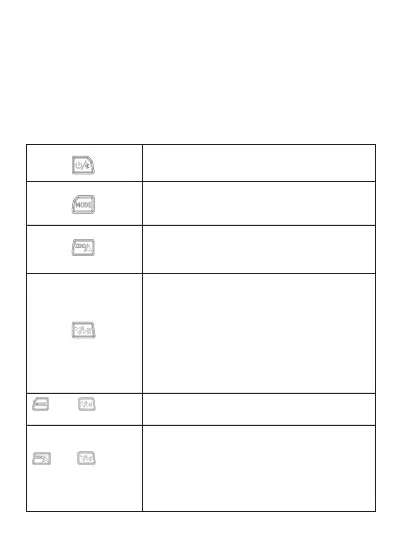
1.5 Key Functions
2. At the end of the service life of the product, please recycle it
according to local regulations, and do not discard it at will to avoid
environmental pollution.
3. Send the scrapped old battery to the specified waste battery
collection point.
1.Long press: power on/off
2.Short press: turn on/off Bluetooth
1.Long press: enter the setting interface
2.Short press: switch the setting options in
the setting interface
1.Short press: switch refrigerant type
2.Long press: data zero calibration , (air
pressure zero calibration range: 1-100psi)
Switch measurement mode
and
simultaneously press
and
simultaneously press
1. Short press:
①Switch the type of refrigerant
②The holding pressure interface opens
the holding pressure state
2. Long press:
①The pressure holding interface ends the
pressure holding state
② Exit the display interface of the holding
pressure data result
Press and hold for 3 seconds to unlock
and select the refrigerant state
Note: After unlocking, the refrigerant
starts to flash, at this time, the refrigerant
can be switched, and the refrigerant is
automatically locked after 10 seconds


 To Next Page