3.6 Setup mode
3.6.1 Unit setting
Figure 8 Data record icon
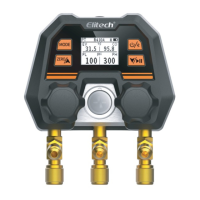
Figure 9 Setting interface diagram
Enter the settings : press and hold , the upper left corner of the
window will display SET (Figure 9)
Switch settings : short press
Select setting items : short press or
Exit settings : long press
pressure unit
1. Go to Settings and select PRESS .


 To Next Page